Agree on the kailh switches being just better. I bought and returned the nuphy and got the Iquinix mq80 instead, pricey but worth it for something I'll use for years to come. I also wanted something super quiet and the kailh deep sea silent whale switches are perfect for me.
This is exactly what I did, bought the MQ80, then bought some deap sea silent whale switches off of ali express for $30. Best investment I've ever made!
Those are custom keycodes. See this post:
https://www.reddit.com/r/olkb/comments/18s6u24/hex_codes_for_do_not_disturb_on_macos_for_qmkvia/
In that thread, drashna points out that you *can* do it if you compile code. Unfortunately, that is not an option for the MQ80, since they did not make the QMK source code available.
This is frustrating the bejesus out of me.
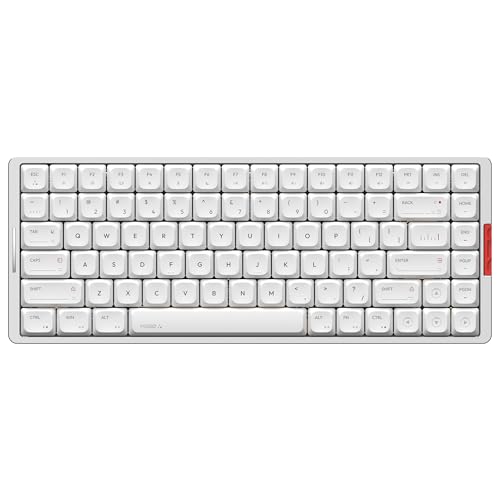
I'm a Mac user and my new MQ80 arrived today. The VIA user manual on Iqunix's site has the Fn key set to MO(1), which brings up Layer 1, where the Mac screen brightness (F1-F2) and media controls (F7-F12) reside. Those work fine, though it's annoying that the default is that I have to hit Fn to access them. I think I know how to fix that though.
What I can't figure out is how to access F3 (tiling open windows), F4 (Spotlight), F5 (mic mute toggle), and F6 (do not disturb toggle) in VIA. There are no selections for those keys available for mapping, even though the MQ8 keycaps for those functions reflect what they \*should\* do on a Mac (little mic and moon icons, for example). So I'm assuming there's a way to make them work, but after a pretty good effort, I can't figure it out.
Do I have to record macros for each of those keys? Any tips would be hugely appreciated.
This annoyance aside the keyboard is pretty great, so I'm hoping I can make this work.
Thanks for the response. That's irritating. And just weird that they'd go so far as to print the right icons on the keys, but leave it super difficult to actually have the keys do those things.
I did the same and also replaced the keycaps because the original ones just felt too small for my fingertips and I needed shine through. $50 all in and I can't see myself ever changing keyboards.
Always fun to just try something new. Build the collection. Lots of amazing options online. Ive tried them all and own an insane amount of keyboards and they all float around my office for all my staff to use and enjoy at my business. If you have some extra money - crush80 by wobkey is unreal. Low profile goes to Iqunix MQ80
Top Gaming Keyboards on Reddit
1
Wooting
80HE
80% positive of 230 users
Elite gaming performance, deep customization, but divisive typing feel.


 Crelidric


