Wooting
80HE
Elite gaming performance, deep customization, but divisive typing feel.

Running these analyses costs money. Buy through my links to help keep lights on! I may get a small commission.
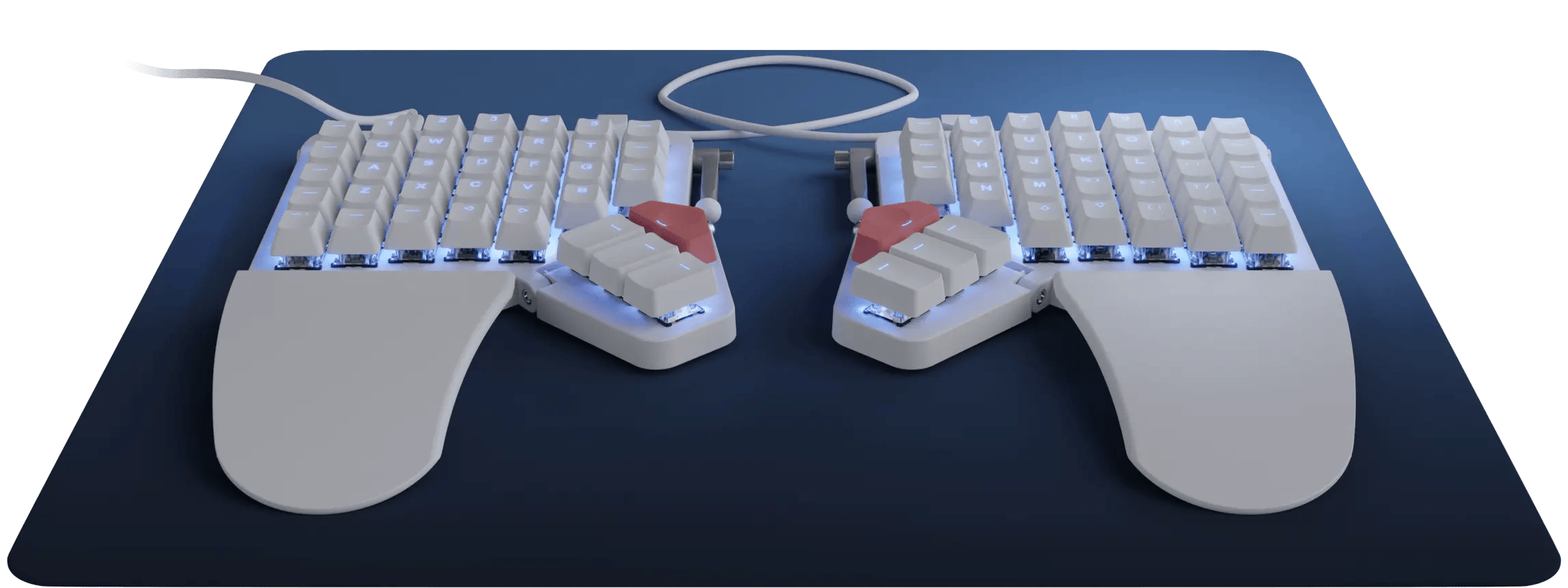
I love my ZSA moonlander, it's also hotswap so you can get any switches you want.
You can buy a tent kit from their site or make your own, I made mine with Legos. https://preview.redd.it/rgv0ghhmrvmf1.jpeg?width=2252&format=pjpg&auto=webp&s=ec8666086dfeefe7eb05c6504e70c2939fe01c5b
I have had a pretty similar journey as you have. I ended up with the moonlander which I love, however I'm starting to look for something a little different as I miss low profile keyboards, and hate wires.... For me I have similar arm issues- primarily in my right arm (i'm right handed). I got a logitech mx vertical mouse which has helped too. I think my moonlander keyboard is good but I actually want even more tenting. Few questions for you though: do you prefer the full size keyboards, or do you perfer low profile keyboards - eg more laptop / apple magic keyboards. Personally I prefer that style - shorter throw, lighter feeling keys. Also consider your preferred key switch type - I got cherry mx brown, but after a few trips to keyboards shops I think I'd prefer silent reds (silent as people complain while I'm typing on zoom that it's loud). Personally I think how hard it is to press the keys, plus jolting at the base also inflames the muscles. Also consider how many keys you want, maybe experiment with layouts. Personally for me (coding, architecture etc) the 72 keys of the moon lander is fantastic IMO. My ideal keyboard though would be: * Split * low profile (choc switches) * scroll wheel on LHS * wireless (bluetooth) * extremely tented * columnar * probably 68 keys Essentially what I want is a wireless version of: [https://xcmkb.com/products/sofleplus2?variant=45777899421955](https://xcmkb.com/products/sofleplus2?variant=45777899421955) with some giant batteries underneath in some large tenting stand.
I use the moonlander for both coding and gaming, the extra inner column does not make it weird when I map my movement keys to ESDF (I mainly play shooters like bf6, hell let loose, helldivers 2)
I’ve been using a Moonlander for work and gaming for 4 years straight without issues!
I have a Moonlander and it's a game changer. I don't feel that awful pain in my wrists anymore. It's $360 I think
MX vertical and Moonlander. Carpian tunnel is a bitch
Same here. I've had a ZSA Moonlander for 3 years without any quality issues, and that's including the wear of traveling nearly every week with the keyboard. ZSA's quality is excellent, you'd be hard pressed to find better.
I use a Voyager as my regular daily driver, but I also continue to use and enjoy the Moonlander at times. They're both great. The main reason one might prefer the Moonlander over the Voyager is because the Moonlander, having more keys (72 vs. 52), can be mapped with something close to a conventional keyboard layout, making it easier to get into as a first step into custom keyboards. The Voyager requires more tricks and puzzling to work effectively on its smaller footprint, which, depending on the user, could either be something frustrating or a fun challenge. ZSA makes both the Moonlander and the Voyager keyboards. They have more things in common than they have differences. Both are split, wired, travel-friendly, RGB matrix lighting, hot-swappable, and tent-able. Keymap configuration is done using ZSA's Oryx configurator (or, there's also the option to use QMK directly), and both have access to ZSA's Keymapp and other support software. Differences (ordered in increasing nitpickyness): * Switches: Moonlander is regular profile with MX switches, Voyager is low profile with Choc v1 switches * Size: 72 keys on the Moonlander vs. 52 keys on the Voyager * Moonlander has 4 thumb keys per side on an adjustable flap, the Voyager has 2 thumb keys per side and no adjustment * IMO, the Voyager's thumb keys feel more comfortable * Moonlander has integrated palm rests (removable) * Moonlander has 6 indicator LEDs vs. Voyager has 4. * Moonlander has a built-in speaker (sound effects on start up, when going into DFU mode, etc.)

Wooting
80HE
Elite gaming performance, deep customization, but divisive typing feel.

AULA
F75
Budget king for thocky sound, but layout and software flawed.

AULA
F75 Max
F75 value with screen, but wireless and key layout issues.

AULA
F99 Pro Mechanical Gaming Keyboard
Value full-size with numpad, great typing, but poor software.

Keychron
K2 HE Wireless Magnetic Switch Custom Keyboard
Affordable HE with premium feel, but limited switch options.

Ranked #1
Wooting - 80HE

Ranked #1
NuPhy - Air60 HE Magnetic Switch Gaming Keyboard

Ranked #1
Logitech - G19 Programmable Gaming Keyboard with Color Display

Ranked #1
Keychron - K10 Version 2 Full Size 104 Keys Bluetooth Wireless Mechanical Gaming Keyboard