cheers !!
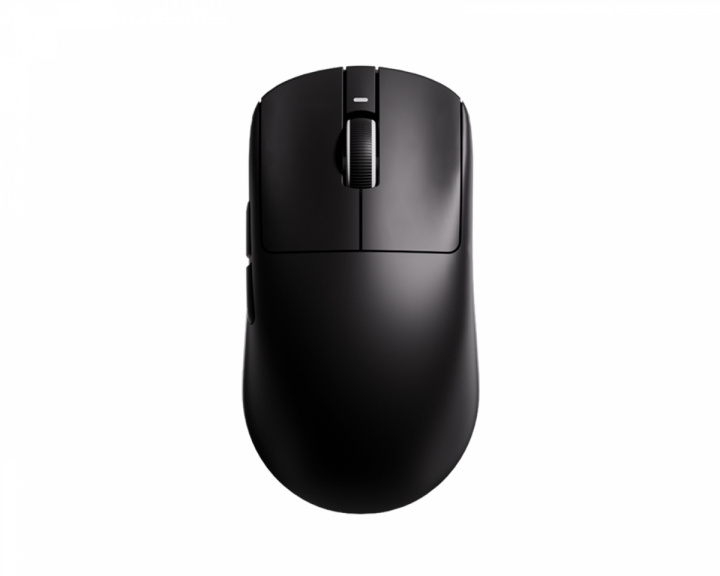
XEv2 < a bit on the heavier side. Ten Air is really nice only $90. And today I got the HTM Plus which will be the mouse of the year, It's a large hand 33g mouse that just released
i have the atk duckbill with the matching 54h20 mcu dongle and i definitely feel like my flicks are a lot more precise, no clue if it's placebo, but idc if it still makes me play better
also got g wolves HTM Plus but it sits in my drawer until they fix the sensor stuttering issue during slow tracking. Otherwise, it's an amazing shape for me and i love the clicks
I have the updated g wolves htx mini with lighter clicks and 3950 on the way and it arrives tuesday :)
i got mine today, mouse stutters and lags on any polling rate when slow tracking. it is hard to notice at 1000hz, but definitely there when you're moving your mouse slowly, conversely same thing happens with very low dpi (such as 150dpi) and moving your arm fast across your pad fluidly, not too fast not too slow.
i put the dot skates on both sides of the sensor as they recommended, but it did NOT fix the issue. I do not have this issue when wired at all, only when connected to the wireless receiver,
* tried different cords tried different ports
* tried having the receiver on my mousepad literally a couple of inches from the mouse
* tried full size skates front and back end + 3 dots to the left and 3 to the right of the sensor.
* tried different mousepads (all FIRM bases such as my type-99 and Errennir Gecko, and a few of the other pads i have
* tried all LOD settings
* tried different combinations of settings within the software yet nothing resolves it
* tried resetting the mouse a few times
I would have tried pairing the mouse to the receiver again, but G-Wolves does not have an application I could find that is compatible with the HTM Plus. Also, the issue occurs moving at any speed when using polling rates 4000hz and 8000hz and is very apparent. I have over 12 different mice and none have this issue, I use 4k polling on most of my mice, and 8k on a few. My pc is overbuilt and definitely not the issue, again, NONE of my mice have this issue, not even the ATK Duckbill with its new 54h20 mcu inside the mouse and its newer receiver, both of which are using the same MCU as the HTM Plus (that's if g wolves saying "Nordic 54 series High Performance is true).
My Windows 11 installation is healthy and free of corruption (i used command prompt to run the DISM restorehealth command and sfc /scannow, but no corruption was found). switching between all of my mice and not a single one has an issue. They are all OFF inside my desktop drawer which I just verified by checking each of them.
There must be a serious firmware bug with the HTM Plus, there is no router anywhere near me, i have a professionally installed ethernet cable that runs through my walls across the house to my room. Very upset about this, hoping for a firmware update quickly so I can actually use the mouse ive been looking forward to for so long. I've heard from a couple of other people they've been having sensor related issues as well, but I thought I was in the clear when they mentioned it, but i was using wired to let it charge fully only to realize i have the same issue once I connected wirelessly,
Really hoping this is only a firmware bug and not a faulty receiver or mouse. Can anyone else that received/will receive theirs try changing their dpi to something low like 150 dpi and fluidly moving their mouse across a mousepad (a smooth glide across, not too fast not too slow) and see if their cursor stutters/skips. It's easier to test it this way to rule out human error. Also try 4k and 8k polling rate if you know your system can handle it normally.
Nope, I updated to 0.0.5.0 for mouse and receiver that they released yesterday and reset the mouse after but issue is the same, I even tried putting donuts on top of my full size skates lol but this doesn’t feel like a lod issue at all, after doubling my skates the lod feels as it should feel, but the cursor stutter remains the same. Apparently there is going to be another firmware update soon tho, so fingers crossed they found the issue and are resolving it, I was pretty detailed with what the issue is with support and sent a clip of it, I explained my issue to someone else with a HTM Plus that didn’t think they had any issues until they tried slow tracking with a line in MS Paint and the cursor stutters and the click being held stopped registering, and the line stopped drawing when the stutter occurred, so I think it’s likely a firmware issue and all units should be affected
So far the only "large" (feels more like medium-large) ambis that have piqued me are the HTM Plus (narrow side long long mouse), Susanto (GPXmini OP1 brainchild) and X2CL Medium (best "neutral" medium size mouse). Everything else is either too small or too stubby
Top Gaming Mice on Reddit
1
Logitech G
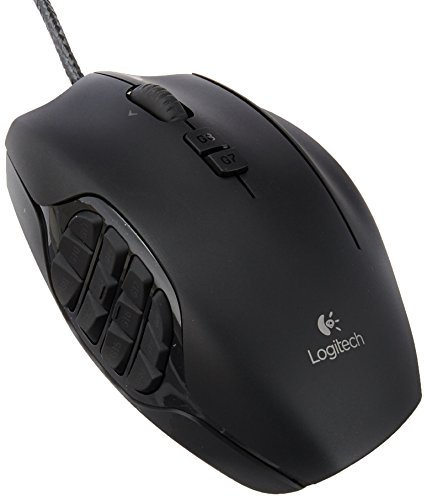
G600 MMO Gaming Mouse
73% positive of 688 users
Customizable MMO workhorse, durable, but discontinued and pricey.


 anibra2112