I use an M720 at work because it's nice and simple and can connect to multiple devices (I work in IT), and I use the 502X Plus. It's kind of overkill (extra lights that don't really matter) and expensive unless you get it on sale, so I recommend the 502X Lightning.
I had a nice Logitech Triathlon mouse for a while there. I did use it for gaming but I cared more about it's customizable buttons (bless Logi+ or whatever it is), but I shelled out a $100 for my current mouse and I wouldn't say it's my smartest investment, but I don't regret it. The G502X Lightspeed is the new one. So nice, so smooth, and I love the clicker on the side to reduce the dpi down to 500. It's the little things. So does it matter? No as long as the cord doesn't force the mouse around, and you pair it with a desk pad of some sort of traction, and the optical sensor is halfway decent, then not really no. Beyond that stuff, you're just paying for quality of life improvements
Agreed, I was about to say this. I use the the other buttons heavily so it shows the double clicking issue on mine before even reaching 1 year usage. But on right and left click its flawless so far...
2. Only on right and left click on the other buttons it still have some double clicking but less annoying than the old G5023. pretty long I already forgot when is the last time I charge and still on 50% charge if I do charge it I just leave it overnight.
4. Been using mine for almost 1 year, its still good. Only problem I have is the double clicking on the other buttons since I use it heavily for work and gaming.
5. I didnt upgrade for warranty sakes, u might need to RMA it or something and they might gave u another mouse instead of fixing it so until it has warranty I avoid doing any modifications on it.
7. just quick wipe and brush, I rarely clean this compare to my old G502
Agreed, I was about to say this. I use the the other buttons heavily so it shows the double clicking issue on mine before even reaching 1 year usage. But on right and left click its flawless so far...
2. Only on right and left click on the other buttons it still have some double clicking but less annoying than the old G502
3. pretty long I already forgot when is the last time I charge and still on 50% charge if I do charge it I just leave it overnight.
4. Been using mine for almost 1 year, its still good. Only problem I have is the double clicking on the other buttons since I use it heavily for work and gaming.
5. I didnt upgrade for warranty sakes, u might need to RMA it or something and they might gave u another mouse instead of fixing it so until it has warranty I avoid doing any modifications on it.
7. just quick wipe and brush, I rarely clean this compare to my old G502
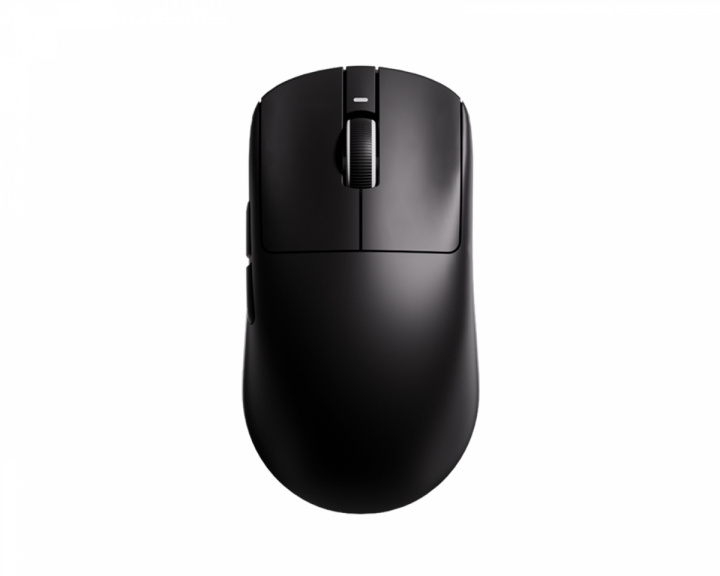
I've switched from a G502x Lightspeed (102g) to a VXE Mad R (40g) and didn't have any problems. The only issue I had is, that I wasn't able to ever use a mouse that heavy again, because it felt like I was handicapping myself.
1. You can charge it with a potatoe if that potato has usb-c lol.
2. I haven't had any 2x clicking. Thank goodness.
3. It lasts long enough to not notice it needs charging. Which is to say it last a long time and I'm pretty heavy on gaming and general pc work... Maybe I think about it 3/4 of a month in.
4. It's lasted me 3 years so far, held together at the rear button with duct tape...apparently I Crouch a lot. Lol. Still works.
5. I got glass after wearing out the stock pads. I don't see a need in going glass u less you really want to or have to. Stock was nice.
6. I haven't run into the need for grip tape yet. It's wearing out for sure but not so bad I need to replace anything.
7. Just clean it like anything else when it gets grubby. I eat while gaming so yea...it gets oily occasionally but nothing that a damp cloth hasn't cleared up.
Keep the USB receiver close, it just helps with reception. I've got under the table but haven't had issues..but my headset practically need line of sight to work.
Logitech lightspeed usb receiver is usb 2.0 so no need to use up a 3.0 on it.
Top Gaming Mice on Reddit
1
Logitech G
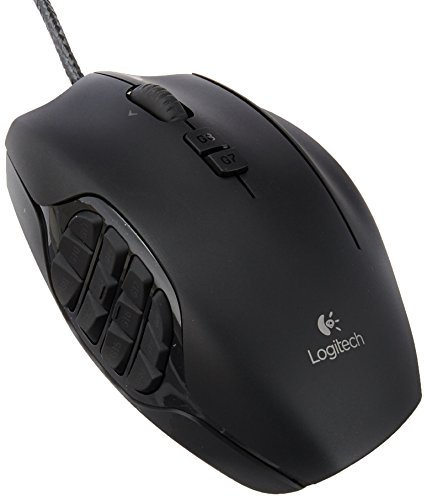
G600 MMO Gaming Mouse
73% positive of 688 users
Customizable MMO workhorse, durable, but discontinued and pricey.


 2TheMountaintop