Running these analyses costs money. Buy through my links to help keep lights on! I may get a small commission.
Top Pros
Top Cons
No summary available.
Reddit Reviews
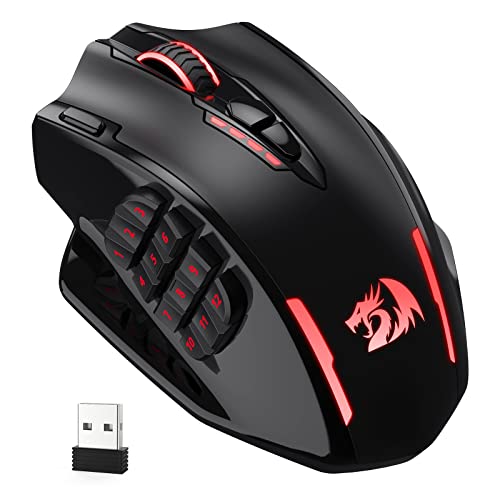
https://a.co/d/7AzNrBK I swear by this red dragon wireless one. USB-C charging and I RARELY have to charge it with heavy use. No noticeable input lag even in helldivers or fps games. Exceptionally well performing for only being $40-ish.
Any more info which one this is? I have the original foxbat from redragon and it's great. Problem is some buttons are not that reliable anymore (after like 4-5 years of use) so I bought a new one that looks really similar (impact elite wireless). It has few problems. 1. It's big. It does not feel comfortable in the hand. 2. It's from smooth plastic, so it feels even worse in the hand. 3. The USB dongle does not fit in the mouse. If you would like to used it wired with the USB dongle it it, you can't. It's sticking out the bottom at least like 3-4 mm.
I use a Red Dragon M913 and I love it. It's got 12 buttons on the side, a few on top and it was like $35 a few years ago. I keep the most important hotkeys I use on it, and can swap between layouts for different apps pretty easily with the software. But really any well rated MMO mouse will give you everything you need. I map shift to one of the spare buttons on the top and ~~the ctrl on the middle mouse click~~ (No idea why I said control, It's just click the shift on key 16 on the 913 and middle mouse and you're golden) the middle mouse click and I can grab and rotate to my heart's content.
no mentions yet for the steelseries aerox 9? it's on the more pricey side but I've loved it ever since I got it. used to use a redragon m913 which was ok, but the side buttons are pretty mushy, the aerox 9 side buttons are very tactile
Reddragon Impact elite is great and cheap compared to some other options
Ive been using the Reddragon M913 for idk, 4 or 5 years and never had an issue. All my peripherals are wireless, so my mouse gets knocked off the table onto hardwood floor sometimes and it still works amazingly. Ive used Razer, Logitech, Corsair, and many other cheap mice to get me by until a replacement comes, none have ever worked as well and definitely not nearly as long as the M913 has. if it ever goes out, ill gladly buy another one.
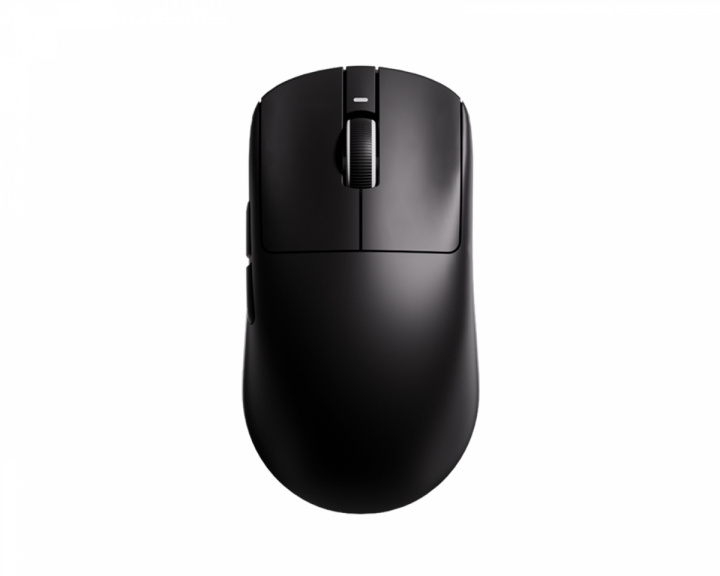
Review of the ATK U2 This is my first review like this i hope it is useful to someone. I am using a standard tape measure and converting from inches to cm so measurements might not be exact. This is my hand size for reference. My hand size is about 17.78cm x 8.89cm and my thumb is on the short, stumpy side at around 5.08cm. First off a little TLDR Warning a backstory to my mouse journey. So the Journey began with my first mouse a redragon M901 equipped with PMW3360 Precision Sensor. Then I tried the Redragon M913 Impact Elite equipped with the Pixart 3335. It was decent much better then the stock mice I always got with the prefab desktops I had as a kid. I returned it because the battery life was horrible on it and stuck with the wired version. Moving on I purchased my first name brand mouse real gaming mouse it was the Logitech g604 using the HERO 16K sensor. This bad boy was a chonker weighing in at 135 grams. But boy did it feel better. Everything about it felt more precise. I want to say I mained this bad boy for about a year. I I started watching a lot of reviews on mice and got the itch to try something new. Less buttons as I had gotten tired of setting up hotkeys for my games and wanted something that I could set up and key a few buttons quickly and get to playing. I also wanted to try lighter wireless mice as I had heard they are a lot better. This is when I stumbled onto the g305. It used the same HERO 16K sensor if I'm not mistaken with the model I had (I have sold it since then). It was lighter and had a decent sensor for the time. I used the AAA battery mod in it. The only thing I didn't really like about that mouse was that the back end sits low, the middle is pretty wide for my grip style. It felt off to me. Shortly after I got the Orochi v2 and this was the best I had tried. Equipped with the 5G Advanced 18K DPI Optical Sensor (according to tech power up it's a the PixArt PAW3369) the shape fit my claw style grip it was light weight and it felt perfect. Well this was short lived not long after I tried the viper mini because I wanted to try optical switches and it was a cheap way to do so. The Viper Mini is equipped with the PAW3359. I fell in love with the switches and just hated the cable. I wasn't sure if it was a placebo or if the opticals really felt quicker to me and more responsive but I was stuck on them. So I bought the viper ultimate. This checked all my boxes at the time. Light weight for the time 74g, opticals switches, and wireless. It came equipped with the Focus+ sensor (PAW3399). My claw grip felt great on this mouse. The only thing I didn't like about the mouse was the side buttons on the side for left handed people. Not a big deal as it was easy to disable and the rubber grips they wear down after time. I tried the G-Wolves HSK Wired equipped with the PWM3389 Sensor and weighing in at 36g. I liked the weight, the lack of side buttons was the deal breaker for me and the fact it was wired. I liked the size of it and felt pretty nice in my hand but the wire was annoying to me and the lack of side buttons just made it not suitable for my gaming needs. I continued to mained the viper ultimate until the release of the viper v2 pro and ordered the hyper polling dongle as soon as it launched, 4k Hrz polling later updated to 8k hHrz polling. The v2 pro was a huge upgrade to me, lighter at 58g as opposed to 74G, and equipped with the Focus Pro 30K (PixArt PAW3950). This was mained until the release of the Viper Mini SE. i Originally passed on the first batch of the Viper Mini SE due to the price and having spent so much on the Viper V2 pro at launch and not having used it super long. But the beauty of the Viper Mini SE got to me. It really checked all the boxes I wanted in a mouse. Super light weight at 48.3 grams, High Polling 8k Hrz, amazing Build quality, and top tier sensor. The down side was the price tag. Once it came back in stock my Ex ordered it for me. I have since put it up for personal reasons and this led me on the journey to find my new main. So now here we are with the ATK U2. I started looking for a new mouse and didn't want to spend Razer, Logitech, Final Mouse kind of money on my next mouse. I stumbled onto a lot of different brands of Allie Express Mice and noticed something sub $70 8k polling support on a mouse. This caught my eyes. I also noticed they had it implemented for wired and wireless. Both my V2 Pro and Viper Mini SE only supported 8k in wireless mode which I always found silly and figured it had to do with the dongle having something in it that allowed it since the V2 Pro only came stock with the 1k dongle. I looked some more and noticed the the ATK F1 extreme supported the 8k polling wired/wireless and its shape is almost exactly as the hitscan hyperlight. Which is very close to the viper mini shape. Watched a lot of reviews on ATK and i ordered the F1 Extreme for about $69. My copy came in at 35.73g with 4 tiger ice v2 dot skates. I got it in the mail, got it out of the box and I was in love, boxed up my Viper mini SE and put it in storage. I had seen the zowie U2 shape and wanted to try it but never bought one. I had seen the ATK U2 on sale when I was looking for a new mouse but the 49 +/- weight was a turn off for me because I wanted a super light mouse sub 40g with 8k polling because i remembered loving the weight of the gwolves hsk wired and now sub 40g wireless is a thing. So after using the ATK F1 extreme i ordered the ATK U2 ultimate for about $56. TLDR over on to the review. My copy of the ATK U2 comes in at 52.31g with the stock skates. I got it from aliexpress so i don't know how the shipping from ATK’s Official site is. The unboxing experience is nice. It comes packed in a brown box that says ATK on it. Inside of that box is the mouse's actual box. It comes with an 8k dongle, a decent paracord cable on the stiffer side of paracord cables, and extra skates. I have not used extra skates. They say they are control skates. It also comes with grip tape as well. I don't like to use grip tape but its a nice addition. Software/Web Driver: ATK U2 has 2 ways to use the software for mouse adjustments: a web driver [ATK HUB](https://hub.atk.pro/) and the software. I use both. I prefer the web driver if I'm messing with settings for the mouse. It's just more fluid and it's easy to use in English. The software was in Chinese from the start for me a little messing around i got it working in English. I use the software if I want to quickly look at the battery level of the mouse. The web driver you have to add the mouse each time you load it if you close the browser. With the software you do not have too. Both Drivers are full of features and do the same things. Allows you to adjust DPI, Polling Rate, Angle, LOD, Dongle RGB setting, Key binds, and Firmware updates and much more. Only complaint I have about the software is that the Key binds do not have the ability to be paired to the application you use. This was a feature that kept me liking Logitech and razors software as buggy as synapse is. This is an easy fix honestly and I wished I found it sooner. I started using a program called X-mouse Button Control. This allows you to be able to implement your key binds using X-Mouse Button Control and set them up to be used on a per application basis i also set it up to have google cloud save my key binds to the cloud so i have thin in an event that i have to reformat my PC and don't have to go back the key binding process. X-Mouse Button Control fixes my only complaint about their software and its free and pretty light on computer Resources. [You can Get X-Mouse Button Control here](https://www.highrez.co.uk/downloads/xmousebuttoncontrol.htm) The Shell And Coating: The mouse has a nice coating; it feels kind of like a smooth matte texture. It's not a rough feeling like the V2 Pros texture. Not on the shell something felt off when compared to my old V2 Pro and I couldn't put my finger on it until I was reading some other reviews. The shell does not feel as dense. I have tried squeezing the mouse pretty hard more than you would put on the mouse in normal day to day use and I don't get any squeaking, creaking or flexing. So it is not a bad feeling that it feels less dense, it's just how it is. Battery life: I have not had the mouse dies once on me i have a bad habit of if i'm done i will toss the mouse on the charge that being said i have been running it at 8k polling and ran it multiple sessions without charging the 800mah battery makes 8k Hrz honestly feel like when i used 1k Hrz with older wireless tech. The Grip: The mouse honestly feels to me like it speaks to you. When I grabbed it for the first time my grip was pretty much locked in. It is one of the most comfortable mice I have used for my claw grip. Clicks and Scroll wheel: The Omron Opticals are on par with razer opticals in my opinion. They have a nice crisp click quick and easily spammable buttons. The side buttons feel great they are pretty good size not tiny and the placement of them is perfect it's designed in such a way i don't have to feel like i have to place my tomb in a specific place to hit the button it feels like my thumb wants to be there and the buttons just happen to be where they can be hit easily. The Scroll wheel is using the TTC Gold encoder. It feels amazing with great tactile steps. The scroll slick is easy to use and I have not gotten any accidental scrolls while clicking. The main chip: is the Nordic 52840 The Sensor: Not much to say they did a great job implementing the Pixart PAW3950. Honestly i feel its on Par with Razers implementation of it The Dongle: The dongle is ok. It has adjustable RGB which is nice. I would have liked the dongle to be smaller and more of a normal shape but it's not an added cost to the mouse, it's included with it and it works really well so all and all no gripes. All in all this is my favorite mouse, my new main. I liked it so much I bought a 2nd one on sale for around $49. I plan to do some mods to it, a battery weight reduction, use dot skates, and add qi charging to it. When I get my second copy in the mail I will make any updates I need to to this review. # ATK U2 = 10/10 Would Recommend
My last three mice have come from Redragon (M901 Perdition, M908 Impact, and now the M913 Impact Elite Wireless). The Perdition was a good mouse for what I paid for it, but I probably wouldn't recommend it any more (and I'm pretty sure the model was discontinued anyway). Whatever process they used to texture the plastic made it really flaky. The M908/M913 Impact mice are much better. I replace my mouse every 5 years or so. The wired Impact is dirt-cheap and the wireless version won't break the bank either. And I've most often had to replace due to fraying braided cables so now that I have the wireless one it might last longer. And it still comes with all the features like profiles and RGB lighting and fancy software, and unlike the Naga I once had (which was admittedly over a decade ago so this might have changed), you don't need to have the software running to have the full functionality of the mouse. Just set up everything how you want it and you never have to launch it again.
I wanted an MMO mouse with 12 side buttons, so I use a Redragon M913 Impact Elite mouse. Very nice mouse for the price, but impossible to configure on Linux. I don't recommend it if you don't want to boot into Windows just once to configure it. I'm thinking of swapping it for a Corsair Scimitar at some point, as while it doesn't officially support Linux, there *are* unofficial config tools for Corsair hardware. My keyboard is a Realforce R3S. Very nice, probably too expensive due to the Topre switches, but it's literally just a keyboard with no lighting or macro keys, so no configuration software needed.
Yikes, I just got a Scimitar. Hopefully it lasts longer than yours. The Redragon M913 is pretty good. I've had a couple and they seemed to last longer than the other mice I've tried so far. Good build quality for the price. If my Scimitar breaks early I'll probably go back to another M913.
Rankings by Use Case
Top recommendations from others in the same boat
Best for Big hands

Top pick
Teevolution - Terra
Best for Durability

Top pick
Redragon - M908 Impact
Best for FPS

Top pick
Razer - Viper V3 Pro
Best for MMO

Top pick
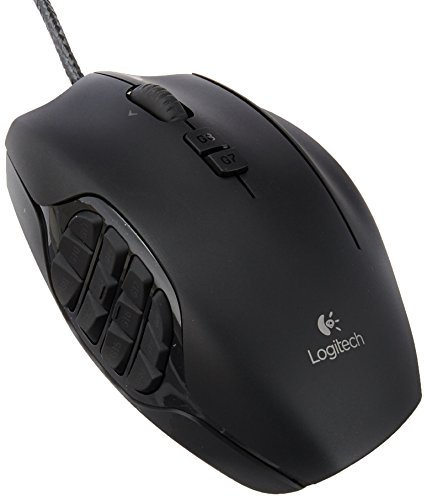
Logitech G - G600 MMO Gaming Mouse
Best for Small hands

Top pick
Hitscan - Hyperlight