
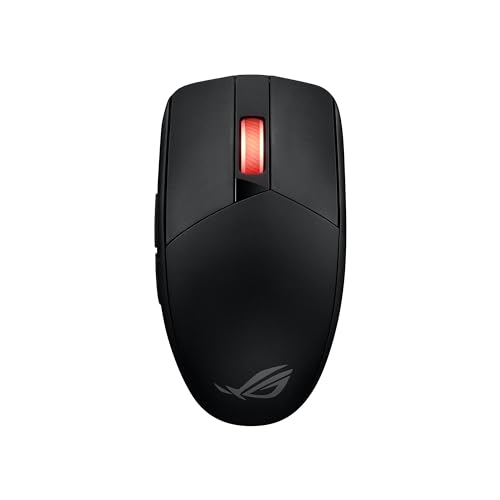
ROG - ROG Strix Impact III Wireless
Running these analyses costs money. Buy through my links to support the site! I may get a small commission for some links, and it doesn't cost you anything. Thank you!
Reddit Reviews:
Filter by Topic:
Based on 1 year's data from Mar 28, 2026 How it works
 miicah 1.0
Keychron V8 Max (Alice layout) and ASUS ROG STRIX IMPACT III (gotta be all caps lol). This is my switchable work/play/home setup that connects to whatever device I'm using and I take into the office.
NessLeonhart 1.0ROG strix impact III mouse. It’s the only bit of ROG kit that I’d ever recommend because the rest is overpriced madness, but this mouse is great. $60, takes one AA or AAA battery (comes with a little plastic housing that makes a AAA fit in the AA slot. Lasts a month+ without changing the battery. And it’s super light,enough that I can feel the difference between having the AAA vs the AA. Just a really solid mouse. It’s not gonna blow you away with features, but if you don’t need 19 buttons under your thumb, it’s kind of perfect. Edit: oh it does Bluetooth OR the little USB dongle, so it’s super versatile re: devices to use it with. Edit: battery life is probably much better, forgot that I’d been using up a pile of expired ones that I have.
Ok_Judgment_3331 1.0The technical reason replaceable batteries make sense isn't just philosophical.... it's about failure modes. Lithium polymer cells degrade through charge cycles (typically 300-500 before significant capacity loss), and when they're soldered in, the entire mouse becomes e-waste. Your Eneloop NiMH cells maintain \~70% capacity after 2000+ cycles, and the standardization means you're not dependent on manufacturer parts availability.That said, there's a practical middle ground worth considering: the weight penalty. Your 68g Impact 3 setup is actually pretty competitive, but you're still carrying \~11g of AAA + converter vs. \~5g for integrated lithium. For BIFL longevity tracking, I've found Biflly helpful for identifying which gaming peripherals actually survive beyond warranty periods.. they aggregate real ownership data on failure rates and part availability, which matters when you're trying to stockpile.The G304 is probably your best hedge if you want a backup. It's still in production, uses a single AA, and the sensor (HERO) is genuinely competitive at 1000Hz. One spare seems reasonable; hoarding three feels like over-optimization unless you're planning for a 15+ year timeline.
shryz12 1.0I have big hands but i play with fingertips and honestly one of the more comfortable mice which takes about 4 days to get used to and is an amazing mouse is the asus rog strix impact 3 wireless or get the coolermaster mice which is also rlly nice but i highly reccomend the asus rog trix impact 3
Svaroopam 1.0Picked up an rog impact 3 wireless if you looking for AA wireless mouse. Hot swap switches and 450 hour battery life.
cervenred 0.8The Strix Impact/Gladius series are decent budget options, they also have hotswap.
Dreydars 0.0i see some rog haters are here, rog mouses are a bit overpriced but really good, better quality than something like razer and better software for around same price
Homeless-Joe 0.0Dude, I still use an ~20yr old diamondback with zero issues, but my new naga rmb switch broke right after warranty ended, go figure… Not planning on buying another Razer product, the new stuff isn’t built to last. I switched to rog so I can swap out the switches if one goes, working ok so far.
XelorNoxROG 0.0The mouse is really amazing, very powerful and light, the grip is really clean
End of reviews