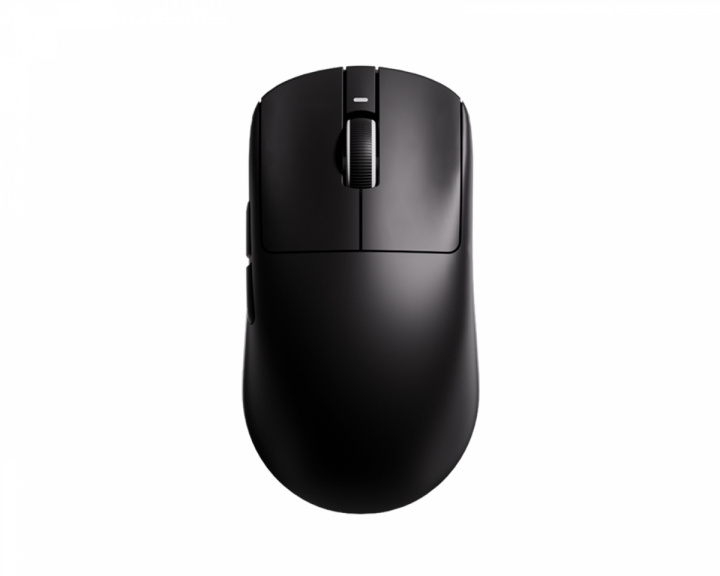
it’s okay. I got the white one which doesn’t have the best coating. the right click is a little… creaky.
if you’re simply looking for a g703 clone, the Terra is a much better mouse
I’ll always recommend anything from MCHOSE and ATK. RAWM also has some good shapes but their prices jump dramatically depending on the product. I’ve used MCHOSE’s L7+ Ultra (Sora V2) , M7 Ultra (Zowie U2), A7 Pro (GPX Superlight), K7 Ultra (Razer Viper V3), and the Ace 60 Pro keyboard (Wooting 60HE). I generally liked all of the products but many simply weren’t for me because of various issues I had with specific shapes. The actual mouse quality was great and they were reasonably priced. Skates were hit or miss with some mice having great skates and others not. I still have the A7 Pro and the Ace 60 Pro to this day.
ATK has changed quite a bit since I last used their products. The quality has improved significantly. Unfortunately I can’t say much more than that about them as I haven’t used their newer models but I keep up with their releases and I would recommend them as a good starting point for affordable mice.
RAWM is a bit newer and they offer some new and unique shapes that I’d not seen before. I’ve been able to use the MH01 which is this interesting hybrid of the Razer Viper V2 and Razer Viper V3. What does that look like? It’s got the body of the V3 with the grip area of a V2, so like really aggressive curves that tell you where to grip from. I thought was cool but I found it caused finger pain after an hour or two. I kept trying to make it work and would even swap mice to see if it was just me but unfortunately I couldn’t bear using it for long enough.
Lastly I’d like to recommend some “premium” brands that are still cheaper compared to Razer or Logitech. Lamzu and Pulsar are both brands that have a good variety of shapes at varying prices *depending on where you buy them*. You can find both within range of $90-$130 or less if you buy used. Of Lamzu’s product line I’ve used the Maya X, the Atlantis OG V2, the Inca ( Zowie Za13), and the Thorn. I found the Atlantis to be a bit too aggressive for me as it really locks in your grip so I gave it to a friend. The Thorn is a good shape for relaxed claw but you can claw it normally if you’ve got a tilted grip. I loved the Inca initially because it almost feels like a pen in your hand, it’s surprisingly narrow and really fills out the palm in a way I’ve not experienced with anything else. Unfortunately I’ve not used it much since I got it, after about a week of consistent use I was experiencing hand cramping. Turns out it was too small for me and I was basically pinching the sides with the force of a thousand suns just to stay stable. Lastly the Maya X, the bigger brother to the original Maya. I still use this one today as it’s my main mouse. It’s like if the GPX actually leaned into claw grip rather than trying to work for every grip. I don’t really know how else to describe it but I like it.
Pulsar is probably the one I’ve got the least amount of time with compared to other brands. I found that many of their shapes just didn’t work for me for some reason or another. Of their products I’ve used the X2V2, X3, X2H, Xlite V3 and the TenZ Signature Edition.
The X2 version 2 was my least favorite, hump support was pushed too far to the rear in my opinion and the actual grip area was like a brick. Its sides while slightly angled are very flat so it does allow for some variation in finger placement but you’re not doing much else but clawing. This actually fine as that’s what the mouse is designed for but I personally found it an uncomfortable shape to claw. I used to call it the poor man’s XM2 but both are pretty cheap nowadays so it’s just preference.
The X3 I was initially excited for as I was looking for a lightweight clone of my G703. I would be disappointed to find that it was wider and stubbier by comparison. It’s just not the same and I wouldn’t find the clone I was looking for until just last year with the Teevolution Terra Pro which is a ~40g 1:1 clone with better skates and a better coating.
The X2H was everything I already didn’t like about the X2 but with a higher hump and a steeper click. You might wondering why I bothered purchasing it at all if I didn’t like the X2. It was mostly because I figured the issue was I wasn’t getting enough palm contact. Turns out I just find it uncomfortable and the additional height didn’t help. I was then that realized I should be looking for mid to center rear humps with a more narrow grip area.
The Xlite V3 was really just a purchase made because I was curious. The only ergo mice I’d used at that point were the Lamzu Thorn, Logitech G703, Vaxee E1, and Vaxee Outset AX. I would later learn that the Xlite was meant to be a clone of the Zowie EC series. It was an odd ergo to get used to and I never really stuck with it because I couldn’t get as good a grip as I could on my G703 or my Outset AX. The only other ergo I’ve used since was the Razer Deathadder V3 Pro which I got on sale for much cheaper than what it was sold it for at the time.
The TenZ Signature Edition was my most recent purchase from Pulsar though I’ve not bought much of anything from them for quite a while. This was more of what I wanted out of the X2H. Hump has been pushed forward a little and lowered. The front has been brought up a bit so it’s not nearly as steep. And it’s got a more narrow grip area. While I did like it more than anything else I’ve used from Pulsar it still wasn’t what I was looking for. I am curious to try their most recent release of the X2N which seems like it’s exactly what I’ve been looking for from them for the last several years but I don’t have the money for it at the moment so it’ll just have to wait.
I hope my long winded reply helps you find what you’re looking for.
Viper V3 Pro is cheaper than the V4 if you really wanted to buy a good flagship. V4 is kinda overkill for most people. As for the Superstrike, you’re better off buying one of the Superlights in most cases. HITS only noticeably benefits certain titles and the current settings used by most pros mimic those of the Superlight 2. And yes, I do use Chinese mice, they’re good products. That’s like criticizing someone for using store brand toilet paper. It’s the same thing but cheaper.
WLMOUSE is known for having a bunch of qc issues, that’s the primary reason I’ve never bought anything from them. Compared to other brands they consider themselves premium or higher quality so their prices reflect that being $130 to $150 which is not standard pricing. There are many other brands that have consistently good quality at a lower price. MCHOSE for example, most of the peripherals I own are MCHOSE. I spent $40-$60 at most per mouse. My Ace60 Pro keyboard still works great to this day and I bought it for $50 flat like 2 years ago.
No one thinks innovation happens overnight but the effect this will actually have on individual performance is negligible compared to current switch tech. This really only benefits tac shooters or mobas.
I’ve bought multiple Chinese clones with zero QC issues. I had to replace my GPX three separate times for different issues. I’ve straight up stopped buying from Logitech as a result. Why buy a G703 when I can get a Teevolution Terra for cheaper and it’s better in every way?
Why didn’t I bring it to market first? What an odd thing to say. I’m allowed to criticize a company for being unoriginal. This technology has been around for years and has already been implemented into affordable keyboards and controllers. This could’ve been done earlier with Logitechs insane budget. But no, we’ve gotten a “new” GPX variant for the last 4-5 years. Only new shape is the Dex and it’s not even an improvement over classics like the 502 or 703. It also suffers from similar QC issues that the standard GPX has. Zowie, Vaxee, and Pulsar have all had more meaningful additions added to their product line in the last 4 years.
Honestly comparing Logitech to Gucci makes a lot of sense considering they follow the same business model. They use low quality materials, mass produced outside of their respective countries to cut costs, and persist purely off of brand recognition rather than actually making anything new. We’re gonna see clones of this tech within 3 months and it’s going to ultimately be more affordable because the reality is this technology doesn’t actually cost much to manufacture. This is a multi-billion dollar company that would easily profit off a sale price of $89.99 or lower. They chose to sell it this high because they’re “the first to offer it” not because it’s actually worth $180. Same as the cost of a GPX actually being like $20-$30 (accounting for everyone involved in development) to make and Chinese companies only upselling by an additional $20-$30 as opposed to an additional $130+.
I just had to pull out dog hairs from my DAV2, it was a close call for sure.
But I also just replaced it with the Teevolution Terra Pro and let me tell you, as someone who used nothing but DAV for over a decade, I instantly fell in love. I had a good feeling about this mouse but now that I actually get to use it (literally just unboxed it) I am actually in shock of how comfortable it is, I thought I would have to get used to it for a while but it's everything I wanted the DAV to be. No awkward flare on the right side and the hump is raised on the back so I can actually rest my palm on it and maybe even transition to palm grip instead of claw which started to cause me wrist pains.
It's on a sale right now so it's a good time to check it out.
IMHO symmetrical mice are better for claw grip compared to ergo mice. I have only tried 4 ergo mice (Xlite mini, DAV3, X3, and Terra pro) and the Terra pro is the only one that felt comfortable to claw grip (I have 19.5 x 10cm hands), but I wouldn’t choose it over something like the Duckbill or OP1. If you relax claw or palm ergos are better though
https://preview.redd.it/jh3vvztnx4yg1.png?width=1896&format=png&auto=webp&s=4ecdfd39c157f76f961a5356deda5285a996aabc
**Introduction & Context**
Teevolution is a brand that actively listens to its consumer base. In fact, they recently published a roadmap and appreciation post that was heavily supported by this community. They have essentially delivered on the holy grail for many enthusiasts: a true lightweight alternative to the Logitech G703. Designed with strict ergonomic contours tailored for medium-to-large hands, this highly anticipated project materialized as the Terra Pro. It is a large-form-factor ergonomic mouse powered by the flagship PAW3950 sensor, hitting an impressive 49g on the scale, and paired with a customizable LCD receiver dongle.
I'm Ben, a second-year robotics engineering student and still learning. My goal isn't just to tell you if the mouse is "pretty," but to attempt to audit its construction. Today, we're going to measure tolerances, verify if the performance matches the initial specs, and check how the engineering actually holds up under scrutiny.
**Important Context**
* **Review Sample & Transparency:** This unit was provided directly by Teevolution for the purpose of a comprehensive analysis. However, my testing methodology remains strictly objective; my evaluation is completely unbiased, honest, and not influenced by the manufacturer in any way. Zero review bias.
* **Sample Size & Condition:** I am analyzing a single unit of the **Terra Pro**, which has been subjected to intensive daily use over the past week to accurately assess early signs of mechanical wear and structural integrity.
* **Hand Size & Grip:** My hand measurements are 19x10cm, and my primary grip style during this testing period was a hybrid palm/claw grip.
*(****Disclaimer****: I still have a lot to learn in this field. I am very open to constructive feedback, so if you spot any errors in my methodology or measurements, please let me know—I'm here to learn and improve!)*
https://preview.redd.it/35zt6fy7z4yg1.jpg?width=8094&format=pjpg&auto=webp&s=a17c4b7d150b13f83c7ba4fb687cee5821e6c1cc
**Packaging, Unboxing & Hardware Accessories**
Let's start with the packaging. The Terra Pro arrives in a rectangular box featuring a colorway matched to the chosen unit—in this case, a black-to-orange fade officially designated as "Inferno Orange." The top section displays minimal branding (logo and brand name). The top corner indicates a weight of **49 ± 2g**, while the bottom section details the peripheral's name alongside some additional technical specifications.
The LCD Dongle is sold separately, except for the Inferno Orange and Emerald Green variants, which force a bundle. This dongle arrives in a significantly smaller box retaining the exact same color scheme and layout.
**Box Contents**
Inside the main box, we find:
* 1x Teevolution Terra Pro
* 1x 2.4GHz Portable Receiver
* 1x USB-A to USB-C Cable
* 1x Grip Tape Set (Main Clicks & Sides)
* 1x Untextured Replacement PTFE Skates Set (More on this later)
* 1x Dot Skates Set
* 1x Sticker Set
* 1x Collector's Card
Teevolution has clearly tailored this packaging for the enthusiast market. Providing full grips and multiple skate replacements right out of the box is a highly commendable baseline. We will inspect these components shortly.
Inside the LCD dongle packaging (officially named **RapidSync**), we find:
* 1x RapidSync LCD Dongle
* 1x Instruction Manual
* 1x Plastic Screen Protector (My recommendation is to skip applying this to maintain display clarity; a tempered glass protector would be a different story, but plastic is unnecessary).
**Cable Analysis**
Starting with the cable: we have an orange **paracord-style** cable featuring a straight USB-A connector and an angled (curved) USB-C connector. From an engineering standpoint, this angled connector is a smart inclusion as it elevates the connection point, effectively minimizing cable drag against the mousepad during tethered use. The sleeving feels spongy, though a slightly stiffer internal core is noticeable. Subjectively speaking, it is a highly capable cable for tethered gameplay if you need to charge mid-session. Finally, it includes a small, adjustable silicone tie for cable management.
**PTFE Skates Assessment**
Regarding the skates, we must first address the pre-installed feet. These are standard **PTFE stock skates** marketed as "Honeycomb Skates." This means they feature a raised, hexagonal micro-texture across the contact surface (I will cover their actual glide sensation in the performance section).
Interestingly, the replacement skates included in the box lack this texture—they are completely smooth with well-rounded edges. Measuring precisely **0.7 ± 0.1mm** in thickness, tactile inspection suggests these replacements are heavily biased toward a fast glide, whereas the pre-installed honeycomb skates lean toward strict control. The included dot skates are also smooth, featuring a dual-layer construction and measuring **0.8 ± 0.1mm** in thickness.
**Grip Tape Tolerances**
The included black grip tape set features a micro-line texture that forms larger triangular patterns. Subjectively, these significantly enhance handling; I see no objective need to invest in aftermarket grips unless driven by strict personal preference. Tactilely, they feel quite thick, and digital caliper measurements confirm this with a thickness of **0.6 ± 0.1mm**—a considerably thicker profile compared to standard factory grip tape inclusions.
https://preview.redd.it/opem6y8kz4yg1.jpg?width=11290&format=pjpg&auto=webp&s=c3d35314683b12775b17940f513752778815e173
**Weight & Mass Distribution**
Regarding weight, Teevolution officially claims **49 ± 2g**; however, it is not specified whether this figure includes the PTFE skates. To audit this and verify the manufacturer's tolerances, the mouse was weighed both with and without skates, utilizing a calculated mean of five separate measurements per scenario to ensure maximum precision.
* **With skates:** The recorded result is **51.73 ± 0.01g**, which translates to the mouse being **5.57%** heavier than specified.
* **Without skates:** The result is **50.37 ± 0.01g**, which translates to the mouse being **2.80%** heavier than specified..
As can be observed, if we assume the weight with skates is the one described on the page, it exceeds the margin Teevolution indicates. According to them, a **4.08%** deviation is viable.
As I always specify, a mouse can feel heavy if its Center of Mass (CoM) is not balanced or well calculated. To inspect this section, an empirical method has been used that is also utilized in my university's laboratories. To do this, we must take a support, generally cylindrical and with a small cross-section. Once the equilibrium of the object is found on this support, we can affirm that the center of mass is located directly above some point of the support's cross-section.
As can be observed during testing, the object balances within the sensor skate area, specifically biased toward the front section of this ring. Analyzing the geometric shape of the Terra Pro's baseplate, we can conclude that this location acts as its true structural midpoint. This precise CoM placement ensures a highly balanced in-hand feel, distributing the mass evenly, which significantly enhances both overall comfort and the peripheral's mechanical responsiveness.
**Dimensional Audit & Hardware Tolerances**
In terms of physical dimensions, the Terra Pro specifies **42.6mm** in height, **68.7mm** in width, and **124.7mm** in length. The measurement process is the same one used for mass, and the result is the average of five measurements.
* **Height:** **42.82 ± 0.1mm**, which translates to being **0.51%** taller than specified.
* **Width:** **66.64 ± 0.1mm**, which translates to being **2.99%** narrower than specified.
* **Length:** **125.04 ± 0.1mm**, which translates to being **0.27%** longer than specified.
All deviations fall within completely normal and highly acceptable ranges. As can be seen, the only variable presenting a larger deviation is the width, while the length and height vary very slightly.
Some other relevant metrics include the effective grip width, with an average measurement of **62.90 ± 0.1mm**. The height of the main buttons, from the mousepad to their midpoint, is **18.80 ± 0.1mm** for the left click and **15.30 ± 0.1mm** for the right click; this is because the completely ergonomic shape of the mouse makes the left click sit higher than the right.
Curiously, the maximum width is located at the front, while the rear width sits at **63.43 ± 0.1mm**. Once again, this is due to the mouse having a curve, expanding towards the right to provide more support for that area of the hand alongside the pinky and ring fingers, and this curve smoothly continues until ending at the front.
**Shape, Ergonomics & Structural Geometry**
Regarding the shape, it is clear that Teevolution has opted for a completely ergonomic profile highly beloved by the community: the **Logitech G703**. In this peripheral, we do not find the usual symmetry. As I mentioned earlier, the rear is slightly less wide than the front because the device has a curve that widens the area. Something quite curious is that while the left side features a large **comfort groove** for the gripping fingers, the right side presents a much flatter structure, albeit with a slight curvature that flares outward instead of inward.
Something that struck me when testing it is that, unlike other symmetrical mice, this mouse features a rather straight and flat hump across a large part of its span.
Another quite curious detail is the height of the main clicks and the frontal curvature they have. The left click is positioned higher, while the right click sits lower, and this is highly noticeable in the in-hand feel. This helps immensely as the mouse takes the natural shape of the hand, allowing the index finger to remain more relaxed while placing the middle finger in a more aggressive posture.
In terms of comfort, Teevolution has really hit the nail on the head. The mouse is genuinely comfortable, and during the testing period, it has been used for both productive activities and leisure. In my opinion, where its shape stands out the most is during productivity tasks, where you can spend hours without feeling any discomfort or strain. The shape is also optimized for gaming, but I must warn you that it is a mouse meant for fairly large hands; for my **19x10cm** hands, I feel it is slightly too large, although this changes and is completely subjective for each person.
As for the comparison with the **Logitech G703**, I cannot provide a completely empirical opinion because I do not currently have that mouse. To try and compare it visually—and I stress, very superficially, so this should be taken with caution—the shapes, curves, and dimensions are genuinely similar, if not identical.
https://preview.redd.it/pxc1y6p305yg1.jpg?width=5782&format=pjpg&auto=webp&s=f42f26a5d1201624a90c761909702f03df22b70d
**Frontal Fascia & Panel Gaps**
We begin the visual analysis, as always, at the front fascia. Here we find the Type-C port, perfectly centered. This port clearance is wide enough to accommodate cables other than the original, allowing us to use whichever we prefer when playing tethered.
Regarding the panel gaps—lateral, frontal, rear, and center—they appear to be of the same width and completely linear along their axis. However, this measurement is strictly visual, as doing it precisely would require feeler gauges.
**Main Clicks Geometry**
The main clicks feature what we could call a rectangular base and exhibit absolutely zero taper along their structure; the width is identical at the rear and the front. As can be observed, only the outer edges are radiused, while the inner frontal section terminates in a sharp point. Teevolution decided to "cut" the clicks in the frontal area near the scroll wheel, leaving a clearance for an LED indicator.
These clicks feature comfort grooves that become more noticeable the closer we get to the front, providing a comfortable space for the fingers. Finally, the height from the chassis to the click structure looks visually identical on both sides.
**Scroll Wheel & Middle Click (M3)**
The scroll wheel measures **8.0 ± 0.1mm**. Both its interior and exterior are black. On its exterior, we find a rubberized coating with a texturing that runs from side to side. The scroll steps are well-defined, although subjectively I would like them to be slightly more tactile. The M3 button has a medium stiffness and is easily spammable, though I did notice that, depending on how it is actuated, it has a metallic ping.
**Side Buttons Architecture**
On the side, we can find the side buttons, in this case with considerably larger dimensions than what we usually find on symmetrical mice. These buttons have a matte finish. They seem to feature a coating similar to the one used on the rest of the mouse, although it appears to be a much lighter layer. They are well-positioned and do not interfere with the grip zone at any time. If we press these buttons with significantly more force than usual, it is possible to see how the part that protrudes the least sinks into the chassis. This is not noticeable during normal, daily use, but it is a remarkable detail regarding their implementation and internal structure.
**Bottom Plate & Skate Layout**
On the base, we find the PTFE stock skates with the Honeycomb design. As can be seen in the image, they feature small textured hexagons. The skate layout is relatively simple: we have a curved strip at the front and rear, and finally an oval around the sensor area. During the first few hours of using the mouse, I have to say I personally did not like the skates, because it is a strange situation transitioning from untextured skates to textured ones. However, after several hours, my hand and brain adapted to that texturing, making me barely notice it, even with my Aqua Control II being a fairly abrasive pad.
Even so, from my personal point of view, I still prefer the untextured included skates, and it is a nice detail from Teevolution to give the option to try both. Personally, I believe and have felt, as I mentioned earlier, that the textured ones are much more focused on control, while the untextured ones are more geared towards glide.
On this bottom base, it is also possible to find the slider to swap between 2.4GHz and Bluetooth connections. It has a small indentation to catch a fingernail and control it easily.
**Surface Coating**
Regarding the Terra Pro's coating, I must say my impression is that it is slightly rubbery, although this does not mean anything bad. This rubbery coating provides a very good grip, even with cold hands, and personally, I do not see the need to apply grip tapes in a standard situation, although this is highly subjective. Something I have noticed is that this coating, being matte and rubbery, completely attracts fingerprints, small smudges, dust specks, or light sweat residue, so if you care about cleanliness, you will have to clean it frequently.
https://preview.redd.it/zu00ukp805yg1.jpg?width=5782&format=pjpg&auto=webp&s=665e5f48093ddd709edba4b7177e569cace3de13
**Structural Integrity & Flex**
Applying intentionally excessive force to the lateral panels of the Terra Pro reveals a very minor **flex**, though it is remarkably slight and completely imperceptible under normal operating conditions. I suspect we might find an internal endoskeleton or some form of structural reinforcement; we will verify this during the teardown. Applying similar localized pressure to the hump and the baseplate exposes a slight flex in the latter. This is completely standard, as bottom plates generally feature thinner material dimensions to reduce weight. Again, this is entirely unnoticeable during daily use.
**Acoustic Tolerances & Creaking**
Regarding **creaking**, applying heavy pressure to the side walls produces a very faint sound strictly on the initial application of force; subsequently, it remains completely silent. Similarly, compressing the hump and baseplate yields absolutely zero acoustic feedback. The chassis presents zero severe or recurring creaking during normal operation or even under extreme stress tests.
**Rattle & Internal Clearances**
To test for **rattle**, violently shaking the peripheral reveals a very faint sound from the internals, but it requires placing the unit right next to the ear. This is likely a micro-tolerance issue with the sensor lens or a similarly minuscule component, which I will attempt to isolate during the teardown. During aggressive mousepad swipes and high-velocity flick shots in-game, this rattle is functionally imperceptible.
**Main Clicks & Switch Implementation**
The primary triggers are actuated via **FE optical switches**. According to their official spec sheet, these are rated for a **100M actuation lifespan** and feature an actuation force of **60gf**. From my empirical testing, these switches feel significantly more tactile and responsive than standard Omron opticals, though I acknowledge this evaluation is somewhat subjective and heavily dependent on shell implementation.
**Trigger Wobble & Variances**
Regarding click **wobble**, as I frequently state, structural variance is directly proportional to the distance from the internal mounting stem: the closer we actuate to the front fascia, the more wobble we witness. Evaluating the Terra Pro at a center-actuation point, there is a minor degree of lateral wobble, biased slightly inward toward the scroll wheel rather than outward. This remains a non-issue and is entirely unnoticeable during actual use.
**Pre-Travel & Post-Travel Tolerances**
Analyzing the **pre-travel** on the main clicks, the phenomenon exists, but it is substantially lower compared to the **post-travel**. This increase in post-travel is likely a byproduct of the vertical clearance between the chassis and the click triggers; there is a noticeably larger gap here than on competing peripherals. However, it does not hinder performance due to the sheer responsiveness of the FE switches. The structural plastic only bottoms out against the chassis shell at the extreme front edge; center-actuation points do not exhibit this bottom-out behavior.
*(****Note regarding audio:*** *Links to the audio test for the clicks will be provided in the comments section for those interested in the acoustic profile.)*
https://preview.redd.it/r6x04z2d05yg1.jpg?width=9423&format=pjpg&auto=webp&s=36a5d643ae1aae69d742c96be10f3d62a9cf941d
**RapidSync LCD Dongle Analysis**
Before diving into the software suite, let's take a moment to examine the telemetry displayed on the LCD receiver that Teevolution has designated as the **RapidSync**. The manufacturer does not officially specify the screen dimensions, but my physical calipers yield a diagonal measurement of **1.40 ± 0.01 inches**. Beyond functioning as a real-time hardware status display, this specific receiver is mandatory to unlock the **8000Hz polling rate** transmission; otherwise, operating the mouse via a tethered connection or with the standard 2.4GHz dongle included in the box strictly caps the performance at a baseline **1000Hz polling rate**.
The dongle features a small lateral physical button that allows the user to toggle between two distinct UI interfaces with a simple double-click, displaying the following information:
* **Interface 1:** Remaining battery life (updating strictly in **5%** increments), active connection mode, alongside the current day, month, and time.
* **Interface 2:** Real-time peripheral parameters including **CPI/DPI**, **Polling Rate**, **Lift-Off Distance (LOD)**, **MotionSync** status, active onboard profile, and **Angle Snapping** (it is important to note that these parameters cannot be natively adjusted directly through the dongle hardware and must be configured exclusively through the software suite).
Finally, a single press of this same button cycles through the display's brightness settings. There are up to five distinct brightness levels present. At the maximum setting, the screen exhibits genuinely excellent and more than sufficient luminance. However, I am unsure if this is an isolated QC tolerance issue on my specific unit, but starting from the second brightness level and increasing proportionally, there is noticeable light bleed escaping through the right lateral wall of the chassis, as can be observed in the attached image.
https://preview.redd.it/s3608g8j05yg1.png?width=2560&format=png&auto=webp&s=02f67db3f407064afc80aa8fa75341aba412086a
**Software Suite: Teevolink & Hardware Configuration**
Regarding the software, Teevolution has opted to implement both a web-based client called **Teevolink** and a downloadable executable. To synchronize the date and time on the **RapidSync** dongle, the downloadable version is mandatory as it pulls telemetry directly from the system. I am currently unsure if this RTC (Real-Time Clock) synchronization is technically feasible via a web API, so I will check with my contact at Teevolution. For this review, I will focus on evaluating the web software, as it is the most innovative approach and, frankly, what most enthusiasts prefer.
Before diving into the specific tabs, let's look at the general layout. The top-left corner features minimal branding, while the central area houses the navigation tabs represented by icons. Finally, the top-right corner displays a strictly visual battery status indicator.
**Tab 1: Key Assignment & Debounce Tuning**
The primary tab features 3D renders of the **Terra Pro**. From here, you can remap button functions; however, the brand has implemented a safety measure: you cannot unbind the primary left click (**M1**) unless another button has already been assigned that function. Selectable features include a **Polling Rate Switch**, **Fire Key** (multi-actuation over a set duration), combo keys, scroll inputs, multimedia controls, macros, and **CPI** toggles.
From this same tab, you can manage onboard profiles (import, export, or restore). Crucially, this is where you adjust the **debounce time**, selectable from **0ms to 15ms** in 1ms increments. If a **0ms** debounce is selected, the software issues a warning about potential anomalies. However, I have stress-tested this setting and encountered zero "ghost" or double-clicks, though they could theoretically manifest over the long term as the switches age.
**Tab 2: Sensor Telemetry & Advanced Features**
The second tab allows for the configuration of up to 4 **CPI** stages, selectable via the dedicated button on the base or any custom bind. A slider allows for increments of **50 CPI**. We also find a text box on the right side that allows for manual CPI value inputs; however, the software automatically rounds up to the nearest higher increment step—for instance, inputting 810 CPI will instantly snap to 850 CPI.
This section also houses the **polling rate** selector (**125Hz to 8000Hz**) alongside several critical sensor parameters:
* **Select Mode:** Choose between Eco, High, and Ultra. This dictates the sensor's performance envelope, likely analogous to the "20000 FPS Mode" seen in other high-end implementations.
* **LOD (Lift-Off Distance):** Provides three discrete steps: **0.7mm**, **1mm**, and **2mm**.
* **Highest Performance:** A toggleable slot with an associated time selector. I don't fully understand its functional purpose yet; at first, I thought the selectable time box was the sleep timer, but that is found in the final tab.
* **Ripple Control:** This is a smoothing algorithm designed to reduce jitter at extremely high CPI levels. It interpolates data to "clean up" the cursor path, but at the cost of adding processing latency.
* **Angle Snapping:** This feature artificially "predicts" your movement to help draw or move in perfectly straight lines.
* **MotionSync:** This technology synchronizes the sensor’s data reports with the PC’s polling events.
Finally, you can adjust the front-facing LED. You can choose between steady or breathing effects, but the color is not configurable; it is hardcoded to orange on my unit. To maximize battery life, I recommend keeping it disabled.
**Tabs 3 & 4: Macro Engine & System Maintenance**
The third tab, denoted by the "M" icon, allows for the creation and recording of macros tailored to specific user requirements.
Moving to the fourth and final tab, this section allows you to select the UI language and view firmware information. It includes a **Pair Tool** (absolutely mandatory to pair the **RapidSync** with the mouse, even if purchased as a bundle), a **sleep time** setting ranging from **10 seconds to 15 minutes**, and an **Extended Signal Range** option, which includes a disclaimer that it may increase battery consumption.
**Software Verdict**
Teevolution's web software is quite capable, though I have a subjective critique: it lacks tooltips or descriptions for its auxiliary functions, alongside the absence of a precise percentage-based battery readout, and personally, I am not entirely fond of the overall UI design. Additionally, competitors in this price bracket often include features like sensor angle rotation or fully granular LOD adjustment. While these omissions aren't a dealbreaker for me, they are areas where the software could be further optimized.
[Without Angle Snapping Nor Ripple Control](https://preview.redd.it/rd1ki8io05yg1.png?width=2560&format=png&auto=webp&s=6be7661c66b252a5d72c9017c72cb8cf839fbb44)
[With Angle Snapping](https://preview.redd.it/vul66n4r05yg1.png?width=2560&format=png&auto=webp&s=a1ff1f7ba90b6cf3ba4b0190f6e946083f9a6709)
[With Angle Snapping & Ripple Control](https://preview.redd.it/wm3leevr05yg1.png?width=2560&format=png&auto=webp&s=9319021ee68ce8abb4fe923119eef45d09c546d8)
[1000Hz 781 & 1560CPI](https://preview.redd.it/eagp5mng25yg1.png?width=2560&format=png&auto=webp&s=6fb7913674363258748a6d63afcbc8bdabb92063)
[8000Hz 781CPI](https://preview.redd.it/pexm72uv05yg1.png?width=2560&format=png&auto=webp&s=c583a2cb7600cf1a0782969b2127ae4ce600223c)
[8000 Hz 1560CPI](https://preview.redd.it/m40l0fsw05yg1.png?width=2560&format=png&auto=webp&s=2d5a3a848aafb09325da885613b450d1cfcce23b)
[Raw Tracking](https://preview.redd.it/mw6yp2nx05yg1.png?width=2560&format=png&auto=webp&s=a52ca630140f08a3bd3ca8de5c0953f2b39de1f2)
**Internal Hardware Architecture**
Before diving into the performance testing, let's examine the internal hardware of the Terra Pro. Regarding the MCU, we find a **Nordic nRF52840**, which is more than capable of stably sustaining these high polling rates while simultaneously offering excellent battery management. This MCU features a 32-bit ARM Cortex-M4 processor operating at **64MHz**, alongside an on-chip adaptive power management system. As for the sensor, we are looking at the **PAW3950-STRIKE**, which boasts a maximum sensitivity of **42,000 CPI**, a maximum tracking speed of **750 IPS**, and a maximum acceleration of **50G**. The "STRIKE" nomenclature simply indicates a slightly overclocked PAW3950 variant—similar to what Akko did with their PAW3950, raising the absolute maximum sensitivity ceiling.
*(****Note****: All tracking, polling, and CPI deviation tests were performed on an X-Raypad Aqua Control II surface to ensure physical testing consistency. Additionally, all telemetry was captured using MouseTester v1.6.1 - Amit's branch).*
**CPI Deviation**
To establish a baseline and ensure the most precise data capture possible, we begin by calculating the CPI deviation. For this protocol, the mouse must be moved exactly 10cm in a straight line. This measurement was performed five times per step to increase precision, yielding the following results:
* For a theoretical **800 CPI**, we observed an actual output of **781 CPI**, resulting in a **2.38%** deviation.
* For a theoretical **1600 CPI**, we observed an actual output of **1560 CPI**, resulting in a **2.50%** deviation.
* For a theoretical **3200 CPI**, we observed an actual output of **3113 CPI**, resulting in a **2.72%** deviation.
As can be observed, all deviations are remarkably stable across the evaluated CPI steps and fall well within entirely normal ranges. From this test, we can determine that the sensor is physically tracking slightly slower than the software dictates. However, this is a natural physical phenomenon inherently related to the sensor's lens magnification variances.
**Algorithm Testing: Angle Snapping & Ripple Control**
As mentioned in the software section, **Angle Snapping** is an artificial algorithm designed to smooth out lines and right angles, providing them with more stability. However, this algorithm becomes much more rigorous at high CPI steps. To evaluate it, the highest calibrated step was chosen: **3113 CPI**. The testing methodology involves drawing pulses, staircases, diagonals, and straight lines to observe exactly when and how the algorithm intervenes.
In the first image, you can observe the sensor's behavior under these conditions with absolutely zero algorithms applied. It is clear how many right angles curve, diagonals exhibit jitter ("bumps"), and straight lines are never perfectly straight. This is because natural human hand movement will never be perfect. In the second image, evaluating the Angle Snapping function, we can see how the angles become much sharper, the straight lines stabilize significantly, and the same applies to diagonals, though they aren't flawless as some natural hand movement still bleeds through. However, at this CPI range, this function is considerably more aggressive and intrusive than implementations from competitors. If we stack **Ripple Control** on top of this function, we can achieve slightly greater structural perfection, as seen in the third image. With this test, I consider the implementation of these auxiliary functions to be satisfactory; though, as always, for competitive gaming and pristine **raw tracking**, they must remain completely disabled.
**Polling Rate Stability**
Moving on to polling rate evaluation. For this test, the extremes were selected: **1000Hz** and **8000Hz**, tested at both **781 CPI** and **1560 CPI**. The methodology relies on executing rapid, continuous circular motions. The objective is to observe the most stable plot line possible exactly at the period mark (which is the inverse of the frequency).
First, evaluating **1000Hz**. At **781 CPI**, we see a perfectly stable plot line hovering right at **1ms**, with no severe dropouts, major spikes, or any other visible anomalies. At **1560 CPI**, the result is very similar, though the plot line exhibits far less oscillation and tighter stability.
Transitioning to the **8000Hz** evaluation. At **781 CPI**, we observe a considerably more stable line compared to the previous 1000Hz test; this is because the sensor is forced to sample and transmit significantly more data packets per second. There are no severe dropouts or high-variance oscillations within the testing interval. At **1560 CPI**, we witness a practically identical, flawless result.
From these tests, we can conclude that the firmware exhibits excellent stability at both the baseline polling rate and the peripheral's absolute maximum transmission capacity.
**Raw Tracking Integrity & LOD**
Moving on to evaluate **Raw Tracking**. For this, we must execute very high-velocity swipes along either the X or Y axis; in this case, the X-axis was chosen as it allows for a more consistent mechanical motion. The expected result is a series of highly linear curves, entirely free of micro-stutters, sudden drop-offs, or drastic malformations. As observed in the plot, the output matches expectations perfectly: linear, stable tracking curves with zero loss of tracking.
Regarding the **Lift-Off Distance (LOD)**, this section remains somewhat subjective for now (apologies for the delay in implementing the standard CD stacking method). There is a clearly perceptible threshold where the sensor stops capturing data depending on the setting we have configured; however, without strict physical calibration, I cannot state with absolute certainty that it hits those exact sub-millimeter measurements.
**Telemetry Verdict**
Summarizing the entirety of the telemetry data, it is absolutely safe to affirm that Teevolution's firmware implementation is exceptionally stable and well-executed. Zero tracking anomalies or MCU bottlenecks were detected throughout the performance testing suite.
*(****Note regarding polling outliers****: Any isolated data points present above or below the main trendline in the polling graphs are typical OS-level USB interrupt delays / Windows background processing, rather than actual hardware or MCU dropouts).*
https://preview.redd.it/01p10sc515yg1.jpg?width=4536&format=pjpg&auto=webp&s=747e4b54a681ce5d2150e3f5aec8b27915837298
**Teardown & Internal Hardware Audit**
To begin the teardown, we must remove the **PTFE stock skates**, as I always indicate in my methodology. These specific skates leave absolutely zero adhesive residue if localized heat is applied. Additionally, the chassis features small indentations to facilitate their extraction. Beneath them, we find no weight reduction holes or baseplate cutouts; simply the anchoring hardware: two Phillips screws at the front and two at the rear.
Once the screws are removed, we must use a spudger to release two lateral and one back retention clips. When separating the top shell, strict caution is required: we are greeted by two **ribbon cables**. One routes to the front **daughterboard** (housing the main switches) and the other to the side button **daughterboard**. Once disconnected (both feature a small retention latch on the **main PCB**), we can proceed to audit the base.
https://preview.redd.it/tr86sj8b15yg1.jpg?width=6804&format=pjpg&auto=webp&s=b2aed5a4c12fe4acaa5cb03e6e005e48ec4669eb
**Main PCB & Structural Design**
On the bottom plate, we locate the **main PCB**, housing the **Nordic nRF52840 MCU**, the **PAW3950-STRIKE** sensor, and a battery with a nominal voltage of **3.7V** and a capacity of **250mAh**, connected via a 3-pin, **1mm JST connector**.
Inspecting this PCB reveals a fascinating engineering decision: it features three lateral "wing extensions" on each side that make direct contact with the interior walls of the chassis. This is the technical explanation for the extremely minor lateral flex evaluated in previous sections; it is a highly ingenious structural solution to add integrity without implementing a secondary plastic **endoskeleton** that would add unnecessary mass. Finally, this motherboard is secured by three screws, measures precisely **0.7 ± 0.1mm** in thickness, and delegates the switch housing to secondary boards. No anomalies were detected regarding soldering joints or flux residue; the factory cleaning is immaculate.
https://preview.redd.it/u6mbgcvc15yg1.jpg?width=6804&format=pjpg&auto=webp&s=e2d15e20eff3140b1d8d0f51a3c355c1a0b9f13b
**Front Daughterboard & Switch Implementation**
The top shell houses two distinct **daughterboards**. The front board is secured by four screws, while the side board uses two.
The front **daughterboard** shares the same **0.7 ± 0.1mm** thickness. It houses the scroll wheel (with both axes being factory-lubed), the encoder, and the main switches. The optical switches are the **FE S100**, which, upon auditing their official datasheet, actually operate as hybrid switches rather than a pure optical design.
Interestingly, we find a hardware discrepancy: while Teevolution's official renders advertise an F-Switch E10 encoder, my unit is equipped with an **11mm TTC Gold Dustproof** encoder. The switch utilized for the middle click (M3) is a generic, unbranded component. The front-facing LED is also located on this board. As with the main PCB, the soldering joints are flawless. From an engineering perspective, isolating the main switches on an elevated daughterboard minimizes the clearance distance to the **plungers**, which empirically translates to **crispy clicks** with vastly superior tactility and responsiveness.
https://preview.redd.it/0j46hnth15yg1.jpg?width=2268&format=pjpg&auto=webp&s=e1778d23bc7e31d4a1066383f66fb06f297161ac
**Side Daughterboard Architecture**
The lateral **daughterboard**, also measuring **0.7 ± 0.1mm** in thickness, houses the secondary switches: in this case, **Huano Black Shell White Dots**. This tiny PCB also features small wing extensions that act as structural reinforcement to mitigate lateral **wobble** and flex. Additionally, it incorporates slight circular cutouts in the PCB—a strict mass-reduction measure.
https://preview.redd.it/f4jxw88t15yg1.jpg?width=5476&format=pjpg&auto=webp&s=6f1adbf59cc4230250b576081ea61212be155439
**Top Shell Geometry & Trigger Assembly**
With all daughterboards removed from the top shell, we are left only with the isolated main trigger structure, anchored via two screws and two standoffs at different heights to achieve that **vertical offset** (the ergonomic "finger tilt").
Auditing this area, the interior of the Terra Pro reveals a orange injection-molded base plastic, confirming that the exterior finish is the product of a painting process. It is a high-quality, multi-layer job combining the paint with the final **coating**, evidenced by paint marks on the standoffs and a thin red line of paint visible seeping through the trigger panel gaps when disassembled. We also observe factory lubrication on critical friction points, such as the movable supports of the click structure and the scroll wheel axle anchors.
Finally, examining the triggers in isolation allows us to better appreciate their geometry. As noted in the visual analysis, only the outer edges feature a corner radius. On the underside of the triggers, we find the **plungers** responsible for actuating the switches, accompanied by small dampening pads installed on the chassis to cushion the hard bottom-out and prevent aggressive **post-travel**.
https://preview.redd.it/ewv7hb1m25yg1.png?width=1536&format=png&auto=webp&s=e5e2370dd6954a587e086d3b74c3fa1b6e1c632a
**Conclusion & Final Verdict**
Throughout this extensive teardown and performance audit, the **Terra Pro** has proven to be a remarkably solid and well-engineered peripheral, boasting an impressive weight-to-dimension ratio. Both the external structural integrity and internal hardware layout, alongside the click implementation and MCU/Sensor telemetry, are genuinely top-tier. However, the perfect product does not exist. The web software suite falls slightly short of current flagship standards regarding UX and advanced granular tuning. Additionally, it is critical to note that this geometry is not universally safe; it is strictly tailored for large hands and users explicitly seeking an aggressive, asymmetric ergonomic profile.
With all this telemetry and empirical data in mind, we can establish an objective breakdown of its strengths, weaknesses, and neutral observations:
**Pros:**
* **Exceptional Weight-to-Dimension Ratio:** Hitting **49 ± 2g** on a large-form-factor ergonomic chassis is an impressive engineering feat.
* **Flawless Sensor Telemetry:** The **Nordic nRF52840** and **PAW3950-STRIKE** combo provides exceptionally stable raw tracking and polling interval consistency up to **8000Hz**.
* **Crispy Switch Implementation:** The **FE S100** optical switches are highly tactile, greatly benefiting from being isolated on an elevated front daughterboard to minimize plunger distance.
* **Solid Structural Quality:** The lateral "wing" extensions on the PCBs eliminate the need for a heavy plastic endoskeleton, providing excellent structural integrity with zero severe flex or creaking.
* **Enthusiast-Tailored Packaging:** Out-of-the-box inclusion of thick grip tapes (**0.6mm**) and alternative untextured PTFE skates.
* **Premium Grip:** The multi-layer rubberized coating provides outstanding friction, even with cold hands.
**Cons:**
* **Software Limitations:** The **Teevolink** web suite lacks UX polish, tooltips, and a precise percentage-based battery readout compared to competitors.
* **Coating Maintenance:** The matte, rubberized finish is an absolute magnet for fingerprints, dust, and sweat residue.
* **Hardware Tolerances (Dongle):** Noticeable light bleed escapes through the side chassis of the **RapidSync** LCD dongle at high brightness levels.
**Neutral Observations:**
* **Trigger Post-Travel:** There is a pronounced vertical post-travel on the main clicks due to the elevated shell clearance required for the ergonomic finger tilt, although this is functionally unnoticeable during actual gameplay.
* **Polarizing Stock Skates:** The heavily textured "Honeycomb" PTFE skates have a steep adjustment curve until fully broken in.
**Target Audience & Pricing**
Priced at **92.95€** on the official website (inclusive of the **RapidSync** LCD dongle) and **69.95€** for the standalone unit (software-capped at a **1000Hz** polling rate), I genuinely consider the **Terra Pro** a formidable ergonomic contender in today's saturated market. This verdict is further reinforced by the brand's operational backbone; the Teevolution team has proven to be highly professional, actively listening to the community, and highly responsive regarding QC tolerances and customer support.
*(****Disclaimer****: As an engineering student continually refining my testing methodology, I am completely open to constructive criticism and genuinely eager to learn and improve my hardware analysis work).*
As promised in the review, here are the links to the high-quality images and audio files.
**High-quality images (Teardown & Macro**):
* [https://imgur.com/gallery/teevolution-terra-pro-7uEh5s0](https://imgur.com/gallery/teevolution-terra-pro-7uEh5s0)
**Audio files:**
* FE S100 (M1 & M2): [https://audio.com/ben-reviews/audio/teevolution-terra-pro-g2-m1-m2](https://audio.com/ben-reviews/audio/teevolution-terra-pro-g2-m1-m2)
* Huano White Dot Black Shell (Side): [https://audio.com/ben-reviews/audio/teevolution-terra-pro-side](https://audio.com/ben-reviews/audio/teevolution-terra-pro-side)
* Scroll Wheel: [https://audio.com/ben-reviews/audio/teevolution-terra-pro-scroll-wheel](https://audio.com/ben-reviews/audio/teevolution-terra-pro-scroll-wheel)
**Official Product Page (Non-affiliate) for reference:**
* [https://www.teevolution.gg/products/terra-pro](https://www.teevolution.gg/products/terra-pro)
If anyone has any questions, wants specific measurements, or has any other inquiries, please let me know.
Hey Joel, great to see you in the thread! First off, a massive thanks to the Teevolution team for trusting me with a review unit, and to you for all your hard work and engagement with the community. The Terra Pro was definitely a really interesting peripheral to dive into.
I always aim to be as transparent and objective as possible so the reader gets the full picture of my experience—both the positives and the negatives. Like you said, there's no such thing as a perfectly flawless product, and every mouse has its own quirks or areas for refinement.
Regarding opening up parts of the software stack for community customization: I think that's an incredible idea. I imagine this could also pave the way for deeper customization of the receiver's LCD down the line? The enthusiast community would absolutely eat that up.
As for the honeycomb skates, they are definitely a unique sensation at first, especially if you aren't used to that style. My brain adjusted to them pretty quickly though, and I actually don't dislike the feeling at all. They are actually quite good for a control-focused glide.
Hearing that you guys hand-check every single unit before shipping speaks volumes about the brand. Keep up that level of dedication, it’s something this community highly values and notices.
I'm genuinely excited to see what you guys bring to the market next, especially the symmetrical shapes and smaller versions (like that Terra Pro Mini you teased in the appreciation post!), or even entirely new shapes.
Thanks again for dropping by to leave such a detailed comment, for the review unit, and for all the work you do. Keep it up!
Top Gaming Mice on Reddit
1
Logitech G
G600 MMO Gaming Mouse
73% positive of 688 users
Customizable MMO workhorse, durable, but discontinued and pricey.


 akjalen