I would go with Asus and skip all the subscription nonsense. I have the Asus bt6 mesh system with a total of 3 units 2 are wireless nodes and everything works perfect and I have coverage on my entire 1/3 acre property. I have 1 camera over 100ft from a node and it works perfect. Just a suggestion of course.
The answer is NOT “spend a ton of money and everything magically works.” That’s not how physics, Wi-Fi, or reality operate. OP is asking about Wi-Fi 6. Even. Calm down.....
Ubiquiti is wildly overhyped for home use and, yes, exactly what other commenters already said: nerd stuff. Fun nerd stuff. Shiny dashboards. Blinky lights. Absolutely unnecessary unless you enjoy pretending your ranch house is a data center. 35 years doing this, professionally and recreationally, blah blah blah, I’ve broken more networks than most people have connected to. House #1: 3xBQ16 Pro units. Rock solid. House #2: 3xAsus BT6 units. Also rocksolid. zero issues with either. 3xBT6: $300 3xBQ16 Pro 1200 ish
Spoiler: both work. The internet still internets and homekit works as good as possible. Yes, a hardwired backhaul is ideal. One of the biggest problems with finding a nerd to lead other nerds or talk to non tech people:
1. Communication
2. Ability to relate to non-nerds
3. Understanding that no consumer needs Ubiquiti gear
For home users, the correct answer is:
Basic consumer mesh that’s on sale or go full enterprise and buy Cisco like you’re running a campus network.There is no noble middle ground where Ubiquiti turns your Netflix buffer into enlightenment.
TL;DR: Get any mesh system for easy setup. ASUS sells easy to install systems that include all security features for free. For your home size and design (wired backhaul) I think the BT8 (aka ZenWiFi BE14000) would work well for you. It has 2.5GB ports and is tri-band (includes 6ghz) WiFi 7. If you don’t need a 2.5GB LAN port then the BT6 will be less expensive (1GB LAN ports). Best Buy is selling the BE14000 for $549 right now for a 3-pack. https://www.bestbuy.com/product/asus-zenwifi-be14000-tri-band-mesh-wi-fi-7-system-3-pack-white/JJGGLQXJLQ/sku/6594278 You can build and set up an ASUS AiMesh system for less (save maybe $100-$150) if you buy individual ASUS AiMesh routers and build the mesh but buying something like the BT8 would be less complicated if you don’t want to try to match components on your own. Ubiquiti is another great choice - you can visit their website and use the configurator to pick and choose components for your house size and layout. Good luck!
More details: The good news is that you are able to “hardwire” (ethernet connect) the router and satellites (Access Points) together. This gives you several options.
If you want something easy, just get a mesh system of your choice, connect everything (router and mesh nodes/satellites) and then make sure the mesh nodes are configured to use ethernet (wired) backhaul. In this configuration you’ve basically set up a router + wired access point infrastructure. The reason why this is easy is because the mesh system/software takes care of client hand-off. So if you’re walking around with a mobile phone in the house and moving between floors, the client (your phone) seamlessly moves from one mesh node/satellite to another, and you can use the same wireless networks throughout the house.
Or you could buy any router, buy any wireless access points, and configure them as you see fit. You can still configure the same wireless networks but depending on the client and the hardware you use, client handoff may work a bit differently or not as well. It would be more of a “test and see” setup.
If you don’t want to do a lot of tweaking/testing/experimenting I’d suggest just buying a ready-made mesh system. Maybe people recommend UniFi and it’s a great option. I use ASUS XT8 (WiFi 6), and while I don’t recommend that particular system (it’s 2 generations old right now), you could get any newer ASUS WiFi 7 mesh system and I think it would work well in a wired backhaul (ethernet connected) setup. ASUS BT8 (AKA BE14000) at Best Buy is on sale right now (3 pack, $549) or BT6 if you don’t need 2.5GB LAN port.
Got rid of my shitty nest wifi pro and bought a wifi 7 Asus aimesh network setup. Light years ahead and can reliably stream my PC at over 100mbps over wifi. So can do the portal with ease whereas the nest could not
Top Mesh Wifi Systems on Reddit
1
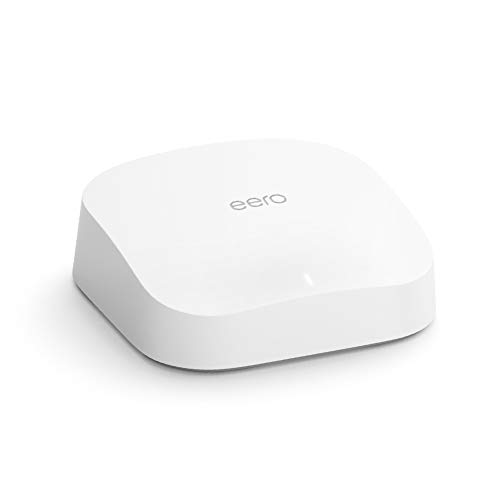
eero
Pro 6 Series
82% positive of 175 users
Easy, reliable, smart home ready; but paid features.


 bassball29





