
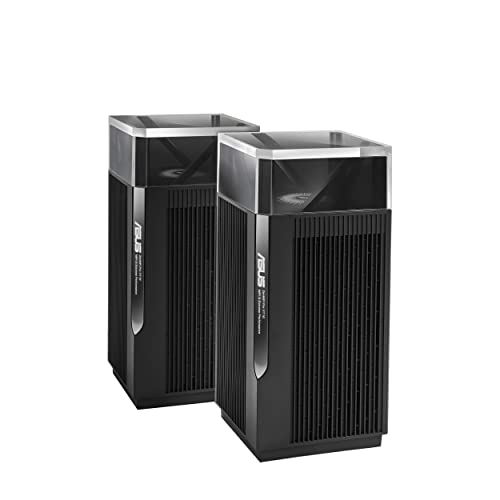
ZenWiFi Pro XT12
Running these analyses costs money. Buy through my links to help keep lights on! I may get a small commission.
Top Pros
Top Cons
Reddit Reviews
 angrycatmeowmeow 1.0
I have an Asus XT12 mesh system with two points. I recently had to factory reset them due to a borked FW update and since I was messing with it I took the time to separate my 2.4 and 5ghz bands. Everything is much happier now.
antomick 1.0I have a 2 nodes ASUS XT12 with a dedicated wifi6 wireless backhaule. The 2nd node is 2 stories upstairs (bricks walls and wood ceilings) and I can use the full 1Gb/s internet speed provided. Before I had a ubiquiti amplitude. Coverage was ok but the max speed I’ve got was 500 Mb/s. The asus is expensive but works really well. In my situation the 2 nodes are communicating at 2Gb/s. The nodes have also 2,5Gb ports. So attaching wired devices allows to communicate really well.
dmada88 1.0WiFi Mesh in my experience is great if there are good sight lines and few thick walls! Can you wire the house for Ethernet backhaul? My wife won’t let me wire the flat (which twists and turns and has very thick 19th century walls - and has the internet intake in absolutely the farthest corner from where I’d want it) so I’ve finally just gotten a decent mesh going with two Asus BQ16s and two Zen XT12. I found the high end processors in the 12 made a huge difference when I upgraded from the XT8. The BQ16 are a really good upgrade but not absolutely necessary: I could have stayed with an all XT12 set up but the XT8’s were simply not powerful enough for my set up. Obviously I have a long daisy chain going but it now works well and is fast. In a consumer/prosumer set up you won’t get the monitoring/notifying you seem to want - they all are pretty much set it up and hold your breath.
eagle6705 1.0Asus? I thjink they are over priced but worth it. I've used both, Deco works when you got the right FW loaded. But asus has better funtionality for power users / home labbers. I personally have 2 xt12 and 2 et8
liumidsun 1.0Thanks for the detailed reply! I used to use eero Pro 6 before moving to ASUS, reason why I made the switch was because for some reason my hue lights (I have 30-40 of them) suddenly became online all the time, my guess was that eero was using a similar channel for 2.4GHz as the hue hub and there was no configuration flexibility on eero. I actually switched to TP link Deco first, everything worked perfectly for a few days - better range, better performance, until I ran “network optimization” and the router decided to switch the channel on the 2.4GHz bands and broke my hue again… and again, there was no option to choose the channel manually so I was stuck again. I switched to XT12 so I can force the 2.4GHz channel, and everything’s been running perfectly since the switch. I’d hate to lose the flexibility on the configuration for sure of if I move bank to eero or tp link again. Guess I should stick with what I have until they die then :) thanks again for your input
Nnyan 1.0Getting 1Gps wireless is going to require specific clients and a higher end mesh (likely WiFi 7). So you really need to specify a budget. High level you want a 3 unit (unless you meant 3 floors + the basement, then 4 units). Get a tri-band unit. I have great success with the Eero Pro 6E, Asus XT12s (really hard to find now but XT8/9 are easy to find and have really solid performance for the price). The Deco BE63 are on sale and WiFi 7 and the XE70s are solid.
PetriDishCocktail 1.0Backhaul is how the routers talk to each other. It's best to do it wired. But, if you can't they will use one of the channels on the router that becomes a dedicated circuit (band) where they talk to each other. That's why you need at least three bands. If you want Wi-Fi, 7 I would recommend the bt-10 or the expensive BE98 pro. If you just want Wi-Fi 6e, any of the routers I mentioned before would work.. et8, et9,xt9,xt12,et12. Additionally, avoid the BQ 16 and the be96u, the firmware on the routers is buggy and has not been updated. I have personally used the et8, xt9 and the be98 pro. They have all been fantastic.
StuzaTheGreat 1.0I do t know which is the best bit I sure know that Asus AI Mesh is terrible. The backhaul will start great and then about 20 minutes later drop to 50% or less. It's quite common, Google it
I can't tell you which to buy but I can tell you that I would not buy Asus! Google Asus wireless backhaul speeds and You'll see others have issues that I'm also fighting with where their wireless backhaul is unstable. Mine can establish at around 900Mbps and then randomly drop to 300 and stay there until I disconnect (remove from config!) the Node and re-add it which is time consuming. I have posted this all over the internet with photos and config print screens and until now it continues. Googling this and you'll see others also have this issue. Mine isn't low end gear either. I have a BT10 with backhaul to an XT12.
sunrisebreeze 1.0If you want an easy setup, nice user interface and ability to tweak options/configurations down the road, ASUS ZenWiFi is a good option. Another bonus with ASUS is you can use a mobile phone app \*or\* a web interface on a laptop/computer to manage the system. Many other mesh systems from TP-Link, Netgear, Eero only let you manage them with a mobile phone app. That is fine if you have basic needs but if you want to get more control over settings, often not an option. For example TP-Link may not let you select WiFi channels for its wireless networks. With ASUS you have control over a multitude of settings. Or just leave it on the defaults and if you ever wish to dive into the config, it will be ready and waiting for you. I asked Google Gemini for some thoughts too (another poster used Ai so I gave it a try too). I see ASUS ZenWiFi is in the list along with others. Since your needs don't seem very complex any of these should work pretty well. Unfamiliar with Eero, but you stated they are "difficult" to move into AP mode, no idea why but if you know that to be true then I suppose you could remove Eero from your consideration list. Have fun! Click below image to make it larger... https://preview.redd.it/q9mu50skxxrf1.png?width=925&format=png&auto=webp&s=1fb6721ce7d5fb1ded5fee09f45ed12ce365b752
I vote for Option 1 - “Keep what I have”. For 500mbps internet service, WiFi 6 is sufficient. Unless you have a TON of WiFi 7 devices, there’s no real reason to upgrade.. and even if you do have many WiFi 7 devices, the ASUS XT12 is very nice and still has life left. That’s a premium WiFi 6 mesh system. Enjoy it! When to upgrade? I would consider an upgrade if any of these is true: ASUS stops providing firmware updates for the router; you notice devices dropping randomly/not staying connected [indicates issue with router signal, perhaps hardware beginning to fail]; you aren’t able to get full internet speed (or reasonably close to that speed) in several areas of the house, where it used to provide good speed [again, could indicate router starting to fail]. My opinions on the other options: Option 2, “upgrade” to eero Pro 7: I don’t consider eero an upgrade. They (Amazon - owner of eero) will get even more of your usage data and do who knows what with it. You also lose a lot of configurability (eero is app only, unless this has changed recently - ASUS lets you use app or web interface, tons of configurability). Option 3, “Deco BE95”. TP-Link (maker of Deco) is another company that would happily get your usage data (to use their mesh systems you need to use their mobile app and register an account, thus tying your account info to the device). TP-Link also doesn’t support their devices with firmware updates as long as ASUS. And like eero above, TP-Link mesh products don’t have a web interface (as far as I know, someone will correct me if that’s inaccurate) so you must use a mobile app with minimal config info. Another negative/strike against eero and TP-Link (and Netgear, just to throw that in there) is the requirement to pay a monthly subscription fee for additional security features. Meanwhile ASUS gives you their full security suite (Ai Protection Pro) for free. Not trying to sound like a commercial, but ASUS provides a decent product (not the best but good for consumer grade) with all security features included with the router/mesh purchase. No subscription fees, ever. And you can use mobile app and/or web interface to configure a multitude of options. And no need to register an account to use the mobile app. Disclaimer: I have an ASUS XT8 mesh system. I have formerly used Netgear and TP-Link products so I base my response on my experience.
Zimmster2020 1.0Asus XT12. I too complicated my life with extenders, wifi routers 9in repeater mode or WDS, cheaper mesh systems like Asus Lyra, Mercusys, TPlink, all in the range of $50-$100/ device. All with issues, poor performance, random disconections of the nodes, fluctuating speeds and occasionally low bandwith connections despite good signal. About 6 months ago i got myself a set of XT12 mesh nodes for $300, i never paid so much for a 2 node system. I liked it so much two weeks late i bought another set. I has no WiFi 6, WiFi 7, but it has rock solid signal,no disconnections and you get over 10MB/s (enough for 1080p YT) and devices stay connected even when i am over 2 houses away and the signal bars dissappear and you are at -90db
It's all about the router not the technology. The mesh system is fantastic but only if you choose a decent mesh system. For example ASUS Lyra is a crappy mesh system. Asus ZenWifi is a very good system at least the XT and ET series. Tenda Nova and Mercusys Halo are a pain to live with. Frequent speed drops and occasional node disconnections. The signal even between the nodes oscillate and they sometimes lose connection. About a year ago I switched to a 4 node XT12 mesh system, old wireless backhaul. I couldn't be happier, the coverage is stable, it reaches two houses away and I never experienced any disconnections between the nodes or any device being disconnected or showing network unavailable or displaying that Wi-Fi is missing.