I have AT&T Fiber (1Gbps up/ down) and use Eero. I use the Eero PoE Gateway along with Eero PoE 6 APs. Rock solid performance and strong wifi coverage.
I'd recycle your existing cable modem and get a newer Arris Surfboard modem that is a) approved by your ISP, b) handles the bandwidth you're contracted for and c) is just a modem. Not wifi, router, etc.
Then get a separate router/ wifi system. If you're looking at plug and play and need mesh, then Eero is a great solution. If you want more configurability and control to manual change settings in your network, then Ubiquiti is a great option. I use both.
Yep. This is what I do. I have AT&T Fiber and run Eero.
On the AT&T router:
1. Put in 'passthrough' mode and select DHCPS-Dynamic
2. Turn off both wifi radios (2.4 & 5GHz)
3. Turn off all firewall and filtering options on all of the other pages
4. Restart the AT&T router
In the Eero app:
1. Make sure that Settings, Advanced Networking, DHCP & NAT, you are in 'automatic' mode...not 'bridged' mode.
2. You can turn on all other options (IPv6, SQM, Client Steering, etc) except for UPnP. UPnP should be off.
3. Restart the Eero network.
Your network topology should be:
AT&T router <> Eero (gateway) <> Unmanaged switch(s)/ additional Eero APs
I think Eero is worth a look! If you don’t want to fiddle with a ton of things and let it manage itself it’s a great option. The Amazon stuff is all optional too. Plus they have thread routers in them which help tremendously with smart home stuff.
I’ve got the 6 PoEs and they’re great.
Eero (Amazon), tp link Deco, and Asus ZenWifi are all well-reviewed and perform well. If you've got to go mesh, look for a tri-band system with a dedicated backhaul channel (Eero, Deco, and ZenWifi all have models). Eero and Deco are a little more "plug and play". ZenWifi is also easy to set up, and some models give a few more config options/control than Eero or deco.
The tricky part is that you don't know how well mesh will perform until you set it up in your place. Two nodes might be enough, but you might need three (or four). A 6 ghz backhaul channel might work, but, if the walls and floors in your place cause a lot of interference, you might see better perf with a 5 ghz backhaul.
So buy from a place you can return it, maybe start with three nodes, test how coverage and speeds look, go from there.
All three have 2.5 Gbps ports. 3 gig is a *lot* of bandwidth for a residential setup. Unless you're regularly downloading gigantic files (video, game updates), you probably won't exceed ~300-500 Mbps, and WiFi will de facto limit the perf on any device to ~200-600 Mbps. For most homes, 200 Mbps is plenty. If the 3 gig price isn't much different than ~300 Mbps (if you're in the US, it's hard to find service under ~300 Mbps), go for it, but if you're paying a premium for 3 gig, you can save some coin and you almost certainly won't notice a difference in performance.
If you're in Europe, you rule!, fiber away because you're prob only paying like €40 for 3 gig.
Eero is like the apple of mesh systems, a bit expensive for what it is, but it works very well for me. There is only one spot in my house that doesn't have wifi, but that's because it's not a priority and my house has old walls.
TP Link/Deco I heard are great value, though with FCC potential future bunnings, they might not be the best choice for the future.
A single good point in the middle of a 1700 sq ft home might be just fine. You could hardwire one up from the basement to the middle of the main floor. I'd try that first before buying anything more - even the iSP wireless router might be fine for that size. Eeros are good if you want to plug it in and just work. Unifi best if you want to adjust a lot of settings. For home wired I like InstantOn the best as it's less maintenance work than Unifi and hardware is really solid.
Orbi is good but expensive. Eero is good if you're ok with not having fine control over your router, and it supports SQM. Deco is low cost, good coverage, and has some additional controls over eero, but only supports QOS.
Top Mesh Wifi Systems on Reddit
1
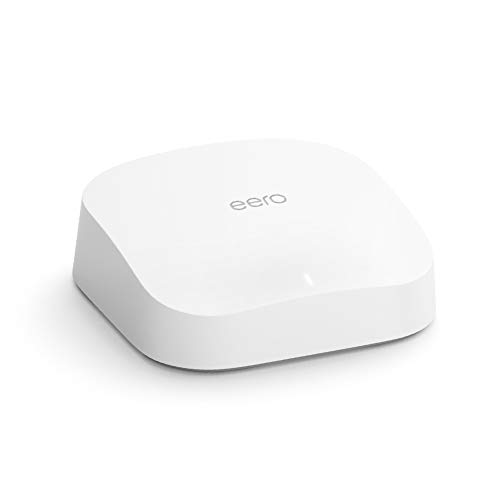
eero
Pro 6 Series
82% positive of 175 users
Easy, reliable, smart home ready; but paid features.


 RealBlueCayman





