I just replaced my old Google router mesh from 2019 with Eero 7 mesh. The speeds are much faster but has less stability. I really took Google router for granted, we had zero connection issues. With Eero I have at least 3 connections issues a week to fix. Garage keypad, kids iPad, smart light
I finally got sick of restarting my Nest Wifi manually every two days when my wifi would inevitably stop working.
Switched to TP-Link DECO. Oh my god why did it wait so long,
It’s been flawless for over a month. Don’t ever have to think about it.
Google abandoned this product. If you’re thinking about switching, do it.
No issues. Frankly it's people not following directions or the app itself not completing certain functions. Others are just people not wiring correctly or being impatient during setup.
Some of the stalling setup issues I have encountered and can be resolved by force quitting the app and crossing your fingers that you don't have to start all over.
BTW, if you are technically inclined installing OpenWRT on your old Google WiFi pucks breathes alot of life into them. Setup is not easy, but it's very rewarding. In fact I recommend using one as an access point with a different WiFi name added to your MESH. Perhaps even one that is dedicated to IOT devices and guests.
If you mean the Google WiFi 1st gen white pucks, you are **long overdue** for security patches. Last firmware update was [3 years ago](https://support.google.com/googlenest/answer/13800967?hl=en). If you are technically inclined you can install OpenWRT on it or at the bare minimum upgrade the primary Internet facing puck to 2nd gen (Nest WiFi 1st gen). However, thatis probably next to be 'forgotten'. If you can find it cheap, it'll be worth it.
Price point and basic reliable functionality are key for me. Just bought over the weekend at Best Buy the Google Nest Wifi Pro 6e, 3 pack, at the discounted price of $250. After seeing the routers using the latest 7 Standard, but most priced $500-$999–TP-Link, Asus, NetGear, etc—I said no thanks. For my level of use in our home, the 6e is a really good deal. And many devices in our home are in the Google ecosystem.
My Google Nest Wifi (2nd Gen) was good for over 5 years. I started to have issues that I could not resolve. The internet connection from Spectrum is good and so is the modem. I’ve read that on average the previous Google routers have a life span of 3-5 years. I’m not sure I believe that just like mechanics saying you to change your oil every 3K miles. However, I’ll take the 5+ years of life I got out of the 2nd generation Google Nest Wifi.
I’m curious whether I’ll get 5 years out of this 6e router, which I’d be content with. Fingers crossed.
I bought mine in '21 as an upgrade to my Google nest router which couldn't hack all my smart stuff. The pro 6 handled it without a problem and still runs strong with 50+ devices
Nobody recommending Google Nest? Been running on gen 1 mesh for over a decade and it still rubs strong. Looking to upgrade to wifi 6, though after I got wifi security cameras.
Top Mesh Wifi Systems on Reddit
1
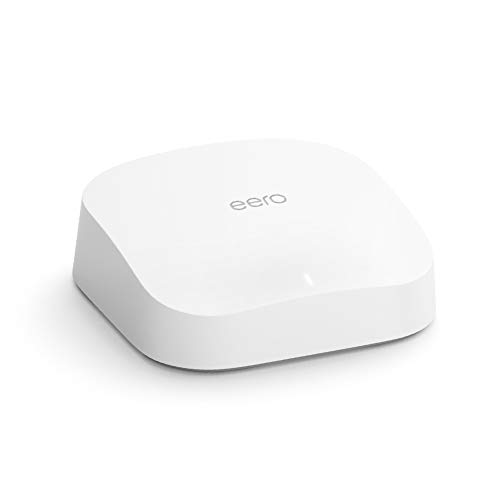
eero
Pro 6 Series
82% positive of 175 users
Easy, reliable, smart home ready; but paid features.


 Apprehensive_Tax1760





