Main unit is an RBRE950 and then I have two RBSE960 satellites that require frequent rebooting. Both are wired. The internet gets slower and slower until it stops working. At the suggestion of a reddit discussion I regressed to firmware V7.2.6.21\_5.0.20 . My prior firmware version isn't even listed on the Orbi website any longer. I assume that means it was so buggy they retracted it. My entire mesh system cost $1600 which I wish I had back to invest into something else.
It depends, I guess. I have a Netgear Orbi Wi-Fi 6E with three satellites using Wi-Fi backhaul. I have the Orbi in AP mode and NOT router mode as I prefer to used my own dedicated hardware for routing AND it avoids all kinds of routing issues with the Orbi. Perfectly stable with a Sonos setup around the house and I think that's a GOOD test! I have a VoIP app on the iPhone and that is absolulty fine on the Wi-Fi with no issues on latency or jitter (at least to my ears!).
Did a Oookla speedest just now from my iPhone going iPhone Wi-Fi --> Orbi Satellite 1 --> Wi-Fi backhaul to Orbi base --> wired to LAN switch --> router/firewall --> 2nd router --> ISP ONT --> ISP 1 Gb/s CGNAT service --> Internet. Speed was around 980 Mb/s up and down. I'm getting great Wi-Fi coverage around the house. Your milage my vary of course, depending on your environment.
I'd have gone to the trouble of putting in wired backhaul for the Orbi satellites but just using the Wi-Fi backhaul is more than good enough for me, so I've stopped right there.
If you can run a wired backhaul, a Ubiquiti is the way to go. Absolutely do not buy Orbi. I've heard tales of the older ones being good, but my experience with the 960 was awful and the shared experiences of some 770 and 970 users look horrifying.
Also, avoid the TP-Link hardware. There is more than an even chance it gets banned for sale in the US (and with that, the firmware support will go poof).
I'd like to piggyback on your post if you don't mind.
I have an Orbi mesh system too (960) with the main router and 2 satellites in AP mode. I've been using the Enterprise 24 PoE switch paired with a Cloudkey G2 Plus for a few years and wanted to deploy some Unifi WiFi as well. I don't have the time to run ethernet cables throughout my house so Orbi was the best I could do for WiFi. I recently found that the Unifi Express 7's can do mesh networking so I was thinking of getting 3 of those to replace the 3 Orbi's I have.
The way I want to do this is have one of the UX7 units hardwired to either a 2.5GiB port on the switch or a 10GB SFP+. Then have the other 2 set up via wireless mesh. The questions I have are:
1. Does Unifi use a dedicated wireless backhaul like the Orbi?
2. Can wired clients physically located close to the UX7 units use their wired ports?
Maybe commenters posts would be clearer if they included intended audience information but my wireless Netgear Orbi 750 mesh serves me well and my son has no complaints about his Orbi 9xx system.
I suspect posters are confusing good enough, even excellent, with what is the best possible.
No upgrading to 2 gig would do absolutely nothing, your problem right now is your Wifi coverage.
Orbi's are usually pretty decent but it really depends on the model. If you have the 300 series (Like the Orbi 370) they don't perform that well when they are not hard-wired together (through ethernet) If you have the Orbi 700/900 series try to move them closer together/check connection strength in the Orbi app.
If you have ethernet going around the house (homes built from 2006-2019 generally have them, after that they started relying on wifi stupidly) you can make the 300 series work very well. You can buy some cheap ethernet cables and connect them to the Mesh system and you should get substantially better speeds. Keep in mind however you would have to have the infrastructure to get those Ethernet ports to actually be "live" the easiest way to identify if you have this is to see is to figure out where all the Ethernet ports are going (usually in some utility closet) You should see a box that all the ethernet wires connect into, if you just see wires your going to need to be a "Gigabit Network Switch" with the amount of ports needed, If it's not near your ont your going to have some issues, but you might be able to send ethernet back down if you have an ethernet near your main Orbi base.
If you don't have Ethernet you should upgrade to a substantially better Mesh system that uses different antennas for the backhaul (connecting the routers to the extenders) these are generally pretty pricey ($500-$700 like for the Orbi ) but they might be the only way. Now if you are willing to give Verizon a shot your plan probably includes "whole home wifi" where Verizon will figure out the extender situation and make sure you have a good connection in most places but you'll have to use their equipment.
As for that "white box" I don't really know what that could be unless it's an old power supply for the ONT (does it have a power connector on one end?)
Just a quick thing the "black modem" is called an ONT it essentially does the same thing as a "modem" on a cable provider (Take the Fiber coming in and convert it the protocol + connector to ethernet).
Also out of curiosity how big is your home, that may be causing some issues
Top Mesh Wifi Systems on Reddit
1
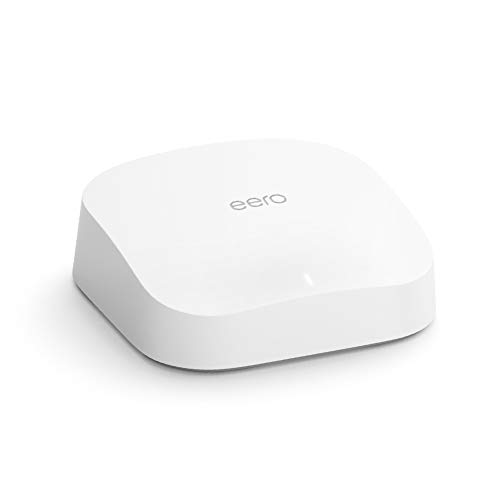
eero
Pro 6 Series
82% positive of 175 users
Easy, reliable, smart home ready; but paid features.


 davemchine





