Deco BE63? That's Wifi 7 I believe.
Edit: actually I think it's this system. Not BE63. https://www.tp-link.com/us/deco-mesh-wifi/product-family/deco-be11000/
That’s a good system, not sure why it’s not working for you.
**Summary:** If you want to test a WiFi 7 mesh system, get one with MLO (multi link operation) and tri-band (2.4ghz/5ghz/6ghz) for maximum range and speed. Costco has a great return policy and they are selling the TP-Link Deco BE11000 (also known as BE63) 3-unit kit (router and two mesh nodes) for $339.99. Amazon also sells it for $369.99 with 20% cashback if you use an Amazon Prime Visa (so only $295.99 after cashback!). If it doesn't work out you could always return it. Prices may change, that's what I see at this moment as I write this. Black Friday is a good time to buy technology like routers and mesh systems, so your timing is good.
**Details:** I'm actually not very familiar with WiFi 7, so I am wondering how much a WiFi 7 mesh system could outperform a WiFi 6 mesh system (in terms of connection strength and network speed).
Some WiFi 7 mesh systems use MLO (multi link operation) to pull all the bands together (2.4ghz, 5ghz and 6ghz) so there is more bandwidth for data transmission. In some cases WiFi 7 mesh may only be dual band; 2.4ghz & 5ghz. That is another thing to watch for with WiFi 7; 6ghz band is not mandatory in the spec so you will see "budget" routers/mesh systems only offer dual-band hardware. You will often need to pay more for tri-band WiFi 7 mesh (2.4ghz/5ghz/6ghz). And some premium mesh systems will be quad-band like the ASUS BQ16 Pro (2.4ghz/5ghz/6ghz-1/6ghz-2). BTW I think the BQ16 Pro is way overpriced and do not recommend it!
My WiFi 6 mesh system is tri-band. ASUS XT8 (2.4ghz and 5ghz for clients and a 2nd 5ghz band for mesh communication). It works well if units are in wireless or wired (ethernet-connected) backhaul. I think the dedicated 5ghz band helps a lot (and each mesh unit has 6 internal antennas placed at various angles/orientations, to maximize signal reception/transmission).
So if you want to try WiFi 7 mesh, I'd advise to make sure it's at least tri-band and uses MLO, to give you maximum benefit of higher speeds when the mesh nodes are used wirelessly. I also recommend purchasing from somewhere with a good return policy. I don't want to send more business to Amazon but they have a great 30 day return policy. Even better if you could buy a system from Costco, as their return policy is excellent in most cases! If you don't like the system or it doesn't work out you could then return it and try something else.
Sounds like you want to "future proof" (not sure if that is possible as tech is always changing but I understand your point!) so you should probably not consider WiFi 6/WiFi 6E and just go for the latest standard, WiFi 7. You could save money by buying a WiFi 6 mesh system but then you'd probably have to upgrade sooner, than if you bought WiFi 7 today.
I agree with u/MondoBleu \- Best to connect a wireless access point (WAP) via ethernet connection to your router. A wired connection will give you more stability, higher speeds and is less susceptible to interference. Good luck!
Kind of. Be11000 was all 2.5g ports from what I recall when I had it. Here we get 5g / 2.5g / 1g ports. So depending on use case that could be fine. But that extra imaginary 2g in wireless bandwidth is really not going to add real life value.
Bought my Costco three pack of BE11000's for $339.00 a few weeks ago and I couldn't be happier. I've got 37 devices split between the normal network and the IOT network (cameras, speakers etc). No guest network. I plan on running some Ethernet between the satellites to wire backhaul them but actually haven't needed to do so this far. I've about 2700 SF on two levels. I have one upstairs, one in the basement and one in the garage feeding two 10x20 sheds on the garage side of the house. About every two days I run the network optimization option. I've only had to reboot them once in three weeks and that was because my ISP (Sparklight) went down for 4 hours. So I am having a great time with no issues
Yes, we've seen better performance and more stable connectivity for some of the smart devices that were flakey on the rbr50 network. We wound up going with the Deco BE11000 which has one base and 2 satellites. Occasionally, devices (laptops and tablets) seem to have a difficult time moving from one satellite to another and have slow wifi until they move to a closer satellite. Finally, we also experience occasional signal drops, but it's difficult to determine if this is a function of the wifi service, the modem or the mesh routers. I have no idea how to identify the source of these interruptions.
Top Mesh Wifi Systems on Reddit
1
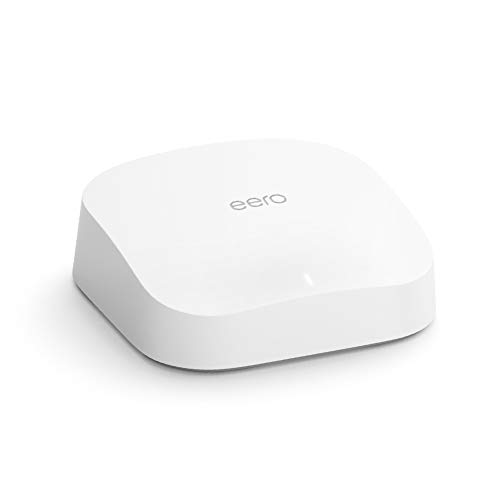
eero
Pro 6 Series
82% positive of 175 users
Easy, reliable, smart home ready; but paid features.

 HotSlothsInYourArea





