Depends on what you want. Do you want future proof WiFi 7, an more options to control? I’ve had mesh systems from Linksys, tp link, net gear and honestly I’ve found tp link is great. They’re kind of lax on the updates but functionality wise, great system. I have my moms place on the deco be 85s and all 3 are wired back hauled. If you want wireless back haul consider maybe a deco 95. What is the sq ft of the house? How many stories? Do you need service out in the garage if detached?
In my semi truck I’m running the deco be65 outdoor since it’s built for weather and harsh environments. But like I said it all depends what you want to do with it or if you like to customize. To me the app is great. You can see what each device is pulling in terms of data
Just because of the Firmware issues I've heard with Orby stuff, I'd go Eero. Tp-Link also makes outdoor nodes for their Deco system though, not all of them come in an outdoor configuration but there are a couple that do. The Wi-Fi seven options that come in an outdoor configuration are the be25 and the BE65. Then for Wi-Fi six, the X20 and X50 have outdoor versions. I can from personal firsthand experience recommend Deco. In fact, I prefer it over Eero because it's a little bit more customizable and there's more ethernet ports on the nodes. Also it's cheaper so that's a win.
If all you need is three SSI'Ds, a main one, a guest one, and an IOT one, that is definitely possible to do with most Deco systems. If you need more control than that, including control over the SSIDs that you can create besides blanket network isolation, you'll need something like Ubiquity, though an Asus mesh system could also work if you want that kind of form factor, you can get it with Ubiquity but you won't have nearly the same amount of options.
You can get a two pack, set one up where the current router is, and position one on the second floor slightly offset from where that first one is to allow the signal to propagate to it a little bit more efficiently. Or you can use wired backhaul if possible. Deco probably won't increase your speed, just your Wi-Fi coverage, so if you're getting good coverage on your second floor and first floor, then Deco won't help. Also, your issue most likely comes from the adapter, some of them just are not that amazing because they use small PCB mounted antennas. What speeds do you get downstairs with your phone right next to the router?
Kind of. Be11000 was all 2.5g ports from what I recall when I had it. Here we get 5g / 2.5g / 1g ports. So depending on use case that could be fine. But that extra imaginary 2g in wireless bandwidth is really not going to add real life value.
Bought my Costco three pack of BE11000's for $339.00 a few weeks ago and I couldn't be happier. I've got 37 devices split between the normal network and the IOT network (cameras, speakers etc). No guest network. I plan on running some Ethernet between the satellites to wire backhaul them but actually haven't needed to do so this far. I've about 2700 SF on two levels. I have one upstairs, one in the basement and one in the garage feeding two 10x20 sheds on the garage side of the house. About every two days I run the network optimization option. I've only had to reboot them once in three weeks and that was because my ISP (Sparklight) went down for 4 hours. So I am having a great time with no issues
Yes, we've seen better performance and more stable connectivity for some of the smart devices that were flakey on the rbr50 network. We wound up going with the Deco BE11000 which has one base and 2 satellites. Occasionally, devices (laptops and tablets) seem to have a difficult time moving from one satellite to another and have slow wifi until they move to a closer satellite. Finally, we also experience occasional signal drops, but it's difficult to determine if this is a function of the wifi service, the modem or the mesh routers. I have no idea how to identify the source of these interruptions.
In two houses now I have used TP-Link — they have been very very reliable for me. Am currently using 3x XE5300 (AXE5300 set from Costco) I got from Costco on sale last year’s Black Friday or the year before. Have been great. I’ve got them configured in Access Point mode, and connected to my Spectrum Router with the router’s WiFi turned off. Current I’m using the 6GHz channel for backhaul.
In a previous house I used TP-Link Deco M5s throughout my large country home (3700 sq ft) plus additional Deco M5s in one small outbuilding (guesthouse) and one large outbuilding (office, storage and workshop) plus a outdoor pool and large deck area. I had the large outbuilding connected to the main house via a Ubiquiti high speed point-to-point wireless. And had all the M5’s connected to Gigabit switches for wired backhaul and PoE. Again M5’s were in AP mode. And the house was served by a 1GB bi-dir fiber feed from the Internet provider. Overall a great set up.
If I were installing today in a new to me house, I’d get the TP-Link Deco BE11000 3 pack on sale at Costco right now.
In both houses I had 70+ clients including apple PCs, Windows PCs, smarthome (Google, Apple & Amazon), music (Apple Homepod Minis), plus iPhones and Androidn phones & tablets. No issues at all, and support roaming across the mesh.
Just bought two 3-packs of BE11000’s from my local Costco two weeks ago. (They were a great deal on closeout at $99.97 per three pack, down from their usual $399.99 normal price, $339.99 sale price). Installed one last week to upgrade my existing TP-Link Access Point mesh that was using three XE5300s - super easy/smooth install. The BE11000s have 4 x 2.5G ports on each unit. The 4 ports enabled me to dump a couple of Ethernet switches I had at different points in the house.
It’s funny you should ask that. I originally bought a 3 pack of the BE11000 about 9-12 months ago when it was on sale at 339.99. After getting home and looking up reviews at that time (which I had not done before buying), I returned it unopened because of all the reported issues.
This time given the price I decided to give it a go. And I also knew TP-Link would have issued some firmware updates in the meantime.
I have Spectrum ISP service with a Spectrum Router. Deco’s running in Access Point mode. Main Deco connected to the router by Cat 6 cable. I’m using the 6Ghz channel as back haul for the mesh between the three Deco’s. I had three Netgear GS108 Ethernet switches throughout the house for some wired connections (now down to just one). And I may replace the last one when I have a little time since I now have seven wired ports between the router and the main Deco. I do have the 6Ghz network off (so it will be used as backhaul) and have the MLO Network off. I do have a guest network defined that when the XE5300 mesh was active seemed to have 3 very old Smarthome devices that connected to it — 2 Wemo smartplugs and a very old camera - they were configured on a different SSID (which I made the guest network when I moved to this house), and haven’t bothered to reconfigure since they are old 2.4Ghz devices. Otherwise the guest network is not used.. I also still have the 5Ghz WiFi on the Spectrum router on with a different SSID (which I know causes a spectrum/channel overlap/contention — but am a old network engineer and I just don’t worry about), as Spectrum provides no way to disable WiFi on the router without calling them every time to turn off and on. And I keep it there for backup in case the TP-link net goes down fully — it never has gone down for an extended period, and I have the main Deco plus the middle BE11000 on UPS’s. Also FWIW I used the Deco app’s capability for the upgrade to replace a Deco unit, unit by unit, keeping the same network config, and just swapping in the BE11000 and removing the corresponding XE5300.
Anyway, since I installed it, it has been rock solid. I work from home and the network has 60+ devices connected (90%+ are WiFi) including an assortment of Apple devices (iPhones, iPads of various types & eras, HomePod Mini’s, multiple Apple TVs, and MBAs and MBP), Windows laptops, OOMA boxes for VOIP, a POE VOIP Telset, a couple of printers, some translation devices for Smarthome, and a number of SmartHome devices, including Alexa, Google Home, and Siri. Various WiFi cameras (Nest & Google — wired doorbell and battery standalone), Smart plugs, & smart lights). I also have one August WiFi SmartLock and 3 Yale SmartLocks (all owned by Yale now). Anyway the SmartLocks and the Google Home screens are usually the canary in the coal mine for me when the WiFi network has “gone down” and is re-establishing — usually a 3–5 times a week when I had the XE5300 mesh. Since I upgraded to the BE11000s (about a week now), the SmartLocks have not lost WiFi connection even one time (BTW they are all with 25-30 ft line of sight of a Deco access point, with no more than one interior wood studded wall between the lock and the Deco. BTW I put the BE11000 units in exactly the same locations as the XE5300s had been - basically just a virtual straight line down the center of my house from one end where the ISP connection comes in and the other end of the house.
Per the specs, the BE13000 has speeds up to 13Gbps, while the BE11000 is up to 11Gbps. And the BE13000 has some verbiage about supporting even larger homes/spaces & more higher bandwidth demand. Have not looked at the specs in detail. The BE13000 is not even on tp-link’s web site in the USA. And the few mentions I found on different sites including Costco’s app and other sites have conflicting specs for simple things like number of ports and what speed. So who knows…maybe we we can see the box in the store we could get the facts.
Top Mesh Wifi Systems on Reddit
1
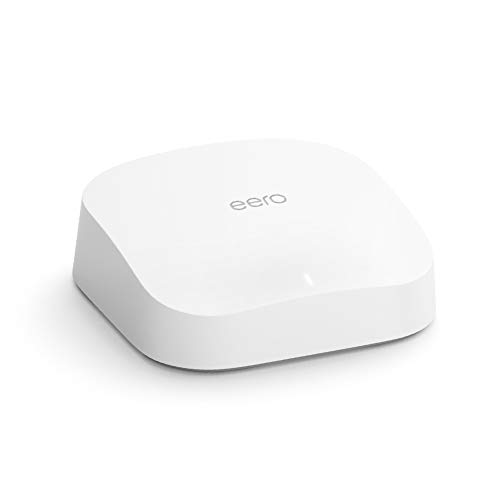
eero
Pro 6 Series
82% positive of 175 users
Easy, reliable, smart home ready; but paid features.


 Imrazor2021





