That's false, I'm already getting decent signal (80Mbps) through that 8 inches concrete mass, using Wifi 6 only.
I'm now wondering if I could improve that using Wifi 7.
I just received the Wifi 7 mesh by TP Link (BE9300) and replaced my previous Wifi 6 mesh by TP Link (AX3000) and the difference is... massive. Through that 8 inches concrete mass I used to top at 80Mbps, with the new Wifi 7 mesh I now top at 210Mbps.
So yeah there's definitely a noticeable difference !
Running 2 x TP-Link Deco BE65, really fast WiFi speeds (maxes out my 500Mbps fiber even though I don’t currently have any WiFi 7 clients).
It has a separate IoT network which I run all my HomeKit devices on.
You can run these either wired or wireless backhaul and add additional Deco units if you need extra coverage.
You can’t control it through HomeKit, but you can control Matter devices in the Deco app.
For context, I live in a basement apartment where the router needs to be located just outside the apartment. Given I am renting, I don't have the ability to run any ethernet cables into the apartment, or to the satellite units. I have a 1.5 GB/s service from my internet provider.
I recently upgraded an old mesh system (Deco AC1300) that was not serving my needs to an Orbi 770 mesh system (1 router + 1 satellite). The speed has significantly increased with the Orbi system compared to the Decos, but the stability/reliability of the connection has been quite poor.
I've used the Orbi app and other scanning apps to ensure the wifi is set to channels with the lowest amount of interference, which has helped, but has not eliminated the issues.
In use, I am getting significant lag spikes and occasional disconnection issues, both while gaming, and in Teams calls. This has been experienced across multiple devices. While the upload/download speeds were much lower with the old system (as expected), I did not experience any of these reliability issues.
At this stage, I'm looking at alternatives to the Orbi 770 as it is still within the return period, and for the price, the performance is frankly not acceptable. I do not necessarily need a WIFI 7 mesh system (6E would be fine), and would welcome any input on viable alternatives.
Appreciate it - as I had some Deco's already and was happy with the stability of the old ones (just not speed), I went ahead and ordered some BE65s as they were \~25% off. I can always add one of my pre-existing Deco's from before if I need to extend the mesh anywhere in the apartment too.
My parents do have the nest wifi system as well which they seem to be pretty happy with, so if this alternative goes poorly that will likely be my next step.
I'd went into the settings pretty deep with the Orbi to make sure the channel selections were correct, updating firmware, etc. but the intermittency of the performance was just too bad to keep them.
What's wrong with your current system exactly, what model even is it? As for a budget triband Wi-Fi seven system, I can recommend the Tp-Link Deco BE65, I'd say BE63 if you were in the US, apparently it's not available outside the US. Just be warned if you have a lot of devices and don't reboot the system a lot, it can become a bit unstable, at least that's what happens with our BE63.
If all you need is three SSI'Ds, a main one, a guest one, and an IOT one, that is definitely possible to do with most Deco systems. If you need more control than that, including control over the SSIDs that you can create besides blanket network isolation, you'll need something like Ubiquity, though an Asus mesh system could also work if you want that kind of form factor, you can get it with Ubiquity but you won't have nearly the same amount of options.
You can get a two pack, set one up where the current router is, and position one on the second floor slightly offset from where that first one is to allow the signal to propagate to it a little bit more efficiently. Or you can use wired backhaul if possible. Deco probably won't increase your speed, just your Wi-Fi coverage, so if you're getting good coverage on your second floor and first floor, then Deco won't help. Also, your issue most likely comes from the adapter, some of them just are not that amazing because they use small PCB mounted antennas. What speeds do you get downstairs with your phone right next to the router?
I just got this last week https://amzn.eu/d/73WU4jW and it’s fantastic. I have 500mb download and before this using just a Vodafone isp router that they provided the WiFi would drop like a rock when a room or two away from the router but now I’m getting the full 500mb download even when upstairs see https://www.speedtest.net/result/i/6800731571 and good ping too. It’s expensive but worth it, currently on offer for another 6 hours
I did an ethernet backhaul with my TP link BE series routers (BE9300 and BE3600). Both lan cables are connected to a Tp-link omada link aggregator since I have 2 parallel lines. It's significantly more stable and faster than wireless backhaul. Whichever router you get, make sure they support it.
Top Mesh Wifi Systems on Reddit
1
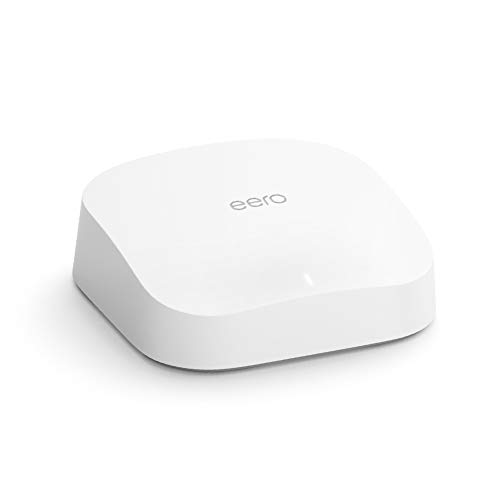
eero
Pro 6 Series
82% positive of 175 users
Easy, reliable, smart home ready; but paid features.


 divideconcept





