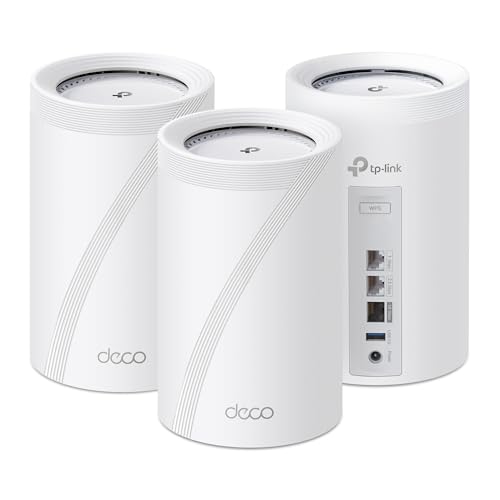
I just finished setting up a new TP-Link Deco 7 Pro BE14000 Tri-Band Wi-Fi 7. I have 5 Reolink wifi cameras and 76 other deivces (4 wifi TVs, 3 wifi controlled 3d printers, wifi Rheem water heater, wifi controlled recirc pump, wifi cook top, oven, refrigerator, HomeAssistant sensors, smart light bulbs, wifi controlled flood lights, robot vacuum, robot mower, etc.) Hard wire from ISP router to main Deco and hard wire to Fire TV cube. Everything else runs on the main wifi or a Deco IoT network. Sitting in the living room I get download speeds of about 950 Mbps up and down. At the mailbox 220' feet away I have signal strength of -69 dBm and download 145.4 Mbps and upload of 108.2 Mbps.
I recently installed Sonic 10gig fiber. Ive been running with the Asus XT8’s for the last 5 years and have been really happy with their stability and even their speeds for wifi6. When I upgraded my internet a few weeks ago, I quickly bought the deco be67’s so I could maximize Sonic’s full potential. They were so FAST! But it was bittersweet, because I soon became incredibly disappointed. The satellite could not stay connected. No matter how many settings I changed. No matter how close I placed the satellite to the main, factory resets, etc. it just could not stay connected. 30 or more times a day it would drop for minutes at a time. I learned they were running on hardware version 1.6 which apparently is notorious for issues. I also don’t have the luxury of running a wired backhaul so I took my chances with going wireless.
My home sits on a 7k sqft lot and I have a detached garage that we use for watching games and movie nights etc. A mesh system is pretty much my only option to extend my range out that far.
That being said… I ultimately returned the 67’s and reverted back to the XT8’s. Now I’m looking at the Deco 85’s or 95’s. I’m hoping that since these come at a premium price, the results will be better. Stronger antennas etc.
I’ve read and watched a lot of online reviews and the results are so mixed it’s crazy.
Would you buy the 85’s or 95’s today at the sale price point? Thanks in advance for your input.
Imma go against the crowd here. I have a similar issue to you in that I have a house where a single access point does not cut it.
I deployed the cheapest Wifi 7 mesh system on the market at the time. - (TP-Link Deco BE68)
It does the job pretty damn well. Can stream 1440p Youtubes anywhere with no problem. Handling nearly 100 Wifi clients no issues.
Yes. The control interface sucks. I hate that the web interface is very bare-bones.
In another place I spent many thousands of $ running Cat5e all over. What a waste of money that was. I have points where I have never used them, and there are places where I could use one that have no point. Terminations also go bad over time. And now the Cat5e is outdated and probably won't handle 2.5Gbps let alone 10.
In this place where I am now I have put in one hardwired connection to behind the entertainment system where I knew I would have a data use hotspot, but nowhere else. It keeps the airwaves clean I guess but I often wonder if it's really necessary. It would have been cheaper to put in a mesh extension and replace it every 4-5 years as the tech speeds up. Right now I have more bandwidth to the bedrooms with wireless backhaul over 6GHz.
I use TP-Link and as far as the mesh it is WiFi7 through out. Not too expensive, $250 for the base router (BE600), then the extenders are $120-160 each. I do use a second BE600 router in slave mode though, I have a use for the extra ethernet ports where it is located over the one port on an extender. Everything is WiFi7 and 2.5GB for ports at the minimum through the network including a couple 8 port unmanaged switches. There is an old WiFi6E router I repurposed down in an outbuilding, but only use that when I am working down there.
I'm sure other brands of consumer level equipment have the full gamut of WiFi7.


 GardenUnique





