
Deco M4
Running these analyses costs money. Buy through my links to help keep lights on! I may get a small commission.
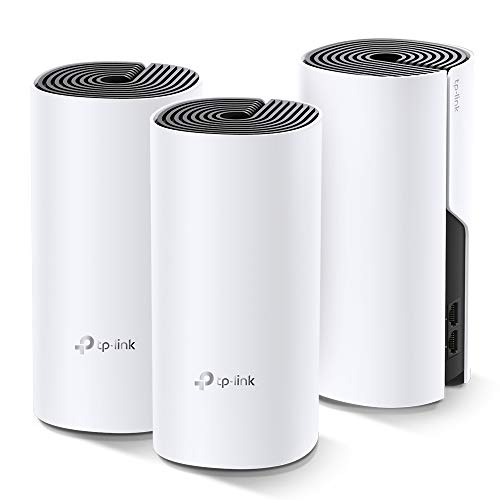
Top Pros
Top Cons
Reddit Reviews
 BodyUpper4173 1.0
Swak sa budget mo ang Deco M4 na bundle of 3. Been using this mesh since 2019 (from PLDT plan) and hindi pa rin sira haha. Though may deduction talaga sa speed, konti lang naman. Pero it still depends on how far your mesh's are. I recommend buying cat6 to connect each mesh if gusto mo walang speed reduction. Been biased with TP-Link as my smarthome devices na ever since. Lahat ng cctv, smart lights, mesh, and other smart devices ko, TP-Link. Pulido talaga sila, kumbaga.
ermaneng 1.0yep. i made that mistake too. archer uses "easy mesh" where deco uses "deco mesh" and they dont talk to each other. so if you choose to go with easy mesh (tplink say it is the new standart) go for a easy mesh compatible satellite or if you like deco get another one. it is your choice both are great. (used to have 2 decos for over 3 years now i got 2 x archer be9300 for easy mesh)
currently using 2 x be550 with easy mesh --> solid no problem used to have 2 x deco m4 with deco mesh --> solid no problem
GooseTimely8752 1.0E4, M4 and S7 are pretty much the same, they are different generation models with new ones being slim and shorter than the old ones. These 3 are the basic ones and should be more than enough. X series gives you extra security feature (most of them require their paid monthly plan) and x50 that I use allows you to plugin your vpn config and supports wifi 6. If you don't use vpn you are better off grabbing M4 or S7 whichever is cheaper. For my upstairs where I usually work from I have M4.
jk_here4all 1.0Go for Mesh. If you are looking for more than 500Mbps connection you might need to connect the units using LAN cables. I used this one for my parents house. https://www.amazon.in/TP-Link-Deco-M4-AC1200-System/dp/B07KJ2TDMR/
JohnnyPegorino 1.0My Deco M4 has been rock solid for a very long time
jxelll 1.0I use a mesh system. Used to have 3x TP link Deco M4s. Now upgraded to TP link Deco 25 WiFi 7. Be used to have multiple extenders which were plugged into the wall and basically worked as repeaters but it was finicky. Go for a mesh system
Mrletejhon 1.0How are you guys having such a good experience with your decos. I have the M4R, and they have been a pain. If the 3rd déco had barely some signal to the main deco it would connect to it instead of using the deco in the middle of the flat and add a extra jump. So the study ended up having the worst possible connection. Then I got on kit with the powerline and it did the same behaviour but worse. Because if it was still able to connect to the WiFi it would not use the powerline. I'm not sure how you guys are able to have such good experience, maybe the new models are way better. But that experience game me so much ptsd that I ended up running cat6e to the whole flat during the renovation
Nervous-Job-5071 1.0If you have a router (acting as a router, not setup to be in passthrough mode), you should be using Access Point mode on the Decos. Is that how you’re set up? If you have two routers in succession, you can get this bad behavior due to the double-NAT. For those older models, they are pretty solid in Access Point mode. On the other hand, they are weak as routers due to the single core CPUs they have. Newer models have much more CPU power if you need them to act as routers. At this point I would look at WiFi 6E models (the AXE___) models but not sure what you have available in India.
Ok, then you need a higher power cpu model. The M4 is single core — the newer units are quad core. They can’t handle higher speeds and the larger number of devices that are now connected in most homes. My M4s did what yours were doing when in router mode when I ditched my ISP router. So I initially put another router in front of them and put them in AP mode. I have since gotten some AXE5300s and changed my main Deco to one of them, but due to some other pressing matters, haven’t yet taken the other router out of the mix yet. I know I need to since the other router is about 7 years old and no longer getting security updates (not a TP-Link, just an old router I had on-hand).
I would say they all work quite well. So pick a model that fits your needs. PERSONALLY, I would go for WiFi 6E or 7 today, but some are fine with the lower tier models if you don’t need 300+ Mbps speeds wirelessly. I’ve personally helped about 75 people set up / tweak their Deco systems here over the last year or so, and 90% or more were just simple things.
Otherwise-Set5155 1.0+1 sa TP Link. I have 9 of these, all on ethernet backhaul, no issues whatsoever. Deco M4 and M5 that I have been using since 2020 and Deco X60 since 2021. Right now I have 78 devices connected, walang palya.
planepartsisparts 1.0I have the M4 and they seem to work well.