
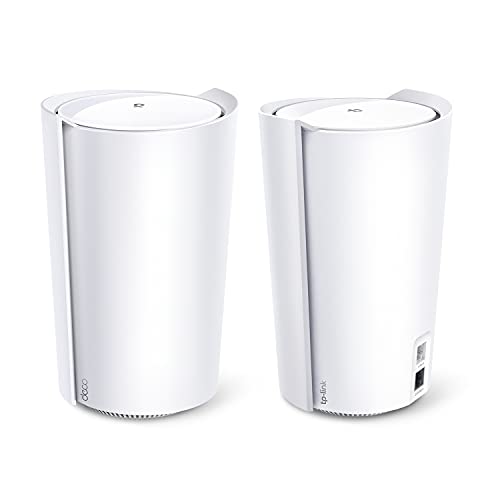
Deco X90
Running these analyses costs money. Buy through my links to help keep lights on! I may get a small commission.
Top Pros
Top Cons
Reddit Reviews
 AdhamRasulov 1.0
Deco x60 deco x90 or newer ones, 1 living room + 3 or 4 on bedrooms
Stunning-Maize 1.0There are lots of good choices, For your environment, you indicate you'd prefer not to run ethernet cables, and with a 1G connection, my opinion is you should go for a tri-band consumer mesh system with two or three nodes. Tri-band will give you far better speeds at your satellite nodes than any dual-band wireless mesh. If you could wire for ethernet, it's much more cost effective to get dual-band units and they'll perform about as well when wired in. The nice thing about mesh systems is that most are scalable, so you could start with 2 or 3 and buy/add additional nodes very quickly and easily, if your needs dictate. Examples of this are: Eero 6 Pro, Asus XT8, TP-Link Deco X90, or Amplif Alien. Also there are several iterations of Netgear Orbi and Linksys Velop. Orbi systems and the Asus XT8 use a dedicated backhaul arrangement. Just my opinion but I think Eero's mesh is superior in that it uses multiple bands simultaneously to maintain the mesh and clients can connect to all bands, which is not the case with any tri-band Orbi, or Asus XT8 while the XT8 is in wireless mesh mode. You can free up the XT8's dedicated backhaul band for clients IF nodes are connected via ethernet. Wifi 5 systems are now being sold at significant discounts, wifi 6 systems are kind of the "mainstay" now, and 6E systems are on the market (6 GHz) which are quite expensive and really don't offer a lot of benefit since there are few 6GHz clients on the market right now. Amplifi Alien has quite good reviews and reputation, but it's quite expensive for even a two-node system. I prefer not to buy systems with one router + one satellite, because if the router craps out on you, you can't swap nodes around - so if getting Alien, I'd strongly recommend getting two routers vs. the router + satellite kit. Orbi kits are all router + satellites, so would avoid those for that reason. Eero 6 Pro, Deco X90, Asus XT8, Velop, etc. all come with identical units in their multi-packs. I used two Eero 6 Pros and muy house is 1200 sq ft (main level) and 600 more sq ft (basement), and my lot is 85' x 135', or 11,475 sq ft for the lot, and two 6 Pros covered it all with >100 mbps everywhere ooutside and >300 in the house.
Tsujita_daikokuya 1.0My walls must be something special. I have x90 mesh network and it has crap range. I really do think my walls are special, they’re incredibly hard to drill into and the house is 100 years old. Home is only 1200 sqft and I can’t get any service if I’m more than 15 ft away from a deco.
FixITdamien 0.5If your FTTP NTD is stuck in the garage, don’t expect one giant router to cover the whole property. Even a high-end unit like the ASUS GT-AX11000 Pro will choke once you add 20+ meters, two walls, a wardrobe, and three doors. Wi-Fi 6 is good, but it can’t bend physics. What actually works: Stay ASUS: Another GT-AX11000 Pro in AiMesh mode with 5 GHz-2 dedicated to backhaul. Identical hardware syncs better and avoids a lot of the “AiMesh nightmare” stories. TP-Link Deco X95/X90: Very solid tri-band Wi-Fi 6 kits. Great balance of throughput and reliability. Eero Pro 6E: Simple and stable, though be aware that features like advanced parental controls, ad blocking, and network security sit behind a paid Eero Plus subscription. Stock Eero hardware still covers fine, but the extras aren’t free. Ubiquiti UniFi: Fantastic when you can run wired backhaul. Pure wireless uplink works, but it takes more tuning and often won’t outperform a well-placed consumer tri-band mesh system. Placement > hardware. Don’t leave your main router in the garage. Pull a short Ethernet run inside (adhesive raceways look tidy) and put your main node on the first interior wall. Add a second node halfway to the far corner, and if it’s still weak, a third to finish the chain. On a 1 Gbps NBN plan, a good tri-band mesh should still give you ~400–700 Mbps at the far end. With one lonely router in the garage, you’ll likely see <100 Mbps and dropouts. (Side note: I run FixIT Computer & Tech, a small IT shop in Port Angeles, WA. I see this exact situation all the time—new house, NBN box in the garage, and Wi-Fi disappointment. The fix is almost never “buy the most expensive router,” it’s smart mesh placement and making the backhaul work for you.)
Round-Arachnid4375 0.0I have a 2 pack TP Link Deco mesh system and it works great for me.
I have a 1gb connection and about 100 feet from the main unit through a brick wall I can get 25 megabits a second down.
Liambp 0.0Wifi boosters are a waste of time in my opinion. Mesh Wifi on the other hand can work very well. A great trick is to use the mesh stations as "ethernet extenders". I recommend a 3 unit mesh system for your house. Put one beside the modem and plug directly into the modem. Put one behind your TV and use an ethernet cable to connect your console (and possibly your TV) to the mesh unit. Put the third unit upstairs in a central location or in an office/study room if you have one. You need to disable the wifi signal coming from your modem to avoid wifi conflicts. If you have Sky internet and Sky TV this can be tricky to do because Sky TV force enables Sky wifi. There are work arounds such as making sure the Sky TV box is connected with ethernet rather than with wifi. I have used TP Link Deco mesh for years and find them excellent. Others recommend Asus. A wifi 5 system is cheap and good for 300MBs or so wifi speeds. I currently have a three unit wifi 6+ system and we are getting 700MBs+ wifi speeds and over 900MBs on devices plugged directly into the mesh units. I assume Wifi 7 is even better but it costs more. Just try to make sure you get a tri band mesh system so that you can use all three wifi bands (2.5, 5 and 6 GHz.)
This is exactly the set I have. Works great in. Two storey House.
DJ_Quinnster 0.0Plus one here for Deco. I have four WiFi 6 models. Mesh is a better solution I agree. WiFi 7 models are still very expensive but few devices are compatible at the moment so for me WiFi 6 is the best option for the money.
JasonHofmann 0.0Your problem is simple. The router Spectrum gave you is weak, and it is sitting too far from your room. You do not need Ethernet in every room, and you do not need to touch the coax ports at all. Ignore the video you saw. You also do not want a “wifi extender.” Those cut your speed in half because they repeat the signal instead of creating a real network. Here is the easy path: 1. Buy a two pack mesh system. One unit replaces the Spectrum router and plugs into the Spectrum modem with the same cable the old router used. The second unit goes in the hallway or living room halfway between the modem and your bedroom. You only need power for the second unit. No coax. No Ethernet. 2. Set them up using the app that comes with the system. It takes five minutes. The mesh units talk to each other wirelessly and create one strong network. Your bedroom will get full signal because the second unit is right down the hall instead of across the whole house. 3. For brands, eero 6 or TP-Link Deco 6 are fine. They cost about 100 to 150 dollars for a two or three pack. Put it on your Christmas list. Either one will be miles better than what Spectrum gave you. 4. Do not overthink MoCA or powerline. They work in some houses and fail in others. Mesh is the least headache and works in almost every small house. If you do those steps your PS5 will stay online and you can stop fighting with the signal.
jumosc 0.0I replaced an older Netgear Orbi system a few years ago with a TP-Link Deco to get WiFi 6 and outdoor APs. It worked great for a few years and then because extremely unreliable. We switched about 6 months ago to a Firewalla AP7 WiFi system powered by a Firewalla Gold SE. I absolutely love the performance and reliability but it was the robust security is what drove the decision. Ubiquity was the other option we considered. They’re very compelling but we already had the Firewalla Gold SE router.
louthecat 0.0I switched from eero to TP deco and I like it more. Assigning 2.4 for IoT stuff is a great improvement. At one stage I was literally walking 100 feet outside to make my phone get to 2.4 because the eero cannot manually switch between bands. Deco WiFi 6 is great so far as long as you’re willing to fiddle with a few settings.