eero
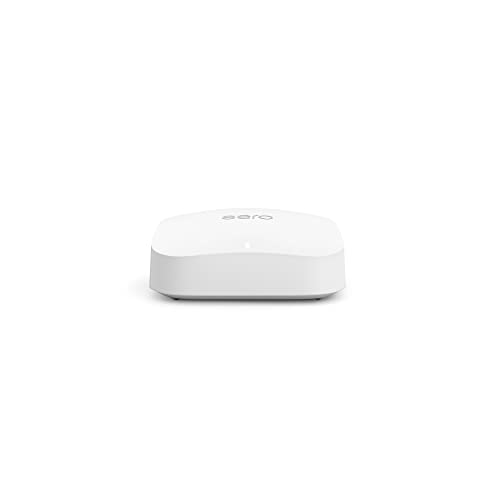
eero Pro 6


eero
eero
eero
 1sh0t1b33r 0.2
There really is no one Wifi router that will penetrate all walls and building materials and give you a giant bubble of Wifi. As far as signal strength goes, they are about the same. For the best experience on a budget and easy to set up, mesh is typically the go to, like Deco or Eero. Running a wire between the two or more for wired backhaul will make it even better better.
No reason to use an Archer if you want to use mesh anyway. Just use the Deco as your router as well for less devices, less cost, more streamlined. Deco or Eero are usually what I recommend for friends that want mesh.
403Olds 0.2I have 4 Eeros and all have Ethernet backhauls Recommended
Aanstadt 1.0I’m so you think the eero 6e pro is a good choice? I have a few matter smart plugs and the new Apple TV that has thread and three HomePods and three minis, and two thread smart Schlage locks.
I went with the eero 6e pro. So far so good. Set up Was incredibly easy. But having a small issue setting up a couple smart devices. I got everything set up fairly simply. But I’m having trouble getting a smart plug with matter from Kasa hooked up to my HomeKit app as well as my Samsung sound bar. I’m figuring out I believe it has something to do with the smart plug and soundbar are on one band while my phone might be on the 6ghz band. Most of this stuff is over my head and I’m learning a lot as I go. I was wondering if you’ve come across something similar with your eero? I don’t know how to make so my phone can be on the same band as the devices. The smart plug and soundbar work fine in their native apps. And actually worked fine in Homekit with my old router. So it has to be something about the triband that my new eero network offers. Any of this make sense to you?
aaron_in_sf 0.2Mesh networking is the key. We have Sonic Fiber and Eero nodes around the house and it's awesome.
Yeah... the literal plug n play is worth a lot unless you're doing large data xfer for work or something. The second hand Eero repeaters are so cheap you can sprinkle them liberally too
AdministrativeLie934 0.2You are better off buying your own mesh network, Eero if you are don’t want to futz around, Ubiquity if you want to.
Admirable-Substance8 0.2Spectrum has new mesh extenders coming out in a month or two. Outside of that, pods are usually fine. An eero mesh system would be my recommendation if you’re going to buy your own.
Agitated_Pear753 0.2Im in the same boat. The modem used to be in the room next to my office/gaming PC so drilled through the wall for ethernet access. Switched to Eir so needed a new line and its down in the living room now, had the powerlines for the reverse, so swapped them. 50mb in my office with higher ping. Went for eero mesh. 500mbs and 9 ping.
Aimology 0.2Eero does 500mbps over WiFi, it’s hands down one of the best and easiest to manage. After 6 years of using it for all my security cameras and IoT it’s basically pointless to run CAT cable throughout a house in today’s world. Most people don’t need Gig network running throughout a house, it’s irrelevant Anyone saying don’t do mesh is honestly an idiot. Most probably live in an apartment or small house or just have know clue what you need vs what you want. I have 3 wireless cameras on my deck, 2 on my garage, one on my door, 2 inside my home. Including the other random 70 devices throughout my basement (movie room), office (2nd floor) in a 3500sqft home and have literally zero issues, from stream live security streams, streaming movies, gaming doesn’t matter Zero reason to not have a mesh setup in 95% of setups… plan and simple Especially when you can do outdoor mesh setups with companies like Ubiquity but unless you need outdoor internet to throw it to a barn or something… most get the job done just fine, like eero
Akrode 1.0I had a single original Google WiFi puck in a 2 bedroom apartment and loved it. When I bought a house in 2020 i upgraded to the Nest WiFi, basically what you have in the screenshot there. I was able to use my Google WiFi puck as a mesh AP and I had 3 pucks in the whole house. I did NOT use wired backhaul setup as it was not feasible and the throughput was absolutely awful. For context, I have gigabit from my ISP. With Nest WiFi I’d hardly ever get more than 100mbps on a single device regardless of how close I was to the puck. I replaced the whole system with a single Eero 6E and made no changes to my ISP/modem etc and now get 800mbps downloads on a 5ghz or 6ghz device with no loss of coverage in my home. In conclusion, switch to Eero or anything but Google. Google gave up on this product.
Alextzy 0.6If you want a DIY-friendly mesh that “just works” with Sonos most of the time, I’d look at eero Pro (tri-band) specifically—not the cheaper dual-band kits. Why eero Pro (tri-band) vs basic mesh: Tri-band systems have an extra radio, which helps reduce the “everyone fighting for airtime” problem you get with busy dual-band mesh setups. In real homes, that tends to mean fewer dropouts, smoother grouping, and better stability—especially when you’re moving around the house. Two practical paths depending on what you actually need: Whole-home Wi-Fi upgrade needed → eero Pro mesh Place 1 Pro as the main router and add Pro nodes where coverage drops off. If you can, use wired backhaul to any node (even one) for maximum stability. Wi-Fi is mostly fine, but Sonos is the only thing acting up → consider SonosNet If you have at least one Sonos device you can wire to the network, you can enable SonosNet (Sonos’ own mesh). It’s older and slowly being phased out for newer products/architectures, but in many installs it’s still a very reliable way to stabilize Sonos if your Wi-Fi environment is noisy or coverage is uneven. Quick question so recommendations are precise: Are you trying to fix whole-house Wi-Fi coverage, or is it mainly Sonos stability that’s the issue?