Is your husband really deep into photography? If so, scrounge FB marketplace for a working used Canon Pro 100.
I bought one basically brand new in box with 2 sets of ink for around $200. One of the best things I could’ve purchased because seeing your work printed out is so nice in this digital era.
You can print small 4x6s with cheap photo paper or fine art prints up to 13x19.
Buy a used Canon pixma pro 100 or 9000. Yes they use cartridges but you can refill them relatively easily. More inconvenient than a new epson 6 color but Will fit your budget and have just as good if not better quality.
Quality is in the eye of the guy looking at prints. We have a Canon pro 10, pro 100 and pro 1000. We refill all the inks from Precision Colors and the results are (to me) great. I print for the scuba show exhibits and people like them. Red River metallic paper, proper ICC profiles and you should be fine. The pro 100 is a dye printer with rally nice colors but not great longevity in the sun (under glass in room light I have 5 year old prints that look new. The pro 10 I use for matte prints, the Pro 1000 for 16x20 prints.
I print on a Canon Pro 1000 and a Canon Pro 100 on glossy and metallic (red river) papers, never banding. Longevity on the 1000 is better than on the dye ink 100 but if you put them under glass both are good for 5+ years
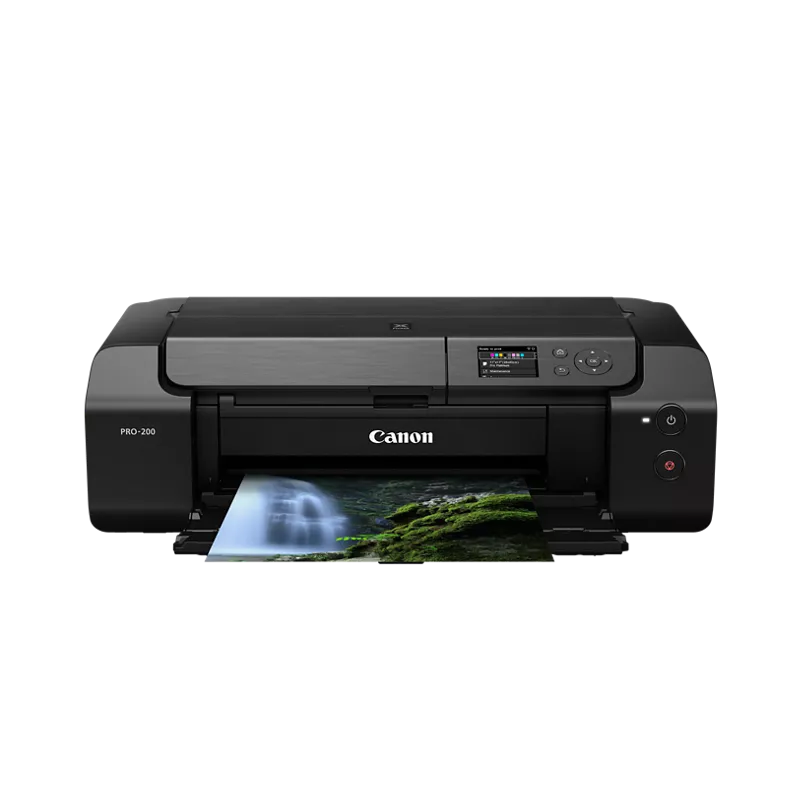
Looks like that Pro-200 is contrasted wrong.
My Pro-100 is insane looking when printed on 300GSM Glossy Photo Paper. Everytime I grab my prints from the tray my draw drops because of the awesome quality.
I collect the real cards too, I would 100% agree I love my proxies look way more. They POP off the paper , they are insanely clean and the text is so crisp.
I would assume the Pro-200 would produce nicer then my 100. Haha.
I upgraded from the Pro 100 (early ancestor to the Pro 200) to the Pro 1100. Both produce beautiful color prints, but I never really liked the B&W from the dye-based 100--maybe the 200 has improved on that? Love the B&W out of the pigment-based 1100. Of course, the biggest difference is max print size. I've done a bunch of 16x24 (1/2" border all the way around) prints, and they are awesome.
I've had the 1100 for just under a year and have so far pumped out the equivalent of 275 A4 prints. If the Canon accounting software is to be believed (more on that later), I've spent $US 1.80 worth of ink per A4 equivalent print. That number includes 2 major cleaning cycles which used \~100mL each. However, I think the costs are significantly less than that as the accounting manager thinks I'm using 20-30% more ink than the carts actually hold.
Remember, the ink isn't really "wasted". With any inkjet printer, the ink does double duty as a lubricant to keep the printer in good working order. I love being able to print at home for the same reasons you describe, and for large prints, it's proving to be very economical--ink and paper for a 16x24 is costing me about 1/3 what a lab would. Note that the pro 1100 comes with a full set of ink. That accounts for nearly 60% of the initial cost. I'm not sure if the 200 and 300 do the same or if they just have "starter" inks.
My dye based printer ran cleaning cycles, too. I didn’t bother tracking how much. Make sure you have some extra cartridges on hand. I had several instances where after not using the Pro 100 for some time it would empty whatever was left in some of the low volume carts.
I estimate my pro 1100 burns $75 every time it deep cleans. I’ve seen some reports that this can happen every 3 months. I’ve had 2 in about 11 months. Perhaps I’m seeing fewer cleans because it gets used fairly regularly.
Anyway, you’ll love the 200. I had my 100 for about 10 years, and it was still pumping out beautiful prints when I donated to my church.
Top Photo Printers on Reddit
1
Canon
SELPHY CP1500
82% positive of 169 users
Simple, archival dye-sub prints; portability and costs divide users.


 17thkahuna