You're all over the place...
The Canon is better hands down, zero question here.
Neither are "fine" art printers.
Everyone's usage and how long it lasts has absolutely zero to do with you so ignore it.
If you care about your "art," who cares what it costs. You want "fine" then be fine with it.
You're selling it so give your customers something worth its salt and stop questioning it. They can see and feel the difference.
Add great paper to the cost of this whole thing. Plus practice, trial and error, figuring it out, learning and whatever else will cost you a full set or tank before you blinked so budget for this. Printers use ink, yes, and you have no idea what you're doing which will set you back more so factor this in, it's going suck for a while until you dial it in.
"Artists" are not using 8550's. Period.
Is it WORTH IT, ehhh. Worth, worth, worth. We don't know.
You say "you know," "you heard," "you saw" but learned nothing.
Reviews are for the birds.
Everything you did isn't "research" at all because you're asking every single wrong question under the sun. Real research would lead you to ask about specs, calibration, print engines, paper handling, registration, driver support, integration, communication, software, settings, page set up, material properties, ink compounds, substrates, environment and so on.That's what real research looks and sounds like.
The art is in the printing and control because if you can't do that, well, what comes out the other end is trash. What's on your screen is completely irrelevant if you can't make it come out the other end and the printer isn't going to just do this for you, at all.
Maybe this isn't for you. Go back to the drawing board. Stop listening to YouTubers and read some specs because at the end of the day, it's the only thing that will help you.
Come on people! Is it "worth it?" Ever ask what your time is worth? Stop wasting it "online," this isn't research, not even close. Read a technical document for Christ sake and compare those. Who cares what other people have to say. That's not you.
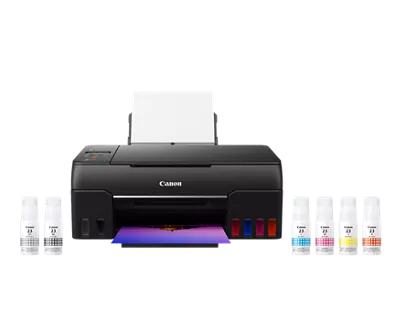
Canon Pixma Pro 200S would fill bill but inks can get expensive if you are doing a lot of printing. A Canon Megatank G620 is a six color printer that will work and save on ink cost.
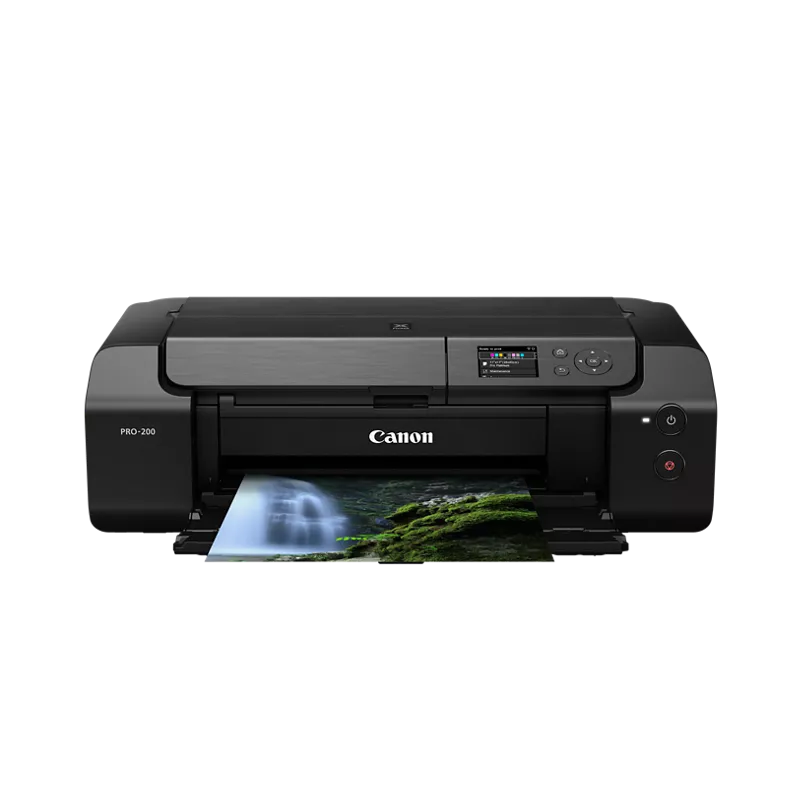
I have a Canon Pro-200S Photo Printer and am very happy with it. Prints up to 13 x 19, excellent quality, and reasonably priced. I'd highly recommend it to anyone!
Canon and Epson are probably going to be your best to brands to pick from if you want true professional print quality at home. Canon makes their Pro line of printers (pro 200/300/1000) and Epson has the P700 and P900. Each will have their pros and cons, but overall you'd be happy with any of them most likely. These are not your regular inkjet printers you'd buy at an electronics/office store. They are proper professional photo printers.
Canon Pro 200 will print up to 13" wide, so it would work for you very well. I think it's about $600 USD.
The real question is, is buying a pro printer worth it for you? It's a combination of cost/savings vs a print shop and then the control you'll have over your prints. If this is for just printing your photos for personal use, then it's probably not going to be worth the cost. Printing A4 prints at print shops isn't THAT expensive. But buying a $600 printer and then spending a bunch of money on ink refills and potential wasted paper/ink, probably won't be a cost effective option for you if that's the goal.
You'd either need to print a lot to hit a break even point for personal use, or just be that demanding in regards to your prints to want more direct control over how they come out, to make buying a pro printer worth it.
i’ve had the et8500 and now have a canon pixma pro 200, definitely recommend the pixma pro 200 over the Epson. however, as a general printer, the et8500 is fabulous. just not as much for photos. it performs decently well on satin/luster paper, but matte colors are always too dull (i tested it for a year on countless papers and settings, research and recommendations from Red River Paper), and glossy papers usually smudged. I’ve had virtually none of those problems or any other issues with the Pixma. cartridges are a lot more expensive than the eco tank, though. but the quality shows, especially when you use properly coated paper for inkjet ink, such as Red River Paper, Canon, etc.


 ACMEPrintSolutionsCo