Epson Ecotank 2850 Clogging CONSTANTLY
It's a great little printer, good for having at college. The only problem is it gets clog after clog. In reading up on this printer I've heard that you should use it at least once a week to prevent clogs. However, in my experience, that wasn't enough. I have it print a test sheet every day, and it still ends up clogged. It doesn't fully clog, but enough that there are bands where the ink is missing. It isn't very pleasant. I've been printing purge sheet after purge sheet and that MIGHT fix it, but it might not. I really am not sure what to do about this. The only thing that can consistently fix a clog is to use the self-cleaning feature on the printer, but I've heard this fills up the ink reservoir fast, so I try to avoid it.
https://www.reddit.com/r/printers/s/1n0NZVP6oB
Also I'm just gonna be honest with you
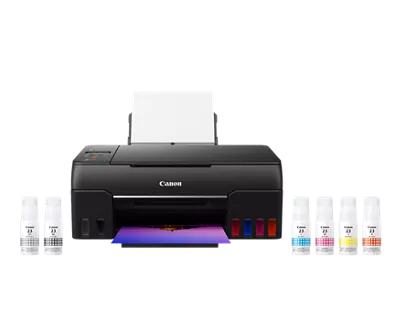
I've had both the Canon G7020 AND the Epson 2850
I ensured I printed FULL RAINBOW squares I'm talking like 100+ different colors, plus black plus grey 2x a week. It would still log and people were saying 2x a week was excessive...
Also the picture print quality of the G7020 was MILES ahead of the ET2850 I HAD from Costco I just honestly got fed up with clogs and the final straw was a return to Costco XD
As that is the only electric device they allow after 90 days
G7020. I own it and it's good. A few things:
* Print a color test page at least once a week to prevent the printheads from drying out. Buy a cheap paper ream just for this purpose. Do it at a specific time every week so you won't forget. I do this and I've never had to perform any printhead cleanings.
* Try to use 24lb paper over 20lb paper, especially for duplex printing. 32lb paper is fantastic for important non-photo printouts.
* One-sided black/white printing is great because of the pigment black ink, which Epson doesn't have.
* Auto duplex print quality is worse because it doesn't use pigment black. It mixes the 3 dye colors to produce black because dye inks dry faster. This black isn't as dark as pigment black. For unimportant, quick printouts under 10 pages, the auto duplex is fine, but for anything more, it's faster and better to manual duplex by printing all one side then re-feeding the stack.
* The tiny LCD screen sucks but after the day 1 setup, you won't care about it.
You could save a few bucks and get the G6020 which doesn't have the ADF and fax, but apparently the print quality is slightly less accurate according to RTINGS despite having the same printhead.
I bought the ET-2870 on black week sale and I'm pretty satisfied with it for the price. It's crisp enough for me and my friends :)
Quick comparison: [https://i.imgur.com/qbPfnBX.jpeg](https://i.imgur.com/qbPfnBX.jpeg)
* Just picked two random cards that were laying around
* Left EcoTank on matte sticker paper on 250gsm cardboard and right some random mpc card.
* Unfortunatly I don't have the same card to put side-by-side atm.
* Slight blur because of camera.
Maybe it helps
I recommend the ET-2800 over the ET-2980 wholeheartedly. I had the latter and exchanged it.
The 2980 uses pigmented black ink. This means that if you ever want to print on glossy media such as glossy photo paper or foil sticker vinyl that it will not dry properly. You will be forced to mix colour on this type of media to make black resulting in a dark blue instead of black and severely impact contrast in a bad way, or use exclusively matte media that the pigment can bind too properly. Laminating is an option to mitigate this and I laminate anyway but you are likely to still fight peeling where the laminate doesn't adhere to the media properly because of the wet ink.
Trust me, dye black is the play if you're going to get an inket printer.
Based on overall costs, I’m currently enjoying the epson eco tank printers. They tend to cost more upfront, but the ink cost makes up for it. The et-2850 while over budget, closer to $300-350, will print duplex automatically for you if that’s important. I also find that mine et-2750 prints images well, especially in best quality mode.
I only use mine about once a week and have had no problems with the print head drying out.
Not necessarily helpful, but I have the 2980 and have printed about 6 full decks and dozens of upgrades and I have no regrets. Great quality for the price as long as the source images are good.
As long as you print regularly, an Epson InkTank fits your bill. If you don't print for a while it'll dry out. I make sure to print at least weekly. They're quite inexpensive to operate and I'm very happy with mine. It's an ET-2850 which is $270 on Amazon currently but they've got the 2800 for $200.


.jpg)
 AbjectFee5982