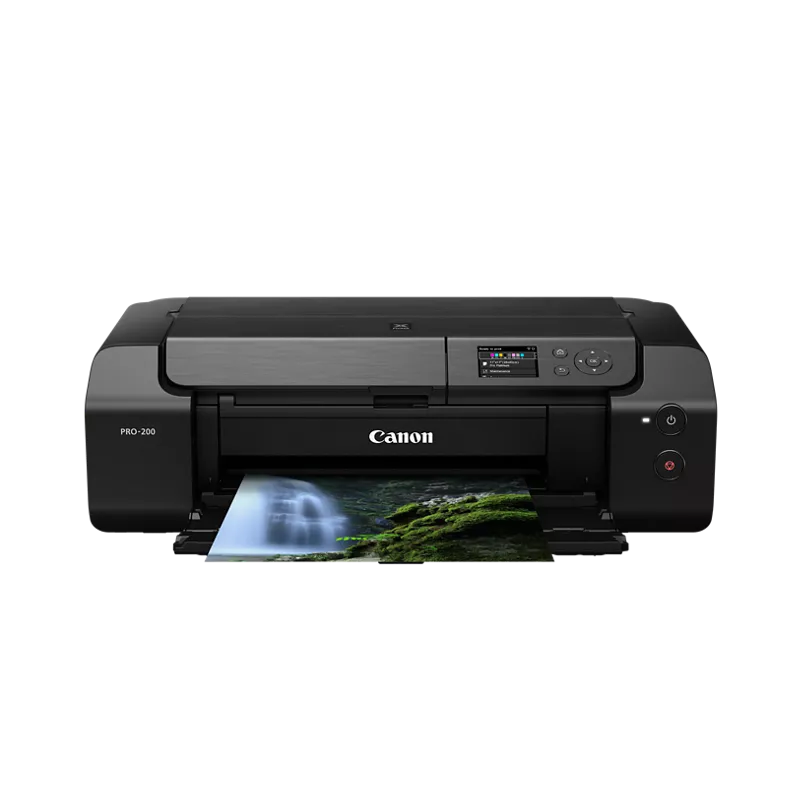
Canon and Epson are probably going to be your best to brands to pick from if you want true professional print quality at home. Canon makes their Pro line of printers (pro 200/300/1000) and Epson has the P700 and P900. Each will have their pros and cons, but overall you'd be happy with any of them most likely. These are not your regular inkjet printers you'd buy at an electronics/office store. They are proper professional photo printers.
Canon Pro 200 will print up to 13" wide, so it would work for you very well. I think it's about $600 USD.
The real question is, is buying a pro printer worth it for you? It's a combination of cost/savings vs a print shop and then the control you'll have over your prints. If this is for just printing your photos for personal use, then it's probably not going to be worth the cost. Printing A4 prints at print shops isn't THAT expensive. But buying a $600 printer and then spending a bunch of money on ink refills and potential wasted paper/ink, probably won't be a cost effective option for you if that's the goal.
You'd either need to print a lot to hit a break even point for personal use, or just be that demanding in regards to your prints to want more direct control over how they come out, to make buying a pro printer worth it.
I think your numbers are off.
An A3 print does NOT cost $5 in ink on a printer like the Epson P900. If you said 0.50 I'd believe it.
The same for maintenance. Mine does daily nozzle checks to stay "fresh", and maybe 3 simple head cleans per year, plus 1 power clean in 2 years. This may be equivalent to about $70 per year: approx 1 cartridge of "wasted" ink (wasted = put to good use), a maintenance cartridge for the power cleans, a 500-pack of office paper for the nozzle checks, and electricity to keep the thing running.
> I’m not sure if they’re too professional for what I need.
For *"making zines and photo books"*, I wonder if they are professional ENOUGH. They are good for a few one-offs now and then. But then you don't even use much ink. Quality paper and time spent at the printer will dwarf the cost of ink.
For higher volumes you should look into sturdier printers, and print technologies beyond inkjet on specially coated paper.
BTW, if ink cost is your #1 priority, the P900 uses larger cartridges and the ink will cost almost half the price of P700 ink (per ml). A similar calculation can be done for the (more sturdy) P5300 vs P900.
Pro P900:
- smaller, lighter
- less frequent printhead cleaning / maintenance
- prints any length, including rolls (with optional adapter)
- can handle totally flat posterboard
Pro Canon 1100:
- sturdier
Contra P900:
- flimsy
- pizza wheel marks on some papers
- optional rollpaper adapter is not very good
Contra Canon 1100:
- banding visible on some papers
- paper size limits
- frequent automatic headcleans cannot be skipped
I have the P900 and am happy with it. If I were to buy again, I'd go for the newer P5300. It's the same printhead and ink, but with bigger cartridges and sturdy mechanics. Money aside it's a no-brainer, better than both P900 and 1100. But it didn't exist back then.
For as disappointing as it may be, it's totally understandable and natural that a company that specializes on printing at scale can do it way cheaper than you can do one-offs at home. The same is true for furniture production, sewing clothes, baking bread, and almost everything else.
Owning a (good) printer is useful to save time (in the sense of latency), or to waste time and money on (hobby), or to extract maximum quality that commodity print companies won't deliver.
If you want a good photo printer around 1K, I recommend the Epson SC-P900.
I have a Epson p800 which is stellar. Picked it up open box for half msrp. The newer p900 has a slightly wider gamut but I think it’s comparable. If you don’t need to print 17 inches wide the p600 or p700 are also good options as they go up to 13 inches wide.
Try the epson consumer line of pigment printers. E.g. P700 or P900 (or older P800, 3800). These are much more robust against clogs (maybe because they are consumer oriented) than other epson models.
I won't say they never clog, but it's rare for me. Usually I print in bursts, doing a lot and then nothing for a month or two.
AFAIK there is no way to avoid the canon cleaning cycles short of printing something every few days (there is a lot of info online on the timing).
Epson also has a different set of annoyances. Pick your poison.
If you’re printing on standard size paper get the epson 900 or canon pro 1100. They have a sheet feeding tray and this makes it very easy and convenient. You buy cut sheets and not have to worry about trimming paper to size or decurling. The pro 2600 is designed for roll paper and it will be a hassle doing small prints on it.
If you need larger prints than 17” wide then the 2600 is the only option.
Many people get both a smaller and larger printer for this reason
Any photo printer that can handle the paper you want it printed on and the size you#d want it printed at. the Epson Surecolor range for certain (personal preference / bias) like the P700 / P900 for low / medium volume.... then I'd look at high quality papers from Canson, Hahnemühle (personal favorite for art reproduction is Hahnemühle Willam Turner, heavily textured) ... I had a Surecolor P600 that I ran for near 8 years before I upgraded... and it was awesome... I now run a Surecolor P7500 ...
Top Photo Printers on Reddit
1
Canon
SELPHY CP1500
82% positive of 169 users
Simple, archival dye-sub prints; portability and costs divide users.


 Baldkat82