
Running these analyses costs money. Buy through my links to help keep lights on! I may get a small commission.
Top Pros
Top Cons
No summary available.
Reddit Reviews
 Akucera
It doesn't. I've tried two separate cables. The Monitor works fine but if you try to enable G-Sync it - Turns off for five seconds - Turns on for a brief flicker, showing you a frame of the game you're trying to play - Flashes an error saying "feature unsupported" - Turns off for five seconds... If you want a portable monitor for gaming the K118 is good but you have to accept there's no G-Sync.
Fr0gg3rrUperfect k118, egpu should be enough for 1440p. Unfortunately I don't know about the Asus rog, I am quite new to the topic 😅
Yeah found a good offer used, honestly still figuring out if I am going to like it or not, if so then I will prob upgrade to oled too. I like it on my main desktop
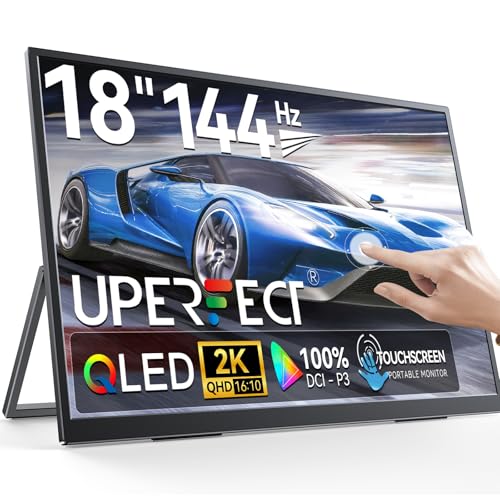
RateGlassI do the same! I have a uperfect 1600p 18" 144hz touch screen one which I use whenever my nose hurts from my XREAL ones, I prefer the AR glasses obviously but sometimes just a higher res really matters
The time is now! It's also a decent drawing screen, not as good as my drawing tablet but people draw on actual tablets professionally so I don't think it matters much in the end
Traditional_Bit_7647Maybe some of UPerfect monitors? I have K118 model (18", 2K) and can control brightness via software.
Cold-Sandwich-34I have a Uperfect monitor but the refresh rate is not stable at the advertised number. I'm hoping for a monitor (panel only) that I connect to a magnetic stand. I want to reach at least 120-144hz refresh rate with at least 2K resolution. I can deal with an IPS panel as long as it's bright, but OLED would be cool. I also want to find a good wireless keyboard that is compact but can function via an attached cable so that I can troubleshoot BIOS, etc., without needing to rely on Bluetoooth. I have tried a couple folding keyboards for the small size but they always need a Bluetooth connection, which won't work. I love my Keychron J2, but it's too big to fit in my backpack with my PC. Send me any recommendations you have! Looking for personal experience and not online reviews, i.e., don't tell me "just Google it", I have been and I have had bad experiences with 5-star reviewed items.
Ok I'll try it. My issue with using what came with it is that the USB-C cord is too short. As for the size you want, I just can't do any less than 18". My desktop is a 32" ultrawide, so it's too rough of an adjustment.
I'm wondering if I need more highly- rated cables.
photogdogI think I have the same monitor as you. It's a UPerfect 18" 1600p that does 144Hz. What do you mean that the refresh rate is not stable at 120-144Hz? I've run into an issue where the monitor needs more power than provided by my motherboard's TB3 port when running above 120Hz. The screen ends up flickering until I plug in another power source. It seems like it just draws more power that what my motherboard provides. I'm not particularly fond of this solution though, because it means I can't run the monitor off a single cable.
I’m using the 30W wall plug that they included with the monitor. I haven’t run into issues while using it. I also tried just powering the monitor off a second USB port on my computer, but that still has issues every once in a while. Funny that you posted this because I just posted a similar question in the sub. I’m considering getting a 16” screen if I can avoid having to use two cables.
Nah, I emailed UPerfect and I re-read the product page. The 30W external power is mentioned in the product description. I think these larger, high res monitors just draw more power than the motherboard ports can provide.
I recently picked up a UPerfect 18" 1600p 144Hz monitor. It's great, but it does require a 30W USB adapter to work consistently. If it's just powered by the TB3 port on my ASRock ITX/TB3 board, the monitor will randomly start flickering on and off when gaming at 144Hz. The 30W power adapter is required for consistent performance. Do the 16" 144Hz gaming monitors need a second cable for power? What do you guys use for your portable gaming monitors? I'd love to get something that is 16+ inches, 144Hz, and driven by a single USB-C cable.
brapbrap1If your GPU doesn't have a USB-C output, you need to purchase a DP to USB C cable designed for AR glasses to enable adaptive sync. The cable will work on portable monitors that support DisplayPort Alternate Mode (Alt Mode) over USB-C. The one I use is the WJESOG DisplayPort to USB C Cable 6.6ft 4K@60Hz with USB Cable Adapter. For context, I use G-Sync perfectly on a UPERFECT 18-Inch 2K 144hz Freesync portable monitor paired with my RTX 4070 TI Super. Hope this helps!
It is a UGame K118 2K 144Hz Portable Gaming Monitor 18" monitor, so I think it's more or less the same as yours? It was detected as G-Sync compatible when I plugged the new cable, and then checked and enabled the setting on the NVIDIA control panel. Aside from the difference I noticed when gaming, I haven't done any specific testing, it seemed like it worked as intended.
icanseeyourpantsuuUperfect 18" 1440p monitor will fit in any usual bag.
Rankings by Use Case
Top recommendations from others in the same boat
Best for Coding and document review

Top pick
ARZOPA - 16" 2.5K Portable Monitor - Z1RC
Best for Graphic design and color work

Top pick
ViewSonic - VX1655-4K-OLED
Best for Handheld gaming (Steam Deck/ROG Ally)

Top pick
ARZOPA - 16.1'' 144Hz Z1FC
Best for Outdoor work in bright light

Top pick
Portkeys - LH5P II
Best for Samsung DeX mobile setups
Top pick
NexiGo - NexDock XL
Best for Travel workstations
Top pick
ARZOPA - 16.1'' 144Hz Z1FC




