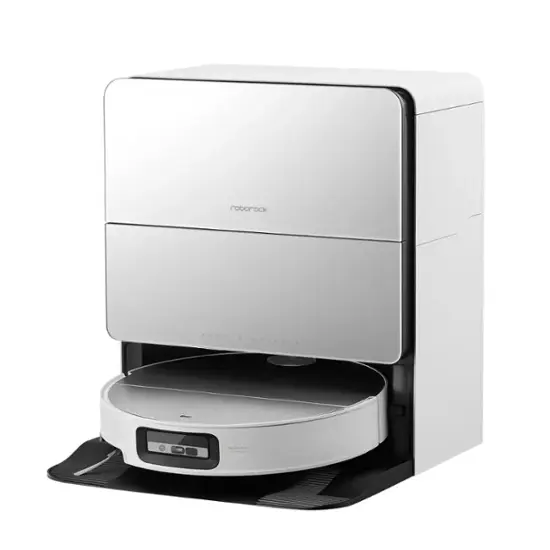
I just got this one and so far so good:
[https://www.amazon.com/dp/B0DSB92P1N?ref=ppx\_yo2ov\_dt\_b\_fed\_asin\_title&th=1](https://www.amazon.com/dp/B0DSB92P1N?ref=ppx_yo2ov_dt_b_fed_asin_title&th=1)
You can also get it without the self-emptying station
Just a couple days tbh so it is very new (I can update in a few weeks if you would like). I previously had the Bobsweep Pethair Slam for 3 years and the only issue was long hair getting tangled in the main brush. The new one's mop and suction is substantially better in my opinion and it is cheaper!
T50 Omni (non pro) has no spying camera. So that would be my pick. It also has all the features of all the high end vacuums. My current ecovacs is 6y old and never had an issue.
I never had an issue with the brand and I find it extremely cheap compared to other brands (here in Europe). The same features on Roborock costs nearly twice the money. I am mostly worried about all the heating and fire safety in those stations :S
I ended up getting a vacuum and mop robovac to help me out, it’s the ecovacs t50 max. Besides sucking up all the usual mess, sometimes I send it after the little footprints and random spills it leaves behind.
I can you some real world feedback. I've had the X11 now for about 2 months and I faithfully use it everyday and sometimes 2 - 3 times per day. It's by far the best robot vacuum and mop combo that I've had.
I've had the T30S Combo Complete, T50 Max Omni, X9 Omni, and now the X11.
The mixed reviews that you see may honestly be valid reviews but it may also be user error as well. I wasn't impressed with the X11 until I started really digging into the settings. This is what can make it seem like it's not good at all.
If you really want to see the benefits of the X11, users don't get familiar with all of the settings and set them accordingly. Mapping with this robot is quick and easy but there are a few things to consider that you may see mixed reviews on. When mapping with the X11, I recommend having obstacles picked up. If you have dark color rugs or mats pick them up as well. You want it to be well lit in your home. In these conditions mapping should be quick and the layout should be just right. If you do not have a well lit home, the next option is to do it completely in the dark with keeping what I've mentioned in mind by removing all obstacles and picking up dark color rugs or mats. Once the mapping is complete, put everything back where it goes.
Now the key to this robot is the settings. With the mapping complete, set the floor type, boundaries, no mop zones, divide rooms, combine rooms, and anything else needed to complete the mapping.
Put solution in the regular cleaning solution dispenser and heavy duty cleaning solution in that dispenser. If you go into the advanced settings of the station, you can set dedicated areas to use the heavy duty solution. I can't stress this enough but the magic is all in the settings. The robot settings, advanced settings, and station settings. Take your time exploring them. When everything is set and dialed in, this robot is amazing.
When cleaning with this robot, you have several options. Quick Clean, Standard Clean, Deep Clean, Scenario Clean, and Agent Hosting clean. These cleanings are not the same at all.
Quick clean will do a quick clean. I think of this setting as a broom and a rag.
Standard clean will do just that. It does a few extra passes over quick clean. I think if this as a broom, dust pan and rag.
Deep clean which is a much better setting that the quick and standard clean with basically 2 passes even if you set it to do one pass. I look at this as a broom, duster, microfiber rag, and a mop. This setting actually sets the mop to put down pressure to clean better which the Quick and Standard option doesn't put pressure down.
Scenario clean is basically a combination of all of the cleaning settings mentioned above but you can tailor it to your needs by setting up the rooms you want done first, settings up the vacuum suction to be specific to each room, setting up the water flow for the mopping to be specific to each room. The benefits of this is you can tailor it to your needs and this is good to do on the go. I have about 8 different scenarios set.
AI Agent Hosting in a nutshell is all of the cleanings combined in one. The benefits of this is it will give you the best clean and give recommendations on your cleaning habits and adjust itself accordingly. In my opinion, AI mode should not be used until you put at least 10 hours on the robot. This is because it goes by the cleaning logs, settings, habits, and all of the above. This setting is the best because it uses all of the sensors including the camera to detect stains even better. If you use this before cleaning habits are learned, it can take a very long time to clean. However, after your habits are learned, it will clean like a Scenario cleaning.
AI mode detects stains better than any mode and it will go over it multiple times if needed versus what you actually set. If your water flow is too high, you'll know because this robot will show signs of liquid spills that the robot was cleaning up.
Pro:
Bagless
Quiet (I use it late at night)
Dedicated solution tanks
Onboard light to clean in the dark
Onboard camera
Roller mop
Great suction power
Quick mapping (Keeping in mind what I mentioned)
Easily goes over thresholds
Great obstacle avoidance
You get rewards just checking in and doing daily task that can go towards any Ecovacs purchase
Cons:
You may have to prep to map to ensure best mapping
Slower than some robots (But it cleans better)
Black rugs, mats, and carpet can be a challenge but the workarounds mentioned can be used to resolve this.
Overall experience, I'm very satisfied with my investment.
Hands down the best I've used. I've had an iHome, Roomba, Shark, and now Ecovacs robot vacuum.
In Ecovacs I've had the T30S Combo Complete, T50, X9, and now the X11 Omni Cyclone.
I can tell you Pros and Cons in my experience but since this is mainly about the X11, I can tell you that there are way more pros than cons.
The only Con that I experienced is the robot would not recognize my black mats and and black rugs. However, this was eliminated as a con with a workaround that I've discovered to force the robot to recognize it. Simply removed the rugs and mats and remapped my home. Once the mapping was complete, I put the rugs and mats back down and now the robot doesn't skip them.
Out if my experience, I can tell you the things that stand out to make the X11 my best choice. The mapping is the easiest out of all of them. I'm not sure why but it's very easy to quickly map and customize the map with the X11 even compared to the T series that I had.
The dedicated solution dispensers is one of the best features. It has a dispenser for the regular solution and heavy duty solution. You simply put it in once and it will automatically dispense. I've had the X11 now for about a month and I use it every single day and sometimes multiple times per day and I have yet to have to put more solution into the dispensers. Unlike the T30S and T50, I had to put solution into the big clean water tank every single time I had to refill.
The battery life of the X11 is great! I can set it to do a deep clean in every room and it still has enough power to do it all over again.
The quietness if this unit is one that I absolutely love. I can actually run this unit at night even everyone is in bed and it will not disturb or wake anyone up. This was not possible with the T30S or T50.
AI mode is top notch with learning your cleaning habits and setting the exact water flow amount for each floor type. It will also go over it again if it recognizes a spill or dirt on the roller mop.
The bagless design. This is the key reason to get it because I had to replace bags like over other month and sometimes monthly. You can kiss those bags goodbye and have that extra money in your pocket.
If you have pets or women in the house with shedding hair from brushing it or combing it, I can promise you, hair is absolutely no match for it. I've purposely put hair from brushes down on the floor just to see how this unit does and it hasn't failed me but once. The brush roller always looks good.
You can actually set what room gets the heavy duty cleaning solution. I have this set for my main walkway, kitchen, and bathroom.
I purchased it as a combo deal with getting both the X11 and Winbot W2 Pro Omni because I a able to get them both for a deal that I couldn't resist since it was already on sale, I had rewards points, I was able to get an upgrade credit, and there was an extra 5% off so it was a no brainer for me.
It's well worth the money and you'll probably never think about manually vacuuming or mopping your floors again after the purchase.
So far, there are no issues with mopping. I've done things to optimize the mopping so I can have a full comparison to how the T30S and T50 performed. Things that I've done for mopping is set the heavy duty solution to be used in my heavy traffic areas.
You want to also make sure you use deep clean or the AI hosted clean from time to time to get the best mopping out of the unit. With the roller mop, if you're using Quick or Standard, I've noticed that it rolls the pad on the surface but there's no pressure to it. Deep Clean and AI hosted mode, you definitely feel the pressure if you put your finger right under it while it's passing.
Another thing to optimize the mopping is if see any stains that may be dried up on it floor is pretreat your floor with a ph neutral cleaner.
For all of the floors I use an Enzyme cleaner by BioKleen called Bac-Out. It's an odor and stain neutralizer. I have a dedicated 16 ounce spray bottle that I'll just put 4 ounces of Bac-Out in with 12 ounces of water. I do a quick walk through to see if there are any areas that may appear to be stubborn. This came in handy when one day my floors were sticky and till this day I still do not know why they were so sticky but got could hear shoes swooshing and feet sticking. I did a quick mist of that over all of the flooring and put the robot to use. My floors were like new again.
If you have tile and it has a hazing look to it, you can use Black Diamond Marble and Tile cleaner to restore the look of your tile. I have this in a 16 ounce bottle as well. 6 ounces of Black Diamond combined with 10 ounces of water. This is only meant for tile floors.
I can guarantee if you keep these settings in mind and pretreat your floors whenever it's needed, you'll look at your robot totally different and as bad as I hate to admit it, it has made me lazy because if I try mopping or vacuuming behind it, there's literally nothing being picked up because the robot does a great job.
This is a solid question. You don't have to clean the dirty water tank every single time. However, in my honest opinion I would always empty it after and rinse it out if you do a deep clean and you're using a lot of water flow. How I utilize mine, I tend to have to do this to it everyday or every other day.
As far as actually cleaning the tank with soap and water. I set up to do this once a month. You can align it with when you're set up empty or canister just to have a reminder. I make sure I monitor how the dirty water tank looks after every rinse.
To control possible smells of it sits in the tank longer than a day when you have to empty it, you can put a cap full of any form of mouth wash in it to help with the smell. I do this every time I have to empty the tank which is why rinsing it is sufficient.
You will not smell it even if it sat in the tank for an entire week if you can last that long without having to empty it because it's fully sealed. But the smell may hit you once you open the lid to pour it out.
The X9 or X11 hands down takes the crown. I now have the X11 and it's a beast especially when you get it dialed in and use AI Hosting.
It has dirt detection to detect dirt and stains and it will go over that area or spot again to ensure it's clean. The X11 has to solution dispenser. One for regular solution and the other for heavy duty solution. You can set defaults for which rooms will use the heavy duty solution. I have this setting set for my entryway and kitchen.
I've used the following models, T30S Combo Complete, T50, X9, and now the X11. If I compare all of them there X series that I have used has the best features and functionality. I have porcelain tile floors in my entry way, kitchen, downstairs bathroom and dining room. The rest of the rooms are hardwood.
I've noticed that the vacuum is super quiet compared to the T series and is much stronger on the suction power. I would sometimes have sticky residue on my floors but this no longer is the case. I used to make people take off their shoes before fully entering my home but this isn't an issue since my robot is used daily.
It's great if you have women around who's hair sheds even brushing or combing and it's also great if you have pets. The added benefit officially the X11 Omni Cyclone is no more bags. With how much I use my robot to vacuum rugs which is daily and sometimes more, this actually comes in handy for me. I guess you can say I'm a clean freak but after floors are walked on, I immediately set up to clean it afterwards screen I know the traffic has ended.
Another good thing to note is the X11's auto empty mode has a quiet setting so this comes in handy when I set it to do a quick clean at night to not disturb anyone when it empties.
I bought one off Amazon and have used it a couple of times, I’m happy with it, I checked out Just a dad’s review first, main thing for me if the mopping performance, it get right up to the edge and really cleans well, I have hardwood floors, 4 boys no pets, I vacuum the bedrooms nearly everyday, it did a great job this morning , early days, but so far it’s good, I just found it to be slow compared to my last robot, it was a roborok, faster quieter but mopping performance wasn’t great
Hmm, most robot vacuums nowadays come with a mopping feature, it’s kinda standard now. If you care more about vacuuming, I think you could check out some models with better airflow design instead of just focusing on suction power numbers. I know ecovacs got a t50 max model focuses more on that and does a solid job on both hard floors and carpets. But I don’t know your budget, so maybe just take a look at which models fit within your range.
I don’t think robot vacuums are totally useless on carpets. If it’s not too thick, they usually do fine. But I’m not sure how long your carpet is, if it’s really fluffy, most robot vacuums will have a hard time with that. I’ve got a deebot t50 max, and I use it on my floors most of the time, but sometimes on my carpet too when there’s dust or little bits of stuff, and it also handles that well.
I’ve got kids at home too, and I’m using the t50 max from ecovacs. But if there are little toys or pieces on the floor, it’s best to clear them up a bit before the robot starts. If there are crumbs or stuff like that, though, my robot will handle it just fine.
You might want to check out the deebot t50 max. It's been good in my place, the suction is strong enough to pick up hair in one pass, and it has an extendable side brush that can reach the corners.
My deebot t50 max sometimes gets stuck on my thin bath mat, but I just tape it down and then it's fine. It has no problem picking up pet hair from carpet. Just watch out for tassels, those don't work with robots. I've also read that you can put a throw over a big yoga mat instead of a carpet, it's easier to wash and cheaper too.
Top Robot Vacuums on Reddit
1
Roborock
Qrevo S
82% positive of 247 users
Reliable, great mopping (lifts pads), but poor cable avoidance.



 PersianAztecs21