
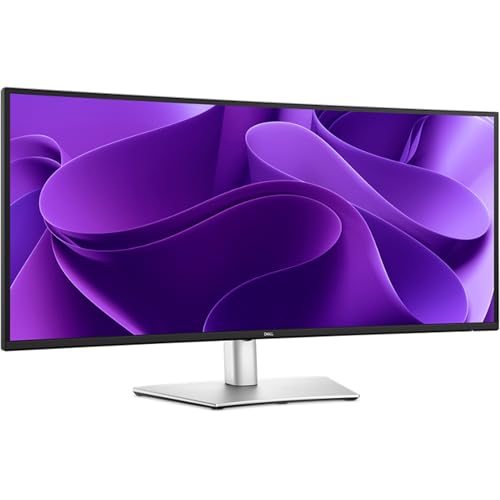
Dell - Pro 34 Plus USB-C Hub Monitor P3425WE
Running these analyses costs money. Buy through my links to support the site! I may get a small commission for some links, and it doesn't cost you anything. Thank you!
Reddit Reviews:
Filter by Topic:
Based on 1 year's data from Mar 28, 2026 How it works
 BloomerzUK 1.0
I'd go with in-built docks.. life has been so much easier since we've pushed out 1 x Dell docking monitor and 1 x standard monitor and daisy chained them. I'd go for something like the "Dell Pro 34 Plus USB-C Hub Monitor - P3425WE"
danny686 1.0Lots of experience with the IPS P3425WE but recommend the VA S3425DW all day, it's just a nicer more capable image in every way. If money isn't a problem then the IPS Black U3425WE is probably even nicer to look at. but its over priced because of Thunderbolt.
It's only really worth it if you absolutely need 90w USB-C Power delivery, a standard Display Port and 3x USB-A & 1 USB-C port. The IPS display is underwhelming with low contrast and bad saturation.
hallowww_ 1.0I was basically in the same boat, looking for a 34 ultrawide IPS monitor. There's not many options, but it seems Dell offers some good ones, so I just ordered a P3425WE.
Yes, but 100 is very ok in general, and as I use it mostly for work, it's perfect. Work first, play second. There's one from MSI (mag401qr) that may be good for what you are looking for. i was between the msi and dell. But the 40" screen with the same resolution gave me doubts, so I went with dell, but mostly because of their 3 year warranty.
Just got a P3425WE and it is incredible. I'm loving it. The U3425WE will be even better.
I have a Mac mini m4 and just bought a Dell P3425WE to work with design. This monitor is awesome. I highly recommend it. If you can afford it, there's the U3425WE.
AardvarkSam 0.4I actually had the P34 for about 2 weeks and returned that shit because of ghosting. Text looked like shit when scrollen down, I hated it.
Gluiperd80 0.2I tested those Dell’s side by side. The most noticeable is the outer 5-7cm. With 1900r it’s a good read. With the 3800r i had the feeling i had to move my chair 20cm to the left or right.
beerddlovliness 0.0I went from a 34 inch 3440x1440 ultrawide from dell to a 32 inch LG glossy 4k oled and I wouldnt go back. Ultrawide is good for sim games and productivity but kinda shitty in other games, at least for me. The standard aspect ratio of 16x9 or 10 is perfect
Beneficial-Truth1509 0.0Tbh I had the same dilemma. I had a dell 34inch 3440x1440 monitor( not oled though) , I thought 16:9 was a thing of the past for me but I was dead wrong. The moment I fired up my 321urx I just fell in love with it.
CreativeUsername20 0.0I love my G9 57 but its a lot of display. I have MS Fancy Tiles which lets me snap my windows to whatever size I want and I have it set to give me 5120x2160 in the center and then on both side I have 1280x2160 which is plenty of space for my music program, or discord or whatever its nice. I came from 3 displays. Two 23" 1080p displays and in the middle a dell 34" ultrawide. I liked that but with my G9 57 I dont miss having 3 displays at all there is just so much room on this one its more than I know what to do with sometimes. Mind you, I've had 3x displays for over 10 years. I tried going down to 2 but that didnt work out I had to get my three again. I dont miss it now though. I think if I had only 5120x2160 i'd want two more displays still.
Event_Different 0.0Ich hatte erst einen Ultrawide von Dell und danach einen BenQ, beide die Auflösung von 3440x1440. Den BenQ habe ich mir ganz bewusst geholt, denn er besitzt über Picture by Picture die Möglichkeit durch 2 Quellen angesteuert zu werden und teilt das Bild dann in 16:9 und 5:9. Im Homeoffice verwende ich den Monitor mit 21:9, beim zocken die aufgeteilte Variante (um dann auf dem 2: Bildteil andere Inhalte laufen zu lassen).
Expensive_Homework_9 0.034" curved. Go get it. In my area, a Dell Curved $420 (non-OLED)