
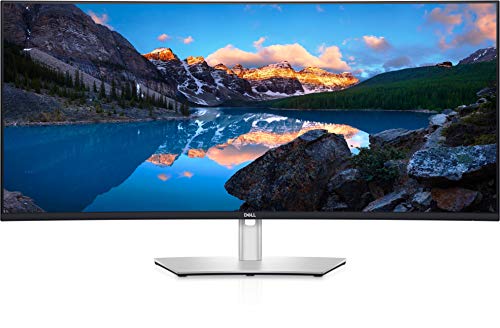
Dell - UltraSharp 40 Curved WUHD Monitor - U4021QW
Running these analyses costs money. Buy through my links to support the site! I may get a small commission for some links, and it doesn't cost you anything. Thank you!
Reddit Reviews:
Filter by Topic:
Based on 1 year's data from Mar 28, 2026 How it works
 IchingNYEU 1.0
Hey, I'll chip in since I'm in the same boat, I can also grab U4021QW for $600 in perfect condition and warranty and I've been eyeing U4021QW - these can be had for around $900 if you get lucky. U4021QM is 60Hz, both HDMI outputs can only do 30Hz so you need to use USB-C and/or DP. U4025Q is 120Hz and there was a recent firmware update that addresses some MAC issues. I'm personally rocking AW3821DW and U3818DW. I do enjoy playing games here and there but I see no difference 60Hz vs 144Hz when it comes to productivity. I may grab U4021Qw just to check out since the price is so good. It's up to you how much you want to spend. HTH.
Hey, I'll chip in since I'm in the same boat, I can also grab U4021QW for $600 in perfect condition and warranty and I've been eyeing U4021QW - these can be had for around $900 if you get lucky. U4021QM is 60Hz, both HDMI outputs can only do 30Hz so you need to use USB-C and/or DP. U4025Q is 120Hz and there was a recent firmware update that addresses some MAC issues. I'm personally rocking AW3821DW and U3818DW. I do enjoy playing games here and there but I see no difference 60Hz vs 144Hz when it comes to productivity. I may grab U4021Qw just to check out since the price is so good. It's up to you how much you want to spend. HTH.
seanocono22 1.0I’ve had two of the U4021 versions for 3.5 years now. They are near perfect productivity monitors, and I imagine the U4025 is even better.
Are you a Mac user? I would love to know what the MacOs scaling options are. I currently use stacked Dell U4021QWs. I’m also curious about your impressions regarding 140ppi vs. 129ppi. So please report back on Thursday!
Do you stack them? I’ve stacked the 40” Dells for about 5 years now. I love them, but have been considering an upgrade and this new 52” panel might fit the bill.
sob727 1.0I had the 4021 before the 4025. Couldnt tell the difference tbh (yes, one is 60Hz the other is 120Hz, still couldnt tell them apart).
5120x2160 (Dell) and 5090 here With DLSS and RT Medium (I think?) I get around 80 fps in Cyberpunk 2077 and less in STALKER2 (RDR2 does better, above 100). So yeah, I expect to be limited in future and more demanding titles. EDIT: dont get me wrong I have no regrets, my primary use is productivity and 5k2k is a great resolution. If I was primarily a gamer I would stick to a lower resolution for now.
_Bob-Sacamano 0.2I have my 800r for gaming on the same desk as my 2500r. Have never wanted to bend either. If anything, I'd want a bigger curve on the 2500r Dell 😅
Thank you for the comment on the curve. I swear to god half the forum won't shut up about it. When actually using it, I don't even think about it. It sits next to my 2500r Dell I don't even notice switching back and forth really.
NoJesusOnlyZuul 0.2Ive used both, have also had the LG 45 5K2K and Samsung 57. Currently have the Samsung 40 5k2k. The LG text issue makes it pretty awful for productivity. The vertical space is essential, so Id recommend the Samsung 40, plus I believe it's on sale
Aggressive_World_193 0.1I just got the Dell 5k2k 40inch but this one has OLED and got me all interested in it. It’s also slightly bigger too. And that button switch for a higher refresh rate is a welcome function.
alfasenpai 0.1Oled is not ideal for text clarity. Like someone else commented what you want is a good 5k2k. For productivity Dell Ultrasharp 5k2k is a good bet.
alp82 0.1I'm going back from a single ultrawide to a dual monitor setup. By adding another ultrawide. My 40" Dell will move to the top and at the bottom I'll add an LG Ultrasharp 45".
ascl00 0.1Bad timing, Samsung Australia just finished an EOFY sale including monitors. I have and like the lg 38wnc monitor. Great for productivity with some extra vertical height (1600px) and good for gaming with up to 144hz. Not oled good but still good. I was very tempted by the lg oled 45 with 5k2k res, but it’s expensive and not sure how it would be for productivity. If I didn’t care about gaming the dell 5k2k 40 inch looks great but it has slow response times, so not useful for gaming.
Belzebutt 0.1Sounds like you want to buy a bunch of expensive stuff hoping to do something with it. That’s backwards, figure out what you like to do first, then buy the stuff to help you do it. To answer your question, from my experience, 3 monitors is too many for one PC, two is ok if you need lots of stuff at a time on one PC, an ultrawide is the best. Having said that, I work on Blender and play games, and for fps games I use an ultrawide 1440p, but for Blender I much prefer my 27” 4K monitor, it’s much sharper and just the right size. The only upgrade I would consider for Blender is the Dell 40” 5K ultrawide, but it’s extremely expensive.