i would take the link 2c (i use it) and buy some decent lighting. Lighting is so important u can use the cheapest wiht good lighting and it will look better then a 100 dollar one with bad lighting
First, if it’s a corporate laptop find out what Webcamera software is permitted to install, that may make the choice for you.
Generally speaking the microphones in webcams are fairly bad. There are a few that work better than others, you’d have to do some trial and error to see what works for you and your environment.
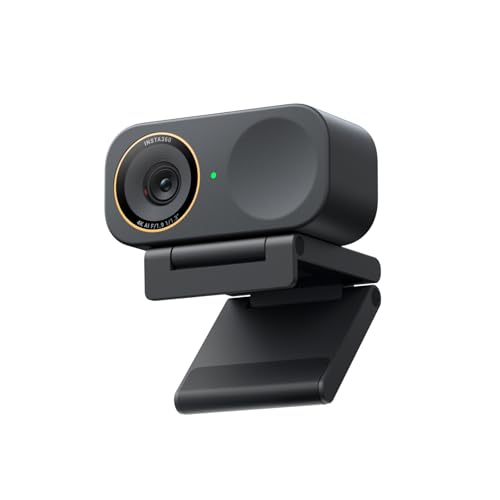
That said, I recently replaced my Lumina 4k webcam with an Insta360 Link 2c and have been really impressed with it. The image quality, build quality, AI enhancement, and easy to use software. The microphone is above average too.
With any webcam, having decent lighting is going to help a lot. Also consider placement of the webcam. Setting the webcam right on top of your monitor is the general default, unless you have a very tiny monitor or sit up really high, it’s not an optimal or flattering place. I place my webcam almost in the center of my screen, where I am looking directly into the camera and making eye contact with the people I am on the video call with.
I’ve heard good things about Ozbot web cameras. The Razer ones are supposed to have a really good camera sensor, but their software makes them a no go for me.
The Anker webcams I’ve also heard good things about, but evidently they really need a bright lighting setup.
When the question about webcams or other peripherals comes up, the answer is almost never Logitech.
I wouldn't go with either, I've spent 8 months testing pretty much every major 4K Webcam (its my job, I do YouTube around tech, streaming, and gaming full-time - I even did a talk at CES about them).
I'd say the INSTA360 Link 2C Pro, for no tracking, or Link 2 Pro if you want tracking.
1/1.3" Sensor, combined with a F1.9 means it lets in and captures a great amount of light for low light, decent colour accuracy, incredibly sharp, great auto focus, manages some depth as well because of the sensor and F Stop.
OBSBOT are good, but the era you link is one behind their latest so its a bit weaker in some areas, and still costs the same as better options.
Razor Kiyo has some terrible user reviews, it either works for you perfectly fine, OR it is the biggest pile of shit apparently.
The other major one to avoid is the Elgato Facecam 4K, it has terrible low light, requires insane amounts of light for decent quality, no autofocus, and zero depth.
Some people love the YOLOCAM S3, and I don't mind it but the colours are too punchy, too contrasty, etc for me. It also feels oversharp, like its been tuned aggressively over the top.


 Big_Technology_7004




