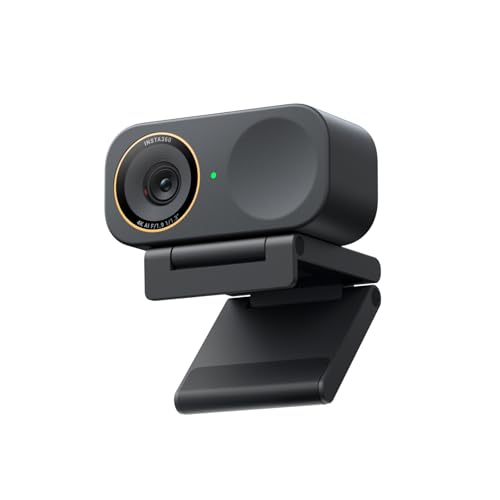
Having some sort of biometric is really nice for being able to use passkeys on desktops. Passkeys without biometric are not a great idea.
And it lets you log in easier of course.
All biometric data is only stored locally encryted.
Been streaming about 3 years now and in that time ive gone through a bunch of webcams. friends around me too, we all tried different stuff and some of it was great some of it was a waste of money. figured id put together a list from what we actually used not from some article nobody tested.
**Best webcams for beginners**
Logitech Brio 101, around $24. does 1080p and thats about it. no software no setup just plug it in and go. my friend used one for 8 months on his first streams and it was fine for that.
Logitech C920, around $68. probably the most used starter webcam out there. autofocus works, image is decent, been around for years so theres tons of guides if you need help setting it up.
**Best webcams under $100**
EMEET Pixy, around $89. 4k with ai tracking and dual camera. was $100 but they dropped the price this year. tracking is smooth and it keeps you in frame when you move around.
OBSBOT Tiny SE, around $79. 1080p with ai tracking and gesture control. few guys in my discord stream with this and they like it for the price.
**Easiest webcams to set up**
Logitech Brio 101, literally plug in and it works. no app, no driver nothing.
EMEET Pixy, same thing. plugged it in and OBS picked it up instantly. no driver, no software needed to get it running.
OBSBOT Tiny SE, also plug and play but if you want the extra tracking modes you gotta download their app.
**Best AI tracking webcams for streaming**
EMEET Pixy, around $89. cheapest ai tracking webcam ive seen that actually works well. dual camera helps with autofocus and the ptz is smooth, not jerky like some cheaper ones.
OBSBOT Tiny SE, around $79. tracking is solid for 1080p. no 4k tho so if resolution matters to you look elsewhere.
OBSBOT Tiny 2 Lite, around $118 more tracking modes like hand tracking and lower body. My friend does cooking streams with this and the tracking handles all his movement around the kitchen.
If you're streaming mostly stationary and just want reliable quality, c920 is still solid after all these years. If you need all three (under $100, tracking, plug and play), emeet hits that spot. and if you want the absolute cheapest option that gets you started, brio 101 at $24 does 1080p with no fuss. but it all comes down to your lighting and what you actually do on stream.
Would be cool to see what webcams you guys are actually streaming with and if any of them made a difference in your growth.
I think most of the webcams on Amazon will work fine, to be honest - most of the ones I saw on there when I tried to find what I have would work, they're all 1080p. I have the older version of the Logitech Brio 101 and it got me through a ton of tests (and zoom meetings). That one is 25 but there are ones for $10-12 that should be just fine
You either spend this much money or you spend over double. This webcam is the definition of fine, and it has a mic built in. Drivers on Mac & Windows are both phenomenal and work out the box. No tuning necessary to get semi accurate colors compared to a lot of $50 ones.



 bkgn
bkgn