
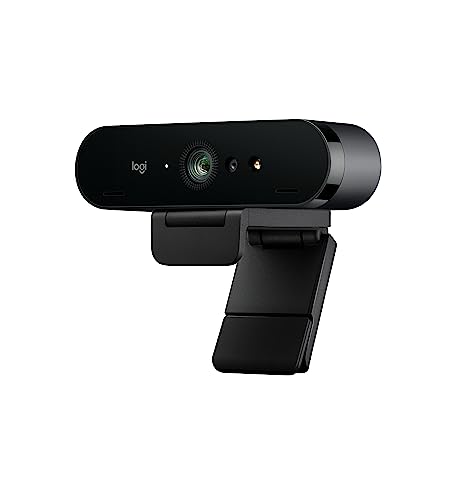
Logitech - Brio 4K
Running these analyses costs money. Buy through my links to support the site! I may get a small commission for some links, and it doesn't cost you anything. Thank you!
Reddit Reviews:
Filter by Topic:
Based on 1 year's data from Mar 27, 2026 How it works
Liked most:
8
1
"Had mine for 4 years, Still holding up."
"The Brio has served me well since the pandemic lockdown, every day for at least two hours a day in Teams meetings."
"I have used it for 4 years"
11
4
"Nice crisp clear 4K especially if you keep your streams and upload them to YT later."
"my personal experience with the 4k is it deals with low light very well."
"I accidentally switched to the Logitech and got unsolicited feedback that the quality of the Logitech was MUCH better. ... I asked others and they confirmed."
2
1
"I've seen the Brio 4K for good prices on eBay. I could grab one for £50-£60. Not too bothered if it's second hand because a camera either works or doesn't lol....I don't need it new. ... I bagged a Brio 4K for £56."
"The brio is pretty good for its price."
2
1
"Also, didn't know it had IR, thanks. ... I bagged a Brio 4K for £56. I'm yet to set it up, but thanks for letting me know about the Hello Windows thing."
"I have a specific version installed so that Windows Hello works."
Disliked most:
1
5
"Mine was hot garbage, no matter how perfect I made my lighting."
"I have done everything in my power to make it look good and it only looks DECENT in perfectly lit situations."
"look like absolute crap, even compared to a c920"
7
11
"Original Logitech Brio 4k - does not work. ... Tried USB-A ports on the dock and USB-C port on the top (with a 5gbps USB-C 3.x cable). Neither is happy."
"Dang, I have the exact same model and it’s not working for me. I’m on the latest firmware (2.9 iirc) ... Interesting that you need to downgrade the firmware ... Yeah another user reported their BRIO was working on version 1 firmware. Took me some time to find a copy of version 1 firmware and hoping we can see a later version of v1 firmware"
"Logitech Brio 4K does not work here when going to test camera setting in menu ... Interesting that you need to downgrade the firmware"
0
1
"Overheating, crashing, disconnecting, image corruption, and sometimes not even being recognized at all."
"They error out, overheat, glitch, disconnect, and generally are just trash."
0
1
"the brio for me was a bit finicky at unlocking. Especially in the dark."
 ActionJ2614 1.0
I was a Senior Enterprise AE SasS and always used a pro camera. I had a Logitech Brio 4k, and now have a Logitech MX Brio Ultra HD 4K , and OBSBOT Tiny 2 Webcam 4K. Laptop cameras are generally poor quality. I also use an external microphone HyperX Quarcast 2.
Arne31330 1.0I use a logitech Brio 4K, which is great. But would nevertheless recommend the Brio 500. Which performs similar but costs a lot less
bellerub 1.0I have a Logitech Brio 4k as well. It does not work via usb c or with an adapter. I have a cheap MS one that does work via USB A directly to the dock. Edit: I am on the latest firmware as well. 2.0.28
Big-Resist-99999999 1.0I bought one a couple of months back because I was unhappy with the way the Logitech brio 4k handled light in my office. Getting much better results with the face cam 4k
CigAndABeer 1.0Thanks. I do get that, but again, I would rather get a camera. Like, idk how much I'll go into it, so I don't wanna drop a bomb on an iPhone to not just not use it much. Was wondering what an ideal webcam is that works well, too. Apparently the Brio 4K is good? I was aware more than IR made iPhones good for tracking, but also aware IR is a big factor, so wondered about IR webcams.
Thanks man and tbf, I've seen the Brio 4K for good prices on eBay. I could grab one for £50-£60. Not too bothered if it's second hand because a camera either works or doesn't lol....I don't need it new. Hmm, okay, fair enough for the light, I may have to do the same. I do have a lamp, but it's way too bright. Need something else. Also, didn't know it had IR, thanks.
I don't use Reddit much, but just saw this. I bagged a Brio 4K for £56. I'm yet to set it up, but thanks for letting me know about the Hello Windows thing. I've seen the HW thing a few times here and there, but I don't really know anything about it. I'm sure I'll figure it out!
Dense-Nectarine368 1.0The Brio 4K is solid for your use case - had mine for 2 years and the low light performance is actually pretty decent compared to most webcams in that range. The autofocus can be a bit wonky sometimes but overall it's reliable for meetings and streaming
Disastrous-Can988 1.0I use a Brio 4k webcam by Logitech. Works great though no matter how good the came is, without good lighting they will all look bad.
Divineania 1.0I have a Logitech Brio 4k and Logitech Litra. I tried the Logitech beam but doesn’t work with my set up well. I’m NOT a potato cam on camera person so if I camera is on, it’s worth it. So yes the Logitech equipment is mine and I don’t use what my company sent me but I also don’t use the monitors they sent and instead use my 38” ultra wide LG.
FerretBomb 1.0I have two Logitech BRIOs sitting on the shelf, because they're useless basket-case shitgoblins. They error out, overheat, glitch, disconnect, and generally are just trash. I bought two because the whitesheet made them look like the perfect webcam. They are not. They look WORSE than a c920 even in perfect lighting somehow. I'll regularly take one off the shelf and update the software and firmware to see if it's fixed yet. Still no, so far. I'd recommend one of the Elgato Facecams if you're going with a webcam. The Mk2 or Pro both are at the upper end of what a webcam is going to be capable of, and punch almost on-par with a starter grade DSLR/mirrorless.
Elgato c920 is the gold-standard starter cam. You can find them on-sale for around $50 usually. Of those three, I'd go with the Elgato. Avoid the BRIO like the basket-case shitgoblin it is (I have two sitting on the shelf, they're worthless little turdbuckets that constantly error and look like absolute crap, even compared to a c920; I bought them when they first came out as their whitesheet makes them look like the perfect cam, but THEY ARE NOT). > Btw, I do stream at 4k60 You must be streaming to YouTube, then? Because Twitch's max bitrate would make any 4K60 stream look like hot fried poop. Absolutely unwatchable. Doubling down on the Facecam Mk2 (or bump up to the Pro), it's going to give the best quality out of the three.
Brand names like the c920 are known performers. They have people who have actually used them, and deliver a known result point. The other three you have listed are no-names. The sensors may be crap; even if they technically output 1080p60, they may look like absolute hot garbage. The whitesheet spec is not the full story. What kind of optics do they use? What kind of dynamic range does the sensor provide? Is the gain amp clean, or cheap noisy trash? What kind of reliability and reproducibility do they bring to the table? Do they have a decent autofocus? How big is the actual sensor they use? --- I got fooled by the white-sheet on the Logitech Brio. Looks *amazing* on paper, the perfect camera that I'd always been hoping someone would make. I bought two, sight-unseen, when they first came out. They were (and still are) horrible basket-case shitgoblins. Sitting on my shelf, back in their boxes. Overheating, crashing, disconnecting, image corruption, and sometimes not even being recognized at all. And when they *did* work... the image quality was somehow *worse* that the c920 I'd bought them to replace. Looked like absolute fried ass. So yeah. Sometimes it's because something is known to work (reasonably well), and not just an optimized text string meant to lure people in.