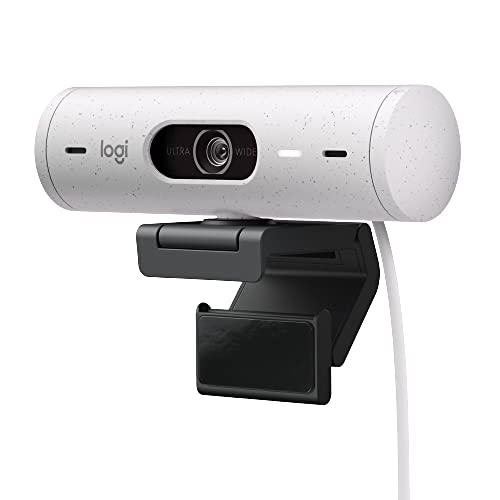
I record using a brio500 (i mainly chose it because of the design and the neat physical privacy shutter tbh, it's not that great of a camera)
The logitech one you wishlisted is probably fine, the other ones too, they probably won't be as good as your phone (most webcams in the sane pricerange aren't) but one thing I recommend is going into lighting, as even a small keylight or something that elevates you from the background does wonders for better tracking. :)
I use two key lights and the eye strain is no different than from normal pc use i'd say. I did set the light to a pretty soft and warm tone however. ^^
Ich erwarte bei einer Webcam für den PC jetzt irgendwie kein Gewinde für ein Stativ. In der Regel werden die auf den Monitor geklemmt, welcher ja vorhanden sein müsste. Ich denke die wenigstens werden sich noch extra ein Stativ auf den Schreibtisch stellen. Wohin überhaupt, hinter den Monitor? Oder willst du an deinen Videokonferenzen aus dem Profil teilnehmen? Die Kamera vor dem Monitor damit man die anderen in der Konferenz gar nicht erst sehen muss? Außer natürlich du willst gar keine Videokonferenzen machen, dann ist der Markt aber auch ein ganz anderer und der wird eben nicht so stark bedient, weil für die meisten eine Kamera für Videokonferenzen reicht.
Außerdem klingt das jetzt für mich so als hätte Logitech genau eine Serie, Brio. Die kommt halt in verschiedenen Ausführungen, eben mit verschiedenen Stufen an Austattung. Das kann die Auflösung, Mega Pixel, Field of View, eingebautes Mikrofon oder eben auch ein Stativ Gewinde sein, welches die Brio 500 übrigens hat.
dont spend on a 4k for video conferencing... most dont support over 1080p. Cheap and cheerful has been the logi c920s but they kinda suck in low light. the newer logi brio 500's are great.
if you're solving for audio, webcams generally arent the best. I use a speaker dock instead. the logi dock is suprisngly pretty good for as a conf speaker, music speaker, and a dock for most setups.
[https://www.logitech.com/en-us/products/personal-workspaces/logi-dock.986-000031.html](https://www.logitech.com/en-us/products/personal-workspaces/logi-dock.986-000031.html)
Ich hab die Brio 500. Ich meine um die 80€. Auf der Seite von logitech liegt die bei 140€. Liefert bei guter Beleuchtung im Büro ein angenehmes Bild. Für Videokonferenzen mehr als ausreichend. Scharf stellen funktioniert. Wäre mir nviht schnell genug, wenn ich damit nicht nur hier und da win videotelefonat führen würde.
Hatte unmittelbar vorher eine Anker Power conf getestet. Das Bild war besser. Aber die Verbindung brach immer wieder ab. Hab auf Anhieb nicht die Lösung finden können und sie deshalb zurück geschickt und die Logitech genommen.
I was happy with a c920 for a couple years, was able to get a brio 500 from work and I was shocked at the improvement. Resolutions about the same, but low light and backlight performance was much better. I used to have to fight with the exposure in the afternoons, now I can pretty much leave it as is all day long and not worry about overexposure or backlight.


 AhimiVT