The Logitech Brio works perfectly. I love the tracking and focusing feature. Keeps the person in the frame with exposing too much of the background. The set up is super easy. Can’t speak to the other one.
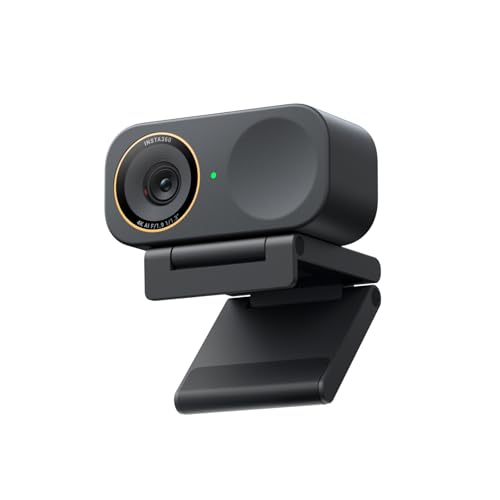
Lots of posts recently enquiring about webcams! I recently got a Yolocam s3 (left side) and I am loving it - thought id share a comparison image.
Here it is in contrast with my Logitech MX Brio - these my original settings for my brio but you can see the difference in clarity/depth. It has a real DSLR feel and records videos beautifully.
My content sales on MV/LF + OF have really improved since using it.
The cons are: it has a bit of a freak out if you have lots of apps that use the camera at the same time and if you are multistreaming you need to use OBS or it wont work. The USB port is a bit flimsy too. Lots of reviews about the autofocus being a bit slow but you can turn it off (I personally love it as it gives that blurred background look!)
The MX Brio is a great webcam too - its really simple to use, and has a bit of an airbrushed feel which is quite forgiving !
Yeah I am a hardcore Logitech girl - I loved my mx brio and whatever it was I had before that
I got a soft box light and it literally messed everything up and I couldn’t get my MX brio settings right quite again after that! So I ended up getting a new webcam as I wanted a DSLR vibe!!
quick take on your shortlist:
mx brio ultra: safe pick, best software, predictable. solid 4k, decent low light. the no-regrets option.
insta360 link 2: best ai tracking with gimbal. cool if you move around, gimmicky if you sit still. software can be janky.
obsbot tiny 3 lite: similar to insta360, often better value. less mature support though.
elgato facecam pro: best raw image quality, real 4k sensor, no ai fluff. weakest on auto-framing because it doesn't do that.
my pick for meetings + gaming: elgato facecam pro under $200, otherwise mx brio ultra. both handle low light better than the gimbal cams.
honest meta-tip: lighting matters more than the camera. a $50 key light + your old c920 beats a $200 cam in a dim room. fix lighting first or alongside the new cam.
Unless you want to start going dedicated system camera with capture card and stuff which can be quite complex and very expensive.
The razer kiyo pro ultra is the best plug and play streaming/videocalling webcam out there at the moment, it has the biggest lens and best quality.
But it is very expensive. Elgato facecam 4k is also a good option thats a bit cheaper.
In the budget range you have the Obsbot meet 2 and logitech MX brio. They are perfectly servicable webcams that will get the job done and this might be the option you want because then you could spend some budget on other things like a soft light array that will make a huge huge diffrence for making all cameras look quality.
Look at elgato key lights or other similar products.
If he already has a good lighting setup, go for the big boys razer, if he dosent buy a cheaper one or let him keep using his old one and get him a kickass lighting setup.
No expensive camera will look as good as nice professional lighting on a cheaper camera.



 ActionJ2614