OBSBOT
Meet 2-4K
Sharp 4K, great low-light, but buggy software.

Running these analyses costs money. Buy through my links to help keep lights on! I may get a small commission.
Obsbot meet 2, it's the best i had yet - most versatile doesn't mess up the quality when zooming in, super performance and overall the best on Auto settings too HMU if u need more info or Tipps when u got one š (as near as u can get to an DSLR from an webcam quality wise and also so small u safe space) Note- i heard about some saying it overheats etc but i never had that problem at all and the integration with the Streamdeck is a fun game changer!
[Obsbot Meet 2](https://www.obsbot.com/store/products/meet-2?srsltid=AfmBOorJFhDKrW60TmNd6qsEsVd8AHhRNIqCrjNzRw5aELNYvaqmkxFn) Great picture quality, looks great at low light, and supports 4k 60fps. Plus it's just a lil fella.
I just got the OBSBOT Meet 2. It's a 4k60 fps camera and it's so good. I would recommend it.
Yeah to go on what you're saying, start out with just basic equipment and feel it out. Also the XLR mics and stuff are nice but start out with a USB mic because with filters in OBS it can sound amazing. Camera wise There is the OBSBOT 4k camera which is honestly amazing value for money.
OBSBOT Meet 2, it goes 4k 30 but I use 1080 60 for streaming to match gameplay frames
I can recommend OBSBOT Meet 2. I bought it on a black friday sale about 110$ and I'm quite happy about it so far.
I personally like that it's not sharpened to a point that you see the edge of each pixel. At the same time, auto focus works very well and minimum focus distance is pretty low at 10 cm. So if I get very close to it, it's sharp and detailed enough to show each strand of my beard, if it's a good metric for you :D It doesn't get as hot as people mentioned. Exposure and white balance is consistent overall, but I find average metering to be off at times, for instance when I have a dark table pad and a white keyboard on top, white keyboard blows out a little (there's a HDR mode providing a little improvement tho). Most importantly I found out that you can set the shutter speed and ISO in the software, so my timeline stays consistent editing multi-camera footage when necessary. I hope it helps. Edit: This is the first webcam I bought since almost a couple decades so take it with a grain of salt :D
OSBOT Meet 2 makes you look amazing even in lower lights. But after I wrote this I realized that it is double what you want to spend. Still for $130ā¦I love this camera
I suggest a webcam like Osbot Meet2 because with the software you can easily zoom in as needed

OBSBOT
Meet 2-4K
Sharp 4K, great low-light, but buggy software.

EMEET
Pixy Series
Strong AI tracking, great value; poor mic, limited Linux.

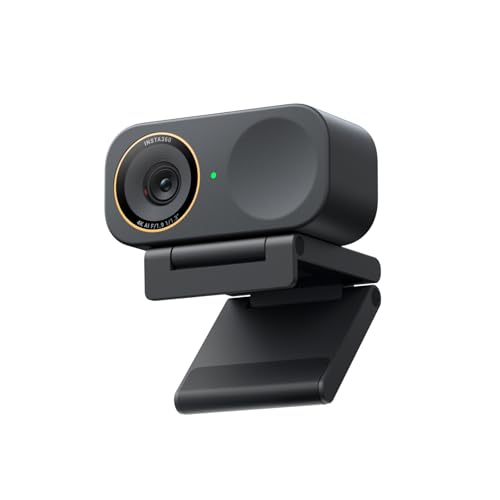
Insta360
Link 2
Great 4K image, effective tracking; software is problematic.

Logitech
C920S PRO HD WEBCAM
Durable, reliable budget workhorse; needs light, 30fps.

Insta360
Link 2C Pro
Strong 4K, low-light, and value; but software is quirky.

Ranked #1
Logitech - C920S PRO HD WEBCAM

Ranked #1
Logitech - Rally Camera (960-001226)

Ranked #1
Logitech - C922x

Ranked #1
Logitech - C922x

Ranked #1
YOLOLIV - YoloCam S3

Ranked #1
EMEET - Pixy Series