
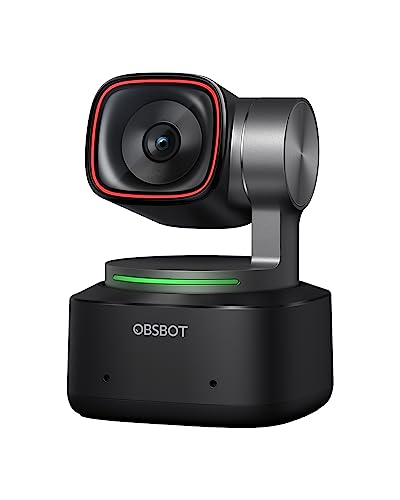
OBSBOT - Tiny 2
Running these analyses costs money. Buy through my links to support the site! I may get a small commission for some links, and it doesn't cost you anything. Thank you!
Reddit Reviews:
Filter by Topic:
Based on 1 year's data from Mar 27, 2026 How it works
Liked most:
4
0
"the obs bot does fuxking amazing with almost no lights ... it also don't do that grainy look from light gain / auto exposure so it looks super clean with just 1 lamp in the corner of the room"
"the image will be that much sharper if your face cam is ever full screen if you’re running the webcam at 4k"
"The image quality is outstanding."
3
0
"it works perfectly especially for the cost."
"the OBSbot looks better in my opinion, and for the the same price as the Facecam"
"OBSBOT cams are your best bet. Great value for money"
2
0
"the obs bot does fuxking amazing with almost no lights ... it also don't do that grainy look from light gain / auto exposure so it looks super clean with just 1 lamp in the corner of the room"
"Even with a fully hazed room I can still get a good picture of the front row."
2
0
"OBSBOT also has it's included auto framing software, I get compliments all the time."
"It's got A I tracking"
1
0
"I'm using the OBS Tiny2 with remote control, streaming through OBSbot. ... Yes the OBS TINY2 works best with the remote control for easy navigation while streaming. ... The remote is definitely a good bonus for easy access especially if you're streaming."
Disliked most:
0
1
"The downside is, it’s only 30 fps so you’ll get a lot of motion blur unless you can change the shutter speed."
 ActionJ2614 1.0
I was a Senior Enterprise AE SasS and always used a pro camera. I had a Logitech Brio 4k, and now have a Logitech MX Brio Ultra HD 4K , and OBSBOT Tiny 2 Webcam 4K. Laptop cameras are generally poor quality. I also use an external microphone HyperX Quarcast 2.
HistoricalPair4638 1.0Obsbot Webcam and thank me later
I use a obsbot 2 that has tracking bc I like low lighting rooms and the obs bot does fuxking amazing with almost no lights it also don't do that grainy look from light gain / auto exposure so it looks super clean with just 1 lamp in the corner of the room
willyumx 0.8I'm using the OBS Tiny2 with remote control, streaming through OBSbot. A pricier camera but great quality and easy to use. Before I used to stream with NexiGo N950P. As long as your camera specs are for 1080P streaming, have built in mic and remote for changing angle you'll be fine. You can use 4K but most streaming sites allow up to 1080P, anything higher there can be some delays or stream issues for your viewers if they don't have a fast enough connection.
GrayMalchin 0.8If you can hold till you can get $250, check out the OBS Tiny 2. 4k video at 60fps. The camera is on a gimbal that auto-tracks your face; and has a setting to switch to your desk view.
Fraggnetti_ 0.6osbot ptz is the ultimate soosoo good I have the lite i love it
altcoopx 0.3Just wanted to say I love my Tiny 2! I have issues with updating it for some reason, but it’s flawless otherwise.
CallMeKaseyKing 0.3The OBSbot Tiny 2 is a great option, the cheaper model Tiny 2 lite works just as well as it in my opinion!
CamSamaritano 0.3Seeing the model you come from, I would tell you to buy more equipment to have more mobility options not depending only on that support you have on the pc, it is not bad camera and worth investing in accessories If you plan to upgrade, I would look without doubt from my experience, OBSbot devices, they work really well and allow you to really take advantage of their initial cost If you were coming from a lower model I would tell you to look at something like the OBSbot Tiny 2 to start, but as it is not your case, I recommend you look at the OBSbot Tail Air, or the new model OBSbot Tail Air 2 I would completely discard Logitech, Razer and similar, value what they cost and what they offer you in terms of mobility, integration and functionality
Catlopez03 0.3Just following up, I got the OSBOT Tiny 2 and it works perfectly especially for the cost. Even with a fully hazed room I can still get a good picture of the front row. And the PTZ is a plus compared to the Razor
cheez-itjunkie 0.3Depends on the video quality you want to achieve. For that budget, look at OBSBot Tiny 2. It's a very nice webcam. For $400, you might be able to find a nice used Sony A5100 or A6000 mirror less camera and get an Elgato Camlink 4K to hook it up, that's what I did and it works beautifully.