OBSBOT

Tiny 3 Lite

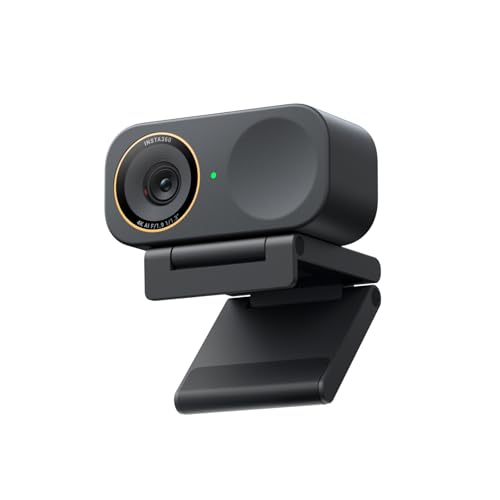
OBSBOT Tiny 3 Lite

Running these analyses costs money. Buy through my links to help keep lights on! I may get a small commission.

Overall

#131 in

Webcams

according to Reddit Icon Reddit

Sentiment score60% positive
3
0
2
Last updated: Apr 24, 2026

Reddit Reviews

Reddit IconActive_Potato
25 days ago

Think buddy meant OBSBot 2 lite. And I agree. Got the 3 lite but the voice control features are useless to me

Reddit Iconthinkbigger2
12 days ago

Obsbot has the Tiny 3 or 3 Lite, relatively new but are great if you are willing to spend a bit more. Personally I think they have the best value for money options. Having said that, if you only do a couple of meetings from your laptop, no need to buy a webcam... buy it only if needed in case you have a monitor setup or you really need a good video image, room with low lighting etc..


Reddit IconKillaV0lt
12 months ago

Need more info: what are you streaming? What do you want output resolution to be? How big will your camera be on screen? Can your computer handle streaming and process the resolution you want? Example: you are streaming a game at +60fps and your 4k camera is capped at 24fps, there will be a visual disconnect if your on-screen camera is larger. I went with the Obsbot Meet at $70 USD; 1080p at 120fps. It does well in low light situations, has software to manually adjust settings and good framing. I use OBS to match the fps from my El Gato HD 60 capture card.

12 months ago

I’m happy with the Obsbot, it’s entry level and you can get the upgraded one with 2k/4k for $150 USD on amazon. Can’t exactly remember the frame rates off the top of my head but I think 2k is at least 60fps. I watched a lot of videos before I bought mine and most YouTubers do a great job breaking down settings and raw footage of each camera they review. There are a lot of good suggestions in the comments; I would look each one up and also factor in your lighting as that impacts your camera more than you’d think.

Reddit IconStellaSprinkler
8 months ago

You’ve probably already read all my comments on the matter. If you want PTZ options 1&2 are both good. I’d try OBSBOT with remote first and see if it creates a lag. I had to return mine and got the Insta360 instead. Sad to not have a remote though.

Reddit IconThe_Solo_Shark
12 months ago

I have the OBS bot and I love it, got it for 99$. I've never tried the others but I don"t think you can go wrong with the elgato. One thing the OBS one has that the others don't is that you can turn it sideways to do vertical shots if you want.

Reddit IconHumoristWannabe
about 2 months ago

I like OBSBOT tiny line You can zoom in and out.

Reddit IconAccurate_Ad9637
4 months ago

Yeah to go on what you're saying, start out with just basic equipment and feel it out. Also the XLR mics and stuff are nice but start out with a USB mic because with filters in OBS it can sound amazing. Camera wise There is the OBSBOT 4k camera which is honestly amazing value for money.

Reddit Iconphilisweatly
4 months ago

I use both the OBSBOT 4k and Insta360 4k and both are great. Getting some basic lighting set up will go along way as well.

4 months ago

The Insta360 I use at work in my office which I keep on the dim side and it still looks great. I use the OBSBOT at home in my music studio which I film in dark but with a key light on my face and it works great.

Rankings by Use Case

Top recommendations from others in the same boat

Other Reddit Recommendations: