Running these analyses costs money. Buy through my links to help keep lights on! I may get a small commission.
Top Pros
Top Cons
Reddit Reviews
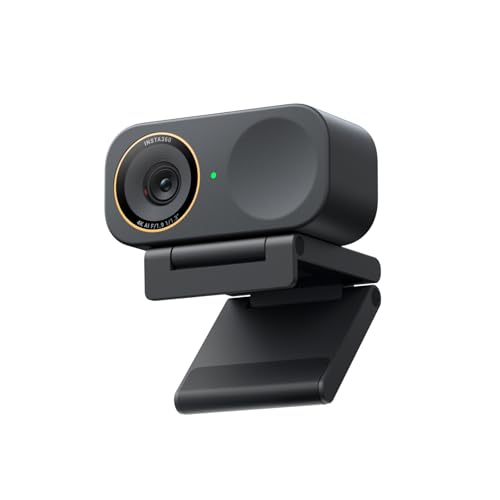
Razer Kiyo Ultra Pro if you wanna spend the $$$ Insta360 Link 2 is probably the best webcam for the money and full of software features.
if you can find a deal on one, razer kiyo pro or razer kiyo pro ultra. plug and play, works super well with OBS. Razer software can be annoying but you can uninstall that if you want.
I'm going to sound a little like a shill but I recently got the YOLOLIV YoloCam S3, and it beats all of the other webcam's in the comment section by a LONG shot! The sensor is larger than the others meaning its able to receive more light in low light environments. The image is really well balanced and has great color accuracy. I came from a Razer Kiyo Pro and I hated using the razer software, the Yololiv software only needed for initial setup and then I haven't had to use it since, it also doesn't run in the background like razer software. If you want to get him a webcam that will last him a long time until he decides he wants to invest in a dedicated camera setup "which may be overkill for small streamer", the S3 is and will be my go-to webcam in 2026. Update: I looked up the Razer Kiyo Pro Ultra and it has a 1/1.2″ sensor vs the S3 which has a 1/1.28" sensor. It's also $100 cheaper than the Razer :)
I'd point out two caveats with the Kiyo Ultra: it tops out at 4K30 instead of 4K60 like the Elgato, which is a pretty massive down side, and to control it you have to install and use their Synapse software, which consistently gets more horrible with every iteration. The second one is personal preference of course, but I absolutely LOATHE Synapse at this point, and want to see it die in a fire... massively bloated, and the #1 reason my next mouse is going to be anything but Razer, after having used them for almost two decades.
it's so funny you mention that because I actually used a Kiyo Pro Ultra for the past years and a half. For those of you not aware, that's the newer 4K version. I'd say the S3 is right on par with the KPU. But the autofocus is SO MUCH faster on the S3 and it's not even close.
I'll put it to you this way - YoloLiv, the company that makes the S3, reached out to me a few months ago to collab on a video. The S3 impressed me so much I swapped it out permanently from my Razer Kiyo Pro Ultra. And if you know about the Razer, you KNOW how good of a webcam that is. The S3 has better color science and WAY BETTER auto focus. can't stress enough how night and day the AF is. Also the YoloLive Compose App, the software you use to control/set up the camera, is the best camera software I have used to date. And this is coming from someone that has collaborated with Elgato as well. for $200 you're getting one heck of a cam with that S3.
Unless you want to start going dedicated system camera with capture card and stuff which can be quite complex and very expensive. The razer kiyo pro ultra is the best plug and play streaming/videocalling webcam out there at the moment, it has the biggest lens and best quality. But it is very expensive. Elgato facecam 4k is also a good option thats a bit cheaper. In the budget range you have the Obsbot meet 2 and logitech MX brio. They are perfectly servicable webcams that will get the job done and this might be the option you want because then you could spend some budget on other things like a soft light array that will make a huge huge diffrence for making all cameras look quality. Look at elgato key lights or other similar products. If he already has a good lighting setup, go for the big boys razer, if he dosent buy a cheaper one or let him keep using his old one and get him a kickass lighting setup. No expensive camera will look as good as nice professional lighting on a cheaper camera.
I haven't used many, so I can't really comment. I've generally been happy with my Razer Kiyo Pro Ultra, though I wish it had better autofocus.
My hesitation with the Facecam 4K is that it's fixed focus and in every review I've seen, the focal length is set too far back so the person is less in focus than the background. It's also got a really small iris, which is to say that it needs lots of light. If you can find them for the price, the Kiyo Pro Ultra and the new Yolocam S3 seem to be best in class. I have the Kiyo Pro Ultra and the image quality is fantastic, it's just a bit slow on focusing. Yolocam fixes that, but the image isn't quite as nice.
No. It has fixed focus and from what I have seen, that focal point is usually too far back and the actual subject winds up slightly soft. It also has a small aperture, which not only needs a lot of light but also means you'll never get shallow depth of field (if that's something you want).
Razer Kiyo Pro Ultra is the best for image quality, but it has pretty bad autofocus and lens distortion. You can enable a setting to get rid of the lens distortion, but I find that makes the frame rate choppier. It also has a pretty low FOV. Yolocam S3 that just came out looks almost as good, but it has significantly better autofocus, no lens distortion, and a wider FOV. Seems like it takes more fiddling to get the colors and such just right, but if I were to buy again, that's probably the route I'd go.
I mean I've been using the Razer basically since it came out, no issues. Don't even have to have Synapse running, it saves the settings to the camera.
I really like the Yolocam S3. I have previously used Logitech cameras like the C920 and Brio and I've used Razer's Kiyo, Kiyo Pro, and Kiyo Pro Ultra. Of those, the only one that really competes with the S3 is the Kiyo Pro Ultra, but I don't think you can even buy it anymore and I'd still pick the S3. The Logitech cameras can be made to look pretty good, but they require a lot of light and they don't remember your settings. Maybe Logitech has an app for that now, but any webcam that can't remember settings in 2026 is an immediate pass from me as that's just one more hassle to deal with before going live. The same is true of both the Kiyo and Kiyo Pro, though you can leave Synapse running to manage that. The Pro Ultra does save settings, but I found that if you turn on the lens distortion compensation, the frame rate gets jittery. It also has pretty bad autofocus. The S3 addresses all of these issues and is even cheaper than the Pro Ultra was when I bought it. It has a large sensor that works great in low light. It has excellent image quality. It has super fast auto focus so you don't even need to bother with manual focus. It stores your settings on the camera and doesn't require you to have an app running. You get full control over the colors if you don't like how it looks out of the box. And it's made by a company that seems to actually care about the product and have already fixed some of the issues people had with it at launch. For example, the YouTube reviews complained that it was always on and the first firmware update made that optional, with the default now being that it turns off when not in use. I complained that the default colors made me look a bit too red and I had to tweak them; the latest update added a color profile specifically for fair skin to reduce redness (and it's basically just an improved version of what I did). At this point, there's really only one minor gripe I have with it. The resolution and frame rate options are kind of all compromises. If you choose uncompressed 4K, you're only getting \~25 FPS, presumably limited by USB bandwidth (it does not use 3.2 gen 2 like some webcams). If you want 4K 30 FPS, you have to choose MJPEG. To be fair, it still looks great, but the color space is a bit different so you'll need to tweak your settings. If you want 60 FPS, you are limited to 1080p and it will crop the image, presumably for cooling purposes (a lot of DSLRs do this, too). It does not currently support 1440p, but they told me they are looking into it. In my mind, this would make the obvious choice to just use compressed 4K, but Discord forces it to 60 FPS for some reason, which then crops the image, so if you want a single set-and-forget option, it makes more sense to just leave it on 60 FPS. They are looking into a way to force the frame rate so that Discord can't do that, but just something to be aware of. So yeah, honestly unless money is tight, the S3 is the only webcam worth bothering with IMO. If you really want something better, you'd want a real camera and you'd be spending hundreds more.
You are basically asking for magic, so I'm just going to list things out: * First and foremost, you are going to need acoustic treatment. Given that you want to be as far away from the mic as half a meter, this could eat up most if not all of your budget. The farther you want to be from the mic, the more you will need to invest in treatment. This is why streamers generally just give up and have the mic right up on their mouth. I have probably $500 invested in treatment in my office and if I have the mic that far away, even with a shotgun mic, I will still hear room reflections. You are going to need to be realistic with your expectations here. * WHY do you feel like you need the mic to be able to be that far away? This will change my recommendations. If you're going to be moving around the space, then you should just get a lavalier mic. These clip on to you and move with you, which keeps the signal-to-noise ratio (SNR) consistent. If instead you are going to be sitting and just think you might occasionally lean back, something like the Lewitt Ray, which automatically adjusts gain and frequency response based on distance, could be a good choice. If you just don't want the mic visible on camera, then a shotgun mic or supercardioid pencil condenser would be a good choice. But you'll still need to invest in acoustic treatment first, *especially* if you go for anything other than a lavalier. Keep in mind that even in big budget films, they are using a combination of lavaliers and shotgun mics and the shotgun mics are generally only about a foot from the actor. The closer, the better. * Most webcams are not designed to be used more than a foot or two from you. Some webcams even have fixed focus, which means they will always be out of focus when you are farther than that. Further, most webcams have terrible autofocus, and if you're going to be moving around a lot, you're going to want *excellent* autofocus. Something like the Yolocam S3 would be a good recommendation in that case, but you may be able to get away with something from Obsbot or Insta360 might work. Those two (I think) also have options with motors that can actually follow you around, so if you're going to be moving, those would be better bets. So we're going to need to know a *lot* more specifics before we can give you proper recommendations, and even then you're going to need to be realistic about what compromises you are willing to accept.
Okay, if you're just sitting down chatting, that's basically 99% of streamers, so you may be overthinking this. All mics, no matter what mic it is, will sound different as you move away due to the SNR issue I mentioned above. They will pick up more of the room as you move away. The better your acoustic treatment, the less this effect will be. In general, though, you should be more like 4-6" (like 15 cm) from the mic at most. If you're going to be able to maintain that most of the time, then I just wouldn't worry about it. Nearly any mic can fit this need, but look for something supercardioid if you want to further minimize room reflections. Plan $100-200 for this part. As for webcam, again if you are going to be in the same place most of the time, then most webcams can be fine so long as you invest in good lighting. I really like the Amaran Verge Max for this purpose as it is huge, powerful, and really good quality. You can get away with just one of those vs needing multiple Elgato lights, for example. I'd plan on $150-200 for the webcam depending on what you get, up to $300 for lights, again depending. You can start with some decent bulbs with cheap fixtures and just bounce them off of white foam board to start with if needed. You'll need some way to get the mic connected to your PC if you don't go with a USB mic. Audio interfaces generally range $100+. While you do get better quality by spending more, really what you're paying for are features and long-term support. Julian Krause on YT has a lot of great objective reviews of interfaces, so check him out if you need advice. Audient is my general recommendation, with the EVO 8 being a nice pick not because of the number of inputs but because of the virtual outputs that you can use to isolate different sources for OBS. It's also just great quality and their support is excellent. Boom arms are around $100, but you can go cheaper or more expensive depending on what you want out of it and budget. And of course I haven't factored acoustic treatment in yet, and you really should get at least some. You can look for used instead of new to save some money if needed. You can hang moving blankets for acoustic treatment to save some money. I'd say around about $1000 all in for buying new is pretty normal, but there's no reason to do that all at once. Things that you actually *need* are mic, interface, and webcam (well, and cables). You can add treatment or upgrade lighting as you go.
Yolocam S3 is about the best money can buy right now, but it's $200 and requires a bit of fiddling to get the most out of it (which in turn requires some knowledge). Beyond that, there are plenty of reviews out there about other cams, so if you don't want to spend that much, I would check and see what they have to say. Do keep in mind that while the C920 is cheap, you WILL need to invest in lighting for it. Good lighting will pay off even with more expensive cameras, but something like the S3 has a very large sensor that works well with significantly less light, so that may be a consideration for you. As far as mics, if distance is a consideration, I would probably stay away from dynamic mics. You don't need to spend a lot if you are willing to learn about audio production, things like EQ and compression, but you will generally get a better sound with less work (in addition to better build quality and such) when you spend more. Some potential options are sE X1 A, Lewitt LCT 240, AT 2020, Rode NT1. Check out a few mic reviews on YouTube to see how each actually sounds and, in particular, how they sound when used with voices similar to your own. Some mics are brighter, some are bassier, you really want to find one that matches your voice. Unfortunately, there are not a lot of supercardioid options for less than $200, but if you are willing to spend more like $250, the Sennheiser MKE 600 is a nice shotgun mic that works quite well at greater distances. You can also look at USB mics like the Elgato Wave:3 or Rode NT-USB, which would save you from buying an interface but are less upgradeable later. Interfaces are all pretty much the same, but again, check Julian's channel for detailed measurements. The reason I like the EVO 8 is because it's relatively affordable, has a low noise floor with clear, clean preamps, has a great headphone amp, and it offers you a few virtual outputs that you can use to separate audio for OBS. If you don't need the virtual channels, the EVO 4 is all the same quality but cheaper. But if you're going with a condenser mic anyway, that low noise floor on the preamp isn't as important, so you could get any of a number of $100 interfaces and be just fine.
I wouldn't concern yourself too much with singing vs spoken vocals. The truth is, just about any mic can be made to work for spoken word. All you are doing is talking, no one watching particularly cares as long as it doesn't sound terrible. And further, if it sounds good for singing, it probably sounds good for talking. Streamers love to obsess over mics because they want something new to buy, but mic technology hasn't changed much in the past... I dunno, 50 years? The C920 still requires a fair bit of fiddling, mostly because it's really not a great webcam, it can just be made to look good with a ton of lighting and messing with settings. The S3 is better in that regard, but I found some colors didn't look quite right and needed some adjusting with their color correction tools. Now that I've done all those adjustments, it's incredible. I don't know much about many other webcams as I generally try not to just buy a bunch. I've only used the original Razer Kiyo line, with the Kiyo Pro Ultra being excellent but with terrible auto focus (and none of those are available now anyway), the C920 years and years ago, and now the Yolocam S3. Of those, I'd pick the S3, but I have a degree in film and audio production so I don't mind a bit of fiddling.
Kiyo Pro Ultra does 1440p and 4K at 30 FPS and the Yolocam S3 does 4K at 30 FPS but no 1440p. In either case, I'd just do 4K and downscale it in OBS, which will look better than scaling up 1080p. Having said that, you're only going to have access to 1080p on Twitch initially, 1440p is only a beta feature that you have to apply for, so it's something you wouldn't need to worry about until later. I am not trying to self-promote or anything, but if you are curious, I am using the S3 these days, but most of the clips on my channel were when I was using the Kiyo Pro Ultra. Obviously I'm only taking up a small portion of the screen, so they aren't really indicative of what they'll look like full screen, but both look excellent.
Webcams are pretty much universally worse than a camera built for video. The S3 gets pretty close, but you will blow your entire budget on just a camera to get any better.
**Tested and working:** EMEET Piko+ **Tested, does not work:** EMEET SmartCam S800 4K Razer Kiyo Pro Ultra Insta360 Link 2C Insta360 Link Logitech Streamcam
Rankings by Use Case
Top recommendations from others in the same boat
Best for Beginner streaming

Top pick
Logitech - C920
Best for Conference rooms

Top pick
Logitech - Rally Camera (960-001226)
Best for Console streaming

Top pick
Logitech - C920
Best for Head tracking

Top pick
Sony - PlayStation Eye
Best for Low light

Top pick
YOLOLIV - YoloCam S3
Best for Office meetings

Top pick
Logitech - Brio 4K