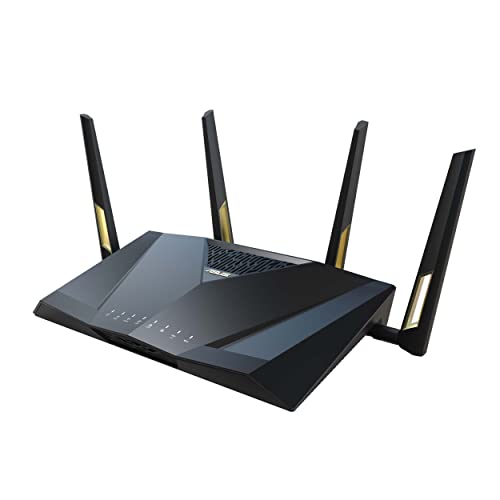
there is currently no need for wifi 7 other than better range in some settings. wifi 6 is plenty of fast enough. I have the RT-AX88U pro and 800mbs+ per wireless client is a bigger pipe than most can use comsidering 4k only uses 35 mbs and most servers cap downloads shy of 800mbs.
Ummm, yes. That's what I am saying. Did it for almost 20 years with charter and then spectrum. About six months ago I switched to T-Fiber. Used their eeros routers for a couple of months and then ditched them and out my old Asus stuff back into play. So currently using the modem device that T-Fiber installs, but my own routers. I never called them to tell them either. Just did it. But for almost 20 years I ran my own modem and router.
That router is a good router. It is essentially the same as the slightly newer RT-AX88U Pro.
Both can use the Merlin firmware, which I highly recommend.
https://dongknows.com/asus-rt-ax88u-pro-vs-gt-ax6000-matchup/
You must have a very large home with lots of metal in the walls, or lots of concrete/brick: I’ve a 2500+ sqft multilevel home and my rt-ax88pro blasts throughout my home and well past my yard, into the neighbourhood. My car connects to it before I’m in my driveway. So I ask, is your wifi coverage lacking from poor router positioning or is it related to the construction of the house?
So your budget is around $300 and you want to learn some networking…
https://mikrotik.com/product/hex_s_2025
And
A ubiquiti u6+ (download the ubiquiti app portal to see pricing in your area direct from them)
You *should* be able to take the fibre out of the AT&T machine, stick it into an appropriate SFP carrier, and then into the hex for routing. The hex should pass enough PoE to power the Ubiquiti AP.
And then, as they say, Bob’s your uncle, and under budget. Even with a Cat6 cable to connect them. Solid little combo that will treat you well for many years to come. And easy to upgrade components as required.
You might consider the U7 Long Range if wifi 7 and maxing the budget are priorities and you don’t want to address things for 5+ years (the hex has enough PoE power to run this one too)
I’ve an ax88pro from Asus. I regret not knowing this when I had to upgrade, and also not having enough time to properly research and acquire kit like this. But I also only have 120Mbps cable, so wifi7 and a fibre router are a bit over the top in my world.
I would suggest bridging your “modem” and set up a wifi router with a wifi Access point. Placement matters for coverage, so if you can get the router up on the 2nd (top) floor, and then run an ethernet cable down to wherever you *need* to place the access point for coverage of dead spots.
Choose your wifi equipment by the client devices- wifi6/wireless AX is probably the most common modern standard (wifi 7 is coming though…), but if they’re older and still working, and have no expectation of replacing them with newer ones in the near future, wifi 5/wireless AC is very affordable and effective with package speeds at 1Gbps and lower.
That said, I’ve a multilevel home that’s about the same square footage as yours, and my Asus RT-AX88Pro covers the house very well, and the yard, and my car and phone connect a couple of houses away. Overkill for my 120/10 isp plan, but higher speeds are getting cheaper in my neck of the woods, so I’m ready internally if my connection goes to 1Gbps+ for the same price or less than I’m paying now. Also only 2 of us, and no more than 10 devices both wired and wireless…I try to go wired over wireless so that the devices that really need it don’t have to cut through noise or fight for bandwidth. (My new iPad seems to want to connect at a link speed over 1Gbps to it 30’ away through a plaster wall…)
Contact your ISP to bridge your modem. YouTube will show you how to set up your router (Asus or otherwise) to it.
I’ve an Asus rt-ax88pro that covers my multi-level home a hair smaller than yours, as well as my yard, and my phone can connect a few houses away well enough to stream podcasts. The trick location/positioning: Mine sits on top a tall cabinet almost at the ceiling of the main level. If you can put one on the top level of your home, as high above everything as possible, and wire it as an AP to the Verizon machine, you’ll get similar results.
I just did what you did but in reverse. I replaced an RTAX88u as my master and an RTAX55u as the mesh node. I installed two Zenwifi BT10 and using the rtax88u in the garage where I still have a dead zone. I have never had internet this fast.
Top WiFi Routers on Reddit
1
GL.iNet
GL-MT6000 (Flint 2)
91% positive of 197 users
OpenWrt enthusiast's choice; good value, but lacks 6GHz.


 AutomaticIron4453





