
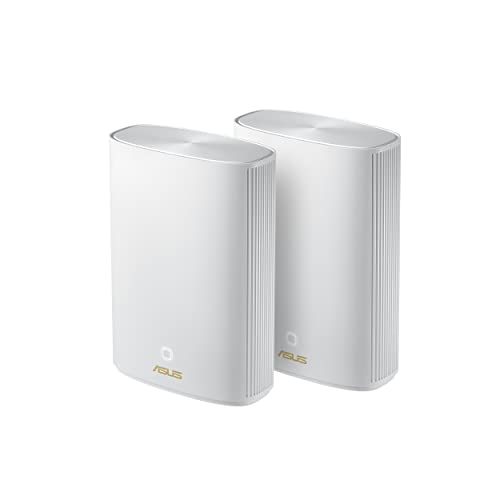
ZenWiFi AX Hybrid (XP4)
Running these analyses costs money. Buy through my links to help keep lights on! I may get a small commission.
Reddit Reviews
 asilthing 1.0
Ehh youre right but i have a similar deisgn with my asus zenwifi xp4 + good provider and it runs like clockwork, stable download speeds and 5ms latency at games (MAX) Also, itll run WAY better than any usb dongle anyway.. ive bought a t3u plus alongisde with my XP4 just incase i might need wireless connection, dongle broke withnin a few months LMAO, ethernet is working js fine though
Itll work solid even if you game on it... The zenwifi is the ace 😮💨😮💨
Ehh deco is cheaper there so why not? Ive reccomended him a 2nd deco unit, (since he already has one) a pcie wifi card and some high quality USB dongles. Its his choice at the end of the day i mean 🤷🏻♂️🤷🏻♂️ ive especially highlighted deco though since i use a similar setup
I'll have to disagree about the benefit.. i use a similar setup (Asus Zenwifi xp4) and its just as good as ethernet. Only 1-2 ms difference in terms of speed (maybe because of the powerline lmao not sure) i knew itll technically work more or less, just had to be sure before reccomending allat to him
Because of deco's old technology or setup order? Because i have a similar setup with a high-end w6 mesh system and it runs perfectly stable n fine
f4cepa1m 0.1Yes, you're almost spot on. Avoid TP-Link Wi-Fi '6' routers. Those and Huawei Wi-Fi '6' routers are known to cause issues. You can use a TP-Link Wi-Fi '6e' router like the AXE75 though, those are great. It's just specifically the TP-Link and Huawei Wi-Fi '6' routers that are an issue. The ASUS AX1800 is an excellent choice! I've used one of those extensively for VR and it's excellent. As long as it's setup correctly I'd easily recommend one.
Wi-Fi 6 I can personally vouch for the ASUS AX1800 or AX3000 routers. Avoid TP-Link and Huawei Wi-Fi '6' routers for VR gaming specifically, they're know to cause issues. Their Wi-Fi '6e' routers are fine though. In terms of connecting multiple headsets to the same router, do you mean you're playing native games downloaded on the Quests [no PC] and are just using the router to get internet to them? Or do you have multiple PCs setup and doing PC VR gaming?
RaiseObvious7482 0.1I'm using the 1800s as a node and my main router is the RT-BE86U. I can say that the 1800s is holding up super well as a node. I recommend the ASUS.
MarysCreek 0.0Asus Expert Router EBG19P seems to have some benefits over Ubiquiti Cloud Gateway, such as more ports. But it's hard to argue the awesomeness of Ubiquiti UI - I love my UDM Pro. Props to ASUS WRT (Merlin) too. Like others said, just turn off DHCP and WiFi on the ATT Gateway and let your router do the lifting. Couple with Asus Zen Wifi or TP-Link Deco mesh system in access point model for expandable, upgradeable wireless. Eero won't support this setup (no AP mode).
andreelijah 0.0I've got that TP-Link and am about to sell it off. Let me know if you want it for a discount, I upgraded to an Asus ZenWifi system for my house now.
mikeintosh 0.0Hello! I have an asus zen WiFi mesh net with two of the three nodes set up. I have Ethernet over coax and have the downstairs node connected via Ethernet. I should (based on the range of these routers) have excellent coverage in the house. I have noticed however my devices sometimes get confused which node it should connect to, resulting in sub par speeds. The nodes are very far apart. When I did add the third node I felt I was getting crazy interference. Any suggestions?
OnlineIsNotAPlace 0.0asus zen wifi. with a house you should have it wired for ethernet anyway. the zen wifi can handle both and 2.5gb in the wifi 7 model.
Sitting-Superman 0.0This is the best of the less optimal situations imho. Optimal would be wired to the first unit like I have with my Zenwifi. But the wireless backhaul on mine is quite good and seems stable. Not sure if it doesn’t drop like wifi sometimes because I typically don’t game on that one.
sunrisebreeze 0.0If you want an easy setup, nice user interface and ability to tweak options/configurations down the road, ASUS ZenWiFi is a good option. Another bonus with ASUS is you can use a mobile phone app \*or\* a web interface on a laptop/computer to manage the system. Many other mesh systems from TP-Link, Netgear, Eero only let you manage them with a mobile phone app. That is fine if you have basic needs but if you want to get more control over settings, often not an option. For example TP-Link may not let you select WiFi channels for its wireless networks. With ASUS you have control over a multitude of settings. Or just leave it on the defaults and if you ever wish to dive into the config, it will be ready and waiting for you. I asked Google Gemini for some thoughts too (another poster used Ai so I gave it a try too). I see ASUS ZenWiFi is in the list along with others. Since your needs don't seem very complex any of these should work pretty well. Unfamiliar with Eero, but you stated they are "difficult" to move into AP mode, no idea why but if you know that to be true then I suppose you could remove Eero from your consideration list. Have fun! Click below image to make it larger... https://preview.redd.it/q9mu50skxxrf1.png?width=925&format=png&auto=webp&s=1fb6721ce7d5fb1ded5fee09f45ed12ce365b752
Witty_Ad2600 0.0Yeah, extenders don't work in big houses. For 3500 sq ft, get a mesh system like TP-Link Deco or ASUS ZenWiFi.Covers everything, no dead zones, no 5G or 2.4GHz.