
GL-MT300N-V2 Mango
Running these analyses costs money. Buy through my links to help keep lights on! I may get a small commission.
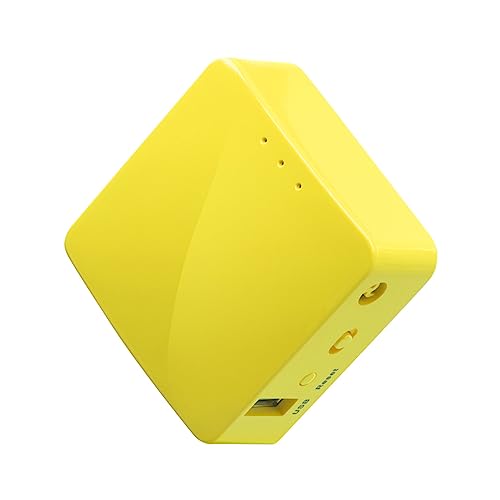
Top Pros
Top Cons
Reddit Reviews
 CrystalMeath 1.0
The Opal is way more capable than the UTR. The UTR’s max transmission power is just 13dBm. An iPhone 17 hotspot (25dBm) is literally 10X more powerful than the UTR, and the GL.iNet Opal is 14X more powerful (30dBm). And that’s before external antenna gain which will benefit the Opal. Even the tiny GL.iNet Mango has a tx power of 20dBm.
dafugg 1.0GL.inet still has the best on price: the mango can be had on sale for 20 USD regularly. I have one installed at a bunch of family member’s houses to VPN 24/7 through to my house. I’ve had none of them fail although one does need a reboot every few months.
dmroeder 1.0I carry a GLiNet GL-MT300N-V2, on Amazon for \~$30. It's USB powered, so I often power it with a portable battery.
Itchy-Ad-8470 1.0Yes new version same size: feature: USB-C, Gigabit LAN, DUAL Band WiFi AC/AX - BE is probably to much for the size. Mango is still a great device (Size and prize), and with full OpenWRT support supported for many years to come. But of course: WiFi Repeater mode is really slow -> 150 MBit (20 MHz) is slowed down to 75 MBit (theoretical maximum). But this is still enough for most hotels. But size and power consumption (<1W) is still a dream. And it's running perfectly with OpenWRT 25.12 RC4.
OneHourRetiring 1.0I have been happy with the Beryl AX connecting back to my FireWalla Gold, using FireWalla’s built-in WreGuard. I used the Mango for awhile and upgraded to the AX and love it. It worked at four airports and several hotels that we visited. My son used it on a cruise and it worked. I probably will give my son the Mango. Edit: I can also connect to my Firewalla with the AX and the Mango using OpenVN. Mango is cheaply built, but does the job for $25. AX is better built. Both use the same web-based OS to manage.
RecentSnow7976 1.0I third this, its been good to me as well.
SortOfWanted 1.0Very bad performance though.
ThatVWguy29 1.0I'm using this same one. AP mode.
Setup its ID and password before putting it in AP mode because you won't know it's IP later, but that's about it.
It ends up being just like you've plugged in. The device in AP mode is essentially "just like a jack" on an unmanaged switch. From factory settings, in it's UI, give it a name and password, then find the mode switch and set it to AP mode. You'll get kicked off it at that point. Then plug it into the network switch you'd normally plug your cable into. From your computer find that WiFi connection and connect to it. You still need to set your IP and gateway up for the network you're connecting to like normal, but you're doing it on the WiFi adapter. I have a separate WiFi adapter (nano USB type) that I named "Wiethernet" so I can use plant WiFi to get to the Internet while connected to the plant equipment network.
I don't believe it'll work easily on a managed switch. I'm sure it can, but I haven't tried. Most equipment I connect to use just an unmanaged switch not connected to the plant. (Old school, ha ha)
Twenty-ate 1.0I can vouch for the exact same router.
CapinWinky 0.8GL.iNet, ASUS, and TP-Link are the established names in nano-routers with GL.iNet being the newer, but rising popularity one. Key features: - Can power with USB (usually means there is a drive, switch, PLC, whatever in the cabinet that can power it without an AC receptacle). - More than one physical port can be very useful. - Client and AP at once mode for sharing public wifi to multiple other wifi devices is great for hotel rooms.