
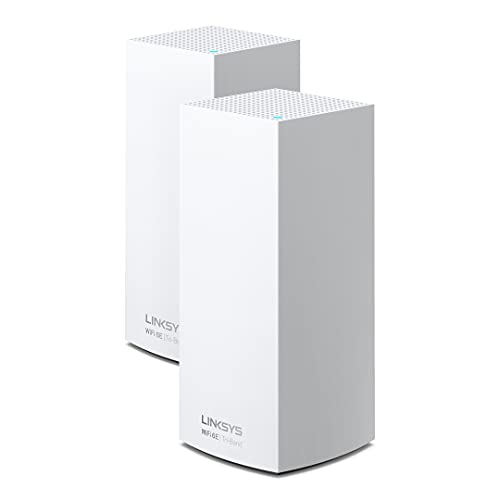
Velop Atlas Max 6E (MX8502)
Running these analyses costs money. Buy through my links to help keep lights on! I may get a small commission.
Reddit Reviews
 dziugas1959 1.0
In reality, the only device that is supported is the „ZenWiFi BT8“, „OpenWrt“ has pretty horrible support in terms of „Wi-Fi 6E“ and „Wi-Fi 7“, there is also the „Banana Pi“, but that is more like a hobby project, than a real router, more like a computer, which does work, but it's most likely not what you are looking for. There is also the „Linksys MX8500“, but it doesn't have the best support in terms of features, as „Qualcomm“ drivers. If only the „Flint 3“ was based on open-source drivers, then it would be a clear recommendation, but if you like stuck on an old „OpenWrt“ version, then the „Flint 3“ is a solid option. Having a „Wi-Fi 7“ router, rather than a „Wi-Fi 6E“ is a actually a good thing, everything gets updated in random patches, you don't go full on upgrade sprees, maybe you will drop your phone and buy a new, which will support „Wi-Fi 7“ and etc. There are very good changes in „Wi-Fi 7“, including range and speed.
Ozwulf67 1.0You dont have to do wired backhaul at all if you dont want to. Been running a three node mesh wirelessly for a couple years. (Linksys MX8500 6E). Main Node (Router) in my Office on far end of the hose. One node halfway down the basement stairs on a ledge in the Middle of the house, and one node in the far corner of the dining room on the other end. Tons of IOT devices, multiple streaming TV's, Console, and I work from Home on VPN all day. My PC gets 950Mbps download, all the IOT works great, all TV's work great streaming. Get a good three node mesh and you will be fine. It works better if the two satellite nodes are about the same distance away from the main node and not in a line (think star connection instead of linear hops). Wireless mesh was designed for wireless backhaul. YES there are advantages to wired backhaul, but you dont need it. Anyone on here that had horrible experiences either didnt know what they were doing, had walls made out of concrete and steel, or had a POS mesh. Go with a Wi-Fi 7 Mesh...BE63 is cheap and works great after F/W updates. If you can swing it, get the better tier BE67/68 or even step up to the BE77.
SlightlyMotivated69 1.0I've bought myself a set of three Linksys Atlas MX8500 recently. They have a 5Gbps WAN port, Wifi 6E and USB.
a_sneaky_tiki 0.7gigabit ethernet is plenty (1G).. 6Ghz is not essential, at least 5Ghz is though.. you aren’t going to get much distance out of 5 or 6Ghz anyway, they’re high bandwidth signals but have low range, ideally you need to be within line of sight of the router.. i spent $90 on a Linksys WiFi 6E and get a 2400mbps connection to the headset, but like you said my PC’s ethernet is only Gigabit.. but having the overhead, especially in the WiFi connection, doesn’t hurt anything
Dmtammaro 0.7I had plume pods which worked really well but they had a device limit and I far exceeded that. I tried obi for about 4 days and had nothing but problems then I went to the Linksys 6e (wired backhaul) setup which worked well for a while until one day it didn’t. I even reset everything and HomeKit devices were still dropping. The worst part is that I invested so much time and money into everything. Now i dropped about 1300 on my unifi setup which worked well is slowly expanding and costing even more haha. I’m done with AP’s (3 U6E) cameras are up next but I need to upgrade my 16 lite switch to a pro switch due to power consumption. I’ll slowly be adding 4 more cameras and possibly a doorbell
Otherwise_Pomelo8447 0.6I have the Linksys Atlas and it has been solid for our mix of HomeKit, Google Home, laptops and various other interwebs. We are a high use household with two adults WFH and two teens who stream and game and we have had zero connectivity issues.
butterwm 0.2I had a TP-Link BE85 setup before this and returned it because of constant disconnects which is a known issue with them. I felt like their speeds were higher than Eero but the disconnects and the complexity of three separate SSID’s versus a single one made Eero a better choice. Prior to that, I owned an AMPLIFI Alien setup that I really liked. One of my units started having issues and needed replaced after several years. AMPLIFI has decided not to continue supporting the Alien product anymore so that was stuck on WiFi 6. Before the AMPLIFI setup I owned a Linksys Velop system and it was absolute trash. I don’t think there is a such thing as a perfect mesh system because if there was I would have bought it. That being said, I am sharing the same frustrations as you with the recent firmware updates.
guichanism92 0.2Installed Deco x68s at my place, x55s at in laws, x55 pros at friends, and Linksys Velops at other friends, all hardwired, rock solid and roaming works flawlessly. All of them having 20-30+ clients.
Initial_Savings3034 0.2Mesh systems were built for this application. I'm a longterm satisfied Linksys Velop user.
MuckleEck 0.2I have just moved to Unifi from Linksys due to the constant issues with the Velop mesh. All wired and seems to be working very well. Even the Mrs is happy