I have a UCG Fiber gateway and U7 Pro Max, best investment since testing Eero max 7, that Netgear nighthawk 700s thing and even the ASUS BE-98 pro.
Yes you can get a POE injector and power up the AP and place where you want it to go. You will need to adopt it initially, but after that, it will use mesh if it cannot get a wired connection.
Highly highly recommend UniFi over consumer overpriced junk. I love ASUS, but it’s often expensive and overkill, and offers no huge benefits.
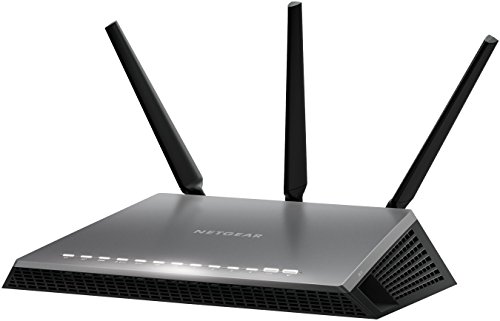
yeah I stopped buying gaming routers 4 years ago. I was on my 3rd nighthawk - they would no joke die consistently 2-3 months after their warranty expired. 3 of them in a row, like clockwork.
I went with a mesh system and I am very pleased with it. it allows me to have solid fast wifi in my detached garage, which wasn't possible with the gaming router. and I have overall way better signal on the other stories of my house. I get close to 1 gig on wifi now. the mesh system, which includes 4 routers, was also cheaper than my nighthawk.
never going back tbh
You can totally get away with 1 router.
How I have it set up, is I have a 5HGz router (nighthawk) controlling all my home WiFi needs. Off the back of that router, I have a Ethernet cable going to another router (my BE9300 TP link) and that’s in my room.
My BE9300 broadcast its own WiFi 6GHz network, aka my dedicated VR network that nothing else is on it.
A common misconception is that streaming VR to your headset uses your internet connection. This is completely false. It just used the WiFi band AS its connection to your headset uses set. This is how you can play WiFi with no internet on standalone games completed disconnected from the web.
What can cause issues is when multiple devices are fighting for the connection and it can intermittently interrupt the VR connection from time to time making to jarring.
When I used my 5GHz network on my nighthawk there was noticeable hitches and high latency issues at times. Ever since I swapped to my 6GHz BE9300 it’s been flawless.
So your set up would be like this:
Modem > Router (for home WiFi) > ethernet to VR router > VR router Ethernet to PC
If you want to try without a dedicated VR router it’s this:
Modem > Router > Ethernet to PC
It’s pretty simple and isn’t complicated as people make it out to be.
I’d recommend watching this if you’re interested in the VR router setup. But if it’s in the same room that you’ll be gaming on, you can probably get away with a router that just does triband (2.4,5,6GHz) networks
https://youtu.be/9Ugy8ZC26tE?si=YojtyVEOvNc--3GB
IMO the ubiquity lacks cpu power. You will get latency spikes as you load them up. The ROG is a good choice, same with the Nighthawk. A great setup would be to setup one central ubiquity for all low priority devices on 2.4g then use the ROG for all the high priority devices on 5ghz


 Fantastic-Buddy2069





