
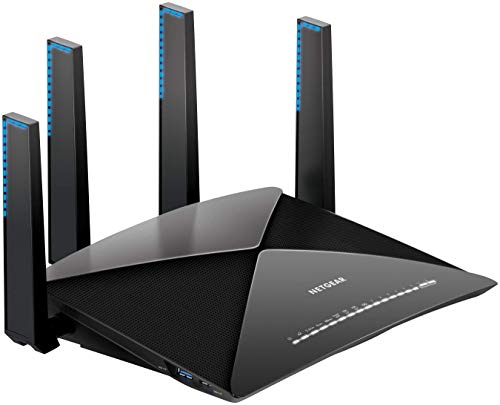
Nighthawk X10 R9000 AD7200 Smart WiFi Router
Running these analyses costs money. Buy through my links to help keep lights on! I may get a small commission.
Top Pros
Top Cons
Reddit Reviews
 HuyFongFood 1.0
I just upgraded from a Nighthawk R7900P to a R9000 and it made a noticeable difference in both speed and stability. The old R7900P is now in AP mode for the other side of the house. Here’s the best part: I picked them both up at the local thrift store. Threw the latest firmwares at them and they’ve been great, other than the older 7900 being a bit slow to respond and taking longer to boot, etc. I feel that buying older equipment that has had time to get the necessary updates, has lost its value and otherwise has had the outright failures weeded out tends to work better for me. Sure, they aren’t the latest and greatest, but most of us don’t need that. We just need reasonably stable devices that support the devices and features we use and provide the security and support to keep us reasonably safe.
RonaldHarding 0.1With a descent router wireless is nearly as good as wired these days. I speak as someone who was once a 'wired network' purist for the same reasons as you, and also someone who works from home. A good router, set in a centralized place will probably be a cheaper and simpler solution than wiring everything together. I use one of those nighthawk routers with four antenna. Alternatively, doing data cabling runs throughout your house can be in DIY territory. It would be much cheaper than hiring a contractor and you could be done with it in about a day depending on how many rooms you want patched in and how much you care about wire enclosures being visible. Lots of people just put cable mounts in the corner near the ceiling and run them outside the wall.
With a descent router wireless is nearly as good as wired these days. I speak as someone who was once a 'wired network' purist for the same reasons as you, and also someone who works from home. A good router, set in a centralized place will probably be a cheaper and simpler solution than wiring everything together. I use one of those nighthawk routers with four antenna. Alternatively, doing data cabling runs throughout your house can be in DIY territory. It would be much cheaper than hiring a contractor and you could be done with it in about a day depending on how many rooms you want patched in and how much you care about wire enclosures being visible. Lots of people just put cable mounts in the corner near the ceiling and run them outside the wall.
promaster9500 0.0I dont know about this model but fuck Netgeat Nighthawk. I owned a different one few years ago that was supposed to be a a high spec version, and it caused me infinite problems, which all disappeared when I bought a different one.
Academic-Swimming919 0.0I agree. I have tried numerous Netgear products, going back to a PCMCIA card, and all of them have had problems. The last Nighthawk I had constantly resulted in "Connected, No internet" for too many devices.
Accomplished-Ruin945 0.0I moved from a Netgear Nighthawk router and extender to an Orbi network... Well worth it to me.
AppropriateDevice84 0.0They were all WiFi 6. I used a Nokia linksys Atlas, a TPLink one and a Netgear Nighthawk. Except for the Nokia (wifi5), none of them even came close to the signal penetration I got from the GLinet flint 2.
aztekca 0.0Yeah their speeds are terrible man! I swapped out to a nighthawk router for $300 at Best Buy has been worth it
Bananaland_Man 0.0they are awesome on a deal, and netgear nighthawk are fantastic... not that thing you linked...
CapRoyal2192 0.0May mga spare Netgear Nighthawk ako na ginamit lang for testing. I can sell to you if need mo for a very cheap price. Dual band and of course gigabit ports na plus stronger wifi signals.
ChickenEmbarrassed10 0.0Second this. I've got a Netgear Nighthawk router too and have been very happy with it.
I'm using a Netgear Nighthawk router and have been happy with it.