I have no experience with this router, so I cannot vouch for this specific model. That said, I feel like I should present what is probably an unpopular opinion on Reddit:
Deals for consumer\gamer level networking gear like this tend to get downvote bombed because the popular opinion is that semi business level gear from Ubiquiti and others is so much better that no should be buying anything else.
I went down that road for several years when helping friends and family with network upgrades (usually Edgerouter-X and a Unifi AP). What I found was that it was no more reliable than a decent home router\AP, and in a lot of cases it was actually MORE finicky, with well known issues and complications. The fixes for those, if they existed, were at times beyond my skill level as someone who isn't a networking professional and has no knowledge of the Linux command line (if it was MS-DOS I might do better... LOL). So, I had to rely 100% on solutions people came up with online, and the actual homeowner could basically do nothing on their own.
Anyway, some of those users have since switched back to a decent consumer level gear from Asus or others and they never have any throughput or reliability issues when I ask them.
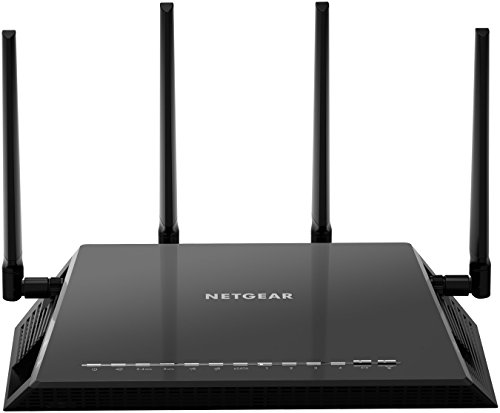
Me personally? I bought a Netgear R7500v2 for $50 on post-black-friday clearance from Walmart in 2015 (it was $200 normally) and it has worked flawlessly for 10 years. The wireless throughput is plenty for my devices and it has been rock solid (up to date third party firmware is available for this model).
The secret to having reliable internet for me has been to have my router + modem on a battery backup. So, it only goes down when I manually reset it or the ISP is having issues, and small dips in power do not cause the router to get stuck in a non-functional state.
So yeah, if you are interested in learning about networking, the slightly more pro-oriented gear is probably good, but don't disregard consumer level gear. It can most definitely work fine, even for PC enthusiasts.
yeah I stopped buying gaming routers 4 years ago. I was on my 3rd nighthawk - they would no joke die consistently 2-3 months after their warranty expired. 3 of them in a row, like clockwork.
I went with a mesh system and I am very pleased with it. it allows me to have solid fast wifi in my detached garage, which wasn't possible with the gaming router. and I have overall way better signal on the other stories of my house. I get close to 1 gig on wifi now. the mesh system, which includes 4 routers, was also cheaper than my nighthawk.
never going back tbh
You can totally get away with 1 router.
How I have it set up, is I have a 5HGz router (nighthawk) controlling all my home WiFi needs. Off the back of that router, I have a Ethernet cable going to another router (my BE9300 TP link) and that’s in my room.
My BE9300 broadcast its own WiFi 6GHz network, aka my dedicated VR network that nothing else is on it.
A common misconception is that streaming VR to your headset uses your internet connection. This is completely false. It just used the WiFi band AS its connection to your headset uses set. This is how you can play WiFi with no internet on standalone games completed disconnected from the web.
What can cause issues is when multiple devices are fighting for the connection and it can intermittently interrupt the VR connection from time to time making to jarring.
When I used my 5GHz network on my nighthawk there was noticeable hitches and high latency issues at times. Ever since I swapped to my 6GHz BE9300 it’s been flawless.
So your set up would be like this:
Modem > Router (for home WiFi) > ethernet to VR router > VR router Ethernet to PC
If you want to try without a dedicated VR router it’s this:
Modem > Router > Ethernet to PC
It’s pretty simple and isn’t complicated as people make it out to be.
I’d recommend watching this if you’re interested in the VR router setup. But if it’s in the same room that you’ll be gaming on, you can probably get away with a router that just does triband (2.4,5,6GHz) networks
https://youtu.be/9Ugy8ZC26tE?si=YojtyVEOvNc--3GB
IMO the ubiquity lacks cpu power. You will get latency spikes as you load them up. The ROG is a good choice, same with the Nighthawk. A great setup would be to setup one central ubiquity for all low priority devices on 2.4g then use the ROG for all the high priority devices on 5ghz
You just need to create an account and load an app on your phone to set it up. I find the Unifi app to be substantially better and more intuitive than the Netgear Nighthawk app I had for my last router. Lots of youtube videos on how to set it up too. Super simple. Only warning I will give you is that the system will tend to grow over time. I started with a gateway, switch, and two access points a year ago. Now I have a NVR and 5 cameras too, as well as a couple outdoor AP’s.
Top WiFi Routers on Reddit
1
GL.iNet
GL-MT6000 (Flint 2)
91% positive of 197 users
OpenWrt enthusiast's choice; good value, but lacks 6GHz.


 ozzuneoj





