For 10 Mbps up, you don't need much. Look for used:
Modem: Arris SB6183 or SB6190 - docsis 3.0, cheap, reliable. 20-30 used.
Router with SQM:
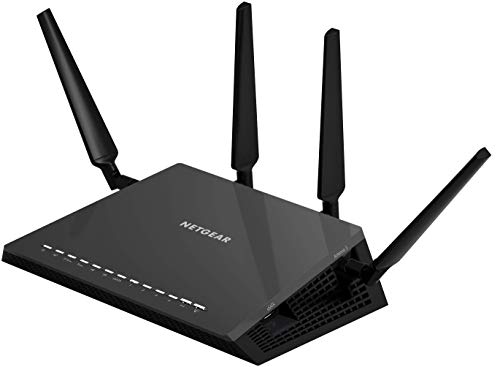
- Netgear R7800 - OpenWrt supported, cake SQM works great. 40-60 used.
- Linksys WRT3200ACM - same, good SQM. 50-70.
- Ubiquiti Edgerouter X - 30-40, SQM built-in, but no WiFi (add access point).
Mesh:
- TP-Link Deco M4/M5 - 30-50 per node used. Good enough for your speeds.
- Netgear Orbi RBK20 - older but solid, 60-80 for pair.
Cheapest SQM option: Keep Xfinity modem, buy used R7800, flash OpenWrt, enable cake. Done.
Your bottleneck is the 10 Mbps line, not the hardware.
Best? LOL. I use the cheapest gear I can find and I flash OpenWRT on it. My router is 10 years old (Netgear r7800). I pulled it out of a recycle bin. It's an amazing router. I have over 50 devices connected, working perfectly. 20ms pings. 250mbps transfer (on a 300mbps ISP subscription).
What model of router are you using? Is it personally owned, or was it provided by your ISP?
have an old nighthawk Netgear x4s netgear like that and it works very well downstairs, pushing the signal upstairs as well. But I also have another router AP upstairs, connected via telephone wire as ethernet, for the heck of it, but I seldom connect to it.
The Netgear R7800 is a WiFI 5 router, which should reliably support about 250-350 Mb/s (potentially slightly more) assuming you have decent signal coverage.
For 3000 sqft I'd say you most likely need an additional AP to get full coverage.
You haven't told us what speed you're paying for, or what speeds you're seeing, which will be relevant to the discussion.
Also, what kind of device are you using to test, and how are you testing the speed?
That speed lines up with a WiFi 5 router's capabilities.
If you get a new router that supports a newer WiFi standard AND all of your client devices are also compatible with that standard, you will probably see a bit higher speeds, but 1) you're probably pushing the limits of what a single router can realistically cover, and 2) I understand you're chasing higher speeds, but what actual problem are you trying to solve? 300 Mb/s is generally enough speed for pretty much anything you're trying to do unless you're doing something like content creation with massive uploads, etc.
yeah I stopped buying gaming routers 4 years ago. I was on my 3rd nighthawk - they would no joke die consistently 2-3 months after their warranty expired. 3 of them in a row, like clockwork.
I went with a mesh system and I am very pleased with it. it allows me to have solid fast wifi in my detached garage, which wasn't possible with the gaming router. and I have overall way better signal on the other stories of my house. I get close to 1 gig on wifi now. the mesh system, which includes 4 routers, was also cheaper than my nighthawk.
never going back tbh
Top WiFi Routers on Reddit
1
GL.iNet
GL-MT6000 (Flint 2)
91% positive of 197 users
OpenWrt enthusiast's choice; good value, but lacks 6GHz.


 elreomn





