NETGEAR

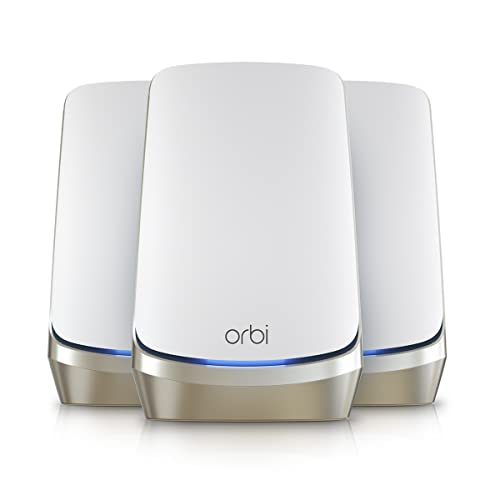
Orbi 960 Series Quad-band WiFi 6E Mesh 3-Pack (RBKE963)

NETGEAR Orbi 960 Series Quad-band WiFi 6E Mesh 3-Pack (RBKE963)

Running these analyses costs money. Buy through my links to help keep lights on! I may get a small commission.

Overall

#193 in

WiFi Routers

according to Reddit Icon Reddit

Sentiment score55% positive
6
2
3

Top Pros

Top Cons

Last updated: Jun 9, 2026

Reddit Reviews

Reddit Iconapcman11
2 months ago

I currently have a Orbi 960 mesh set up with a 2 gig down and a 1 gig up connection. Unfortunately my house is not able to get wired easily, I got quotes from several electricians and IT folks and it would be a mess and not worth it. Would upgrading to WiFi 7, say a Orbi 970 or Asus Zenwifi 16 pro help at all ensure the satellites get closer to the full speed in paying for. The main node is getting pretty close to that but the satellites drop off. Just don’t want to upgrade and not see a good improvement in speed. Thank for everyone’s input.

Reddit IconGuilhermedico
7 months ago

Orbi mesh 6e model RBRE963E with satellites. I've used it with Sonic since it was released in late 2021 and it has been reliable. Pricey, but I understand Netgear has released less expensive Orbi mesh routers in recent years.

Reddit Iconnefarious_bumpps
4 months ago

If your phone is dropping off WiFi it's probably due to weak signal. Upgrading to WiFi 7 won't necessarily improve signal range. What you might need are APs or a "Mesh" system with better antennas to improve your signal. These are the models my network planning software indicate have the best signal range (> 29dBm signal): * Eero 6, Pro 6, Pro 6E, 7 (not the Max 7 or Pro 7) * TP-Link Deco BE63, BE65 Pro * Netgear Orbi RBE770, RBE771, RBE973, RBKE963, RBR850, RBS850 There might be additional, newer models that also put out > 29dBm. My network planning software doesn't list every consumer-level mesh system, and mesh system manufacturers don't specify power levels in their specs. Ironically, these are all "Mesh" systems; standalone APs put out around 20-24dBm. Each 3dBm results in twice the signal strength, so the difference in range between 23 and 29dBm can be considerable. To get > 29dBm from an AP you'd have to step up to an audience-level AP that would cost over $500 each. It doesn't matter whether you use APs or a "Mesh" system with wired Ethernet backhaul. I put "Mesh" in quotes because, according to standards, that only applies to nodes interconnected via WiFi. But consumer brands have hijacked the term to describe both wireless backhaul and support for seamless roaming (802.11k/v/r). Anyway, APs tend to be more expensive than Mesh systems, and most require a controller (on the same brand router or dedicated appliance, or running on a Win/Mac/Linux or cloud system) to support seamless roaming. The only benefit of using an AP vs Mesh system is support for multiple, user-defined VLANs/SSIDs instead of the standard two or three VLANs that can't be modified (main and guest, sometimes also an IOT network).

4 months ago

Empirically, this is not true. Unless you go with an UniFi LR or highly directional Audience APs, all major brand APs put out between 20-23dBm. However, there are certain models of Eero, Deco and MicroTik APs that put out up to 31dBm. * The U6-LR and U7-LR are higher at 26 dBm, and the UniFi E7-Audience provides 30 dBm. * Some Netgear devices provide 30dBm (RBE770, RBE771, RBE973, RBKE963, RBR850, RBS850, WAX625, WAX630E, WBE718, WBE758) * The Amazon Eero 6, Eero Pro 6, Eero Pro 6E, and Eero 7 (but not Eero Pro 7???) do 31 dBm * TP-Link Archer AX90 (AX6600) and Deco BE63, BE65 Pro are rated at 30 dBm * Several MicroTik devices put out between 27 - 30 dBm Standalone APs typically provide better coverage for two reasons: 1.) being ceiling mounted, they are above common obstacles such as furniture, appliances and people, 2.) They concentrate signal down and out, maximizing the benefit of being on the ceiling.

Reddit Iconnetadmn
about 2 months ago

Switched from netgate pfsense to firewalla gold plus. It has just enough levers and knobs to keep my happy and all the tools I need to support the family from anywhere. Wireguard works flawless when I'm away from home. I'm using netgear orbi 963 (6E) in AP mode behind that. Pretty stable setup even with the mesh.

Reddit IconRazor512
2 months ago

For the Orbi 970 under WiFi 7, speeds are decent, but sadly not as good as I would like. With an Intel BE200, and copying files from my NAS, speeds mainly stay in the 3.9Gbps range on my laptop (same room as the AP, and a distance of around 8ft) PS, the Orbi 870 uses the same client side WiFi radios as the 970, but lacks the dedicated backhaul radio, but since it has many spatial streams, it can still provide a 2 stream client device with over 2Gbps over a wireless backhaul. Also the MLO link between the satellite units will only utilize the 5GHz and 6GHz band, and the 2.4GHz band is intentionally excluded from the MLO (causes too many issues in dense/ congested areas, and sadly they do not make that a user controllable option). PS, if your house has coax, you should also consider going with MoCA, and do a 2.5GbE backhaul. With 802.11ax and 2 streams at 160MHz channel width, both the 5GHz and 6GHz band can offer 1.9-2Gbps pretty reliably, and often you can turn an old WiFi router into an AP, while you likely will not get all of the usual roaming assists, modern client devices are pretty good about self directed roaming. This can ultimately allow for a lower cost, especially if throughput needs are not uniform. For example, if setting up an AP in the bedroom, and will mainly relax in bed and enjoy some anime, odds are that getting 1.2-1.5Gbps will not be much of an issue. Then in the home office or any other location where you are likely doing more work, a 320MHz channel width connection would become useful when you are backing up to your NAS https://preview.redd.it/qsnemntn6fug1.jpeg?width=1477&format=pjpg&auto=webp&s=6c95519523ce734d1a30a7801ecba386b77a827d

about 2 months ago

What are the primary building materials of the interior walls? and if it is an older home, do you know if any rooms ended up with additional insulation e.g., some will put insulation in the bathroom walls as well as some bedrooms to dampen some noise, and in the case of some older homes, they may have used foil backed insulation (it was like that for the bathroom and and 1 of the walls separating a bedroom and the living room of my house that was built in the 1950s). (PS similar issues can happen with some decorations as well, e.g., a large mirror mounted to a wall. Due that insulation, it impacted where i needed to place APs within the house to improve coverage and throughput, I currently use a wired backhaul, but the positioning heavily impacted the wireless backhaul as well when testing. Depending on the construction, your current Orbi 960 may also benefit from different placement if you have any of those construction challenges.

about 2 months ago

It largely depends on the antenna configuration as well as the RF frontend. For example, it is not uncommon to see a WiFi client with a negative gain antenna, and lower receiver sensitivity compared to a decent AP that doesn't need to compromise on antenna design or RF components to achieve lower power draw as well as fit a the aesthetics and form factor of the client device. In suboptimal cases like that, the AP with better antennas and better receiver sensitivity can handle a weaker transmitter of the client device, while the AP having a higher transmit power can allow the client device to maintain a higher PHY rate, especially for the downloads. This is especially the case for home networks where users are typically trying to cover a lot more space with fewer APs. In many smartphones, you will often see a -3 to -5 dBi antenna, along with a 17-20dBm transmit power. On many laptops, you will often have a better WiFi radio, and antenna, but you run into other challenges of cable loss, where the wire leading to the antenna can easily cause 2-3 dBi of loss. With that in mind, it is still common for APs (at least on the 5GHz band, to deliver 25-30dBm, especially in non-DFS channels. While you will always run into diminishing returns and eventually even cause issues, e.g., 30dBm will sometimes reduce throughput when a client is within 1-2ft of the AP, if their WiFi radio is more prone to receiver overload, when done right, the AP will be able to transmit at a higher power level to overcome some of the receive deficiencies of the client device, while also being able to handle weaker transmissions from the client device rather than hoping that client device makers no longer compromise on the antenna and other RF frontend components to meet other design goals.

Reddit Iconwhoooocaaarreees
3 months ago

Normal “home setup” is all over the map on this sub. Most important - What is your budget? What’s size, layout, and construction method of your home? How “solid” of an experience do you want? How much effort are you willing to go to? For example : Do you absolutely need mesh’d WiFi access point Can you do wired access points? (MoCA or pulling cable if there isn’t a cat cable around). For example: Are you willing to put access points on your ceiling? Do you need other networking infrastructure like switches in the mix? Do you need poe applications like cameras? Do you want / need vlans? What and where are you iot devices (inside, outside, both)?? We had orbi (700 series) for a bit, was very frustrated with it and very disappointed by it. Stability was not something they figured out. The number of times my wife would text or call me to ask why the wifi didn’t work was insane. Everyone I know personally (friends/family/coworkers…) who has had orbi has left it and been happier to have done so. I think the rbr50 stuff was probably the last “stable” stuff they put out and it’s long since eol. I dispose orbi these days. They tend to try and milk their customers on subscriptions while they remove features and ship buggy af code to their over priced units that don’t scale and don’t play well with their other models. I went to ubquitu unifi. Might look complicated up front but it’s easy. Larger ecosystem than many and single pane of glass management for things when you want it. I also have visibility into a few other “sites” that are friends and family’s homes or small business. They don’t complain about wifi issues anymore since leaving orbi either. Some friends I have went from orbi to Eero as a more economical alternative than unifi. I hear a lot less complaints from them than I used to - so by that metric it’s better than Orbi. I don’t have visibility to these networks to monitor or anything. So it’s more of a “how often do they complain or ask me about an issue metric”.

3 months ago

Orbi wifi 6 and wifi 7 gear is significantly less reliable than the older rbr50 stuff. They charge Cisco meraki money and yet offer sub par feature sets compared to offerings that cost significantly less. I personally hate Orbi after having their gear for a bit and having to help friends and family with Orbi setups.

about 1 month ago

I’d get Eero before tp link. I’d get tp link before orbi. As an ex orbi user, I’d choose a lot of things before I ever willing paid for orbi gear ever again. _I’m on unifi now, and much happier with things. I get that might not be the right choice for everyone._

4 months ago

Just for another data point. I hated Orbi with a passion. Unstable. Features removed with releases. Several bad firmware releases by them. Missing features compared to competitors offerings. Even if you think those issues won’t affect you - I’ll give you something else to consider. You need big bang upgrades on orbi hardware typically as they don’t have wide support between new satellites nodes (rbs) with older router nodes (rbr) and Vice versa. Like sometimes even one model back. Which sucks when say you want to add one satellite that supports some newer standards to maybe replace one older. You pretty much end up needing to replace all the orbi hardware at once. They also have a more limited device ecosystem. Want modern outdoor units? Nope. Want to manage your wired physical switches? Nope. Leaving orbi was one of the better decisions I’ve made. My wife has not texted me a single time since leaving orbi asking what’s wrong with the internet or wifi. That used to be a weekly thing with orbi. There are just as good options as Orbi for much less or much better options than Orbi for the same price - IMO.

4 months ago

Orbi satellite compatibility chart can be found over here: https://www.netgear.com/hk-en/blog/home/orbi-satellites/ I stand by my statement that people can’t usually mix their old orbi hardware with anything that supports newer technologies at the access points. Unlike some orbi competitors that have much better track records for mix and match. Also let’s be honest. Orbi tops out at 3-6 satellites depending on the model / generation. That’s not enough for a lot of people now. Orbi also doesn’t support Vlan tagging on wifi clients. That’s basic table stakes now for a flagship system that runs 1k and up these days. They don’t have switches. Onc Orbi doesnt have the ability to manage netgear switches so if you have any meaningful wired infrastructure in your home you are out of luck. The Orbi app is a pos. It’s had known bugs for about a decade saying things are offline while they are also saying clients are connected to them and passing traffic. All of those things would be more palatable if Orbi didn’t want ~1k usd for their current setups. If they were priced like the bottom tier pos they are I’d give them a bigger pass. For 1k usd people can do so much better. For 300-500 they can get something that’s more stable than Orbi and has feature parity. Also you do you, but I’m not bragging about running 9 year old equipment with known vulnerabilities

4 months ago

>_You are mixing apples and oranges. Is the Orbi system perfect, hell no. Does equipment need to be updated periodically, hell yes._ It’s _how_ it needs to be upgraded that’s the issue. You have to whole sale replace everything. >_Again, while it's not a great idea to run 9 year old mesh routers, give me another system with similar longevity and zero failures except for power outages and ISP failures._ Eero, unifi, omada, Meraki, Aruba… you want me to keep going? >How in the hell do you use a router to manage switches? You really are unaware what else is out there aren’t you. It’s like Stockholm syndrome in orbi land. The rest of the of the netgear soho ecosystem stuff that’s in the orbi netgear price point? All of Unifi? Omada? I feel like mentioning anything from Aruba, Nokia, meraki/cisco here would be redundant but also rapidly moving into enterprise level. >I used to regularly do that and just connected directly to the switch. Also, 3-6 satellites for a home?? I have 2 and do well with a 2,000 square foot home. My sister's similar system functions well in a home twice as big with 3 levels. Once you get into modern 6ghz the penetration is less. It’s easily to want / need many access points depending on the building materials used in the structure. Like concrete walls vs brick walls vs timber framing. I have three indoor access points, one for each floor logically. I could go more dense if I wanted more 6ghz coverage. I have two outside for the front and back. I could easily add one or two in the outbuilding/shop or near a fence line. If I don’t have wifi coverage, I’m not getting a phone call most of the time, cell coverage is still terrible in places. >Oh...the system the original poster mentioned, orbi 370 BE5000 Dual-Band Mesh Wi-Fi 7 System with one satellite lists right now at $250. That's a bit off your $1,000 quote. Orbi 970 is 1k easily. The orbi 370 has no 6ghz radio. >Also, I have absolutely no problem with the Obi app and in my home it connects close to perfectly with 7 computers/tablets and a couple dozen IOT devices. Yet any given week there are posts on the orbi sub about “why does the app say it’s offline” and the responses are “known bug”. >They all show up in the app. I did have to do a bit of detective work with my IOT Dyson fan but that was because Dyson broadcasts a combo of letters and numbers without any connection to a fan or the Dyson company. But it showed up and I can use my Amazon Alexa apps to control/communicate with it, my TV, my satellite dish, my kindle tablets, iPad, iPhone, dish network video/stereo receiver, etc., etc. etc. The system also works well when my daughter's family shows up and add another half dozen devices. Isn’t that bare minimum table stakes? Are you doing anything beyond just letting them raw dog your network? >And probably most important for the vast majority of users, it works with minimal IT skills. BTW, I ran an entire school districts computer system for over a dozen years until I retired. Bragging you ran a school district it isn’t a good look if your are bragging that your are running gear that years past its EOL with multiple known published vulnerabilities. >I built the system from a few dial up computers to a system that provided one on one fully networked computers for every student and multiple labs in every school. Would I recommend an Orbi system for those schools?, hell no. But the larger of those schools at times will have 300-400 computers operating on Wifi at any given moment. (Those schools are currently using Ubiquiti Unifi systems with VLANs connected with Cisco Switches and routers.) So you do have experience with setups that can manage WiFi access points and switches as a single pane of glass?

4 months ago

I think you are an orbi apologist that has stockholm syndrome for their products because you arent willing yo admit to yourself that the brand you have fell off and compared to similarly priced systems there is significantly better options out there up or down Orbi’s product offerings. I’ve don’t volunteer work on schools on reservation land and broke af charter schools. I’m familiar with their struggles. None of that changes the fact that orbi is a terrible option to recommend someone go buy today with their current offerings.

4 months ago

If you’ve had 9 years of “bullet proof” or even 6 years of bullet proof service from orbi and you can prove it with actual fucking monitoring and metrics, not just “I never noticed it went out” - I’ll eat my hat. They pushed bad firmware after bad firmware for at least 3 years you supposedly had bullet proof service. They have a list of vulnerabilities long enough that you probably never patched. And then your going to tell me patching shit just isn’t something done in school it workers, cuz you are sooo knowledgeable about shit. Orbi is crap. If you could pull your head out and look around you would know it. There are plenty of less expensive options. There are plenty of options that cost the same that are far better, and easy as hell for people to use.

4 months ago

I work for a data center company. Shitting on orbi is just a hobby. Saving people from making the mistake I did.

4 months ago

Orbi is terrible. I think RTings rightfully just put them on blast for their deceptive labeling. Seriously I could fanboi for my favorites but I think my number one recommendation for people is to just not do orbi. Sincerely, ex-orbi user.

Reddit IconAvinor_Empires
9 months ago

Since I've had Sonos gear in my house, I've run three mesh wifi routers: a Netgear Orbi, a Tp-Link XE-75 Pro and now a Eero 6E. By far the Eero has been the easiest, most stable and most reliable of the bunch. The TP-Link was absolute garbage and nothing but a headache for the 6 months I had it.

Reddit Icondaveg1701
6 months ago

If you need to go mesh and not hardwired for the APs. I’d recommend Netgear Orbi. They use a dedicated radio frequency for backhaul between the mesh. That leaves 2 bands for WIFI only. Competing products, such as Ubiquiti, typically share backhaul on one of the WiFi bands and that reduces client throughput. I’ve had 2 different generations over the past 10 years and it works well. I upgraded because I wanted the faster backhaul and WIFI 6 on the newer gen not because I had an issue with the old system.

Rankings by Use Case

Top recommendations from others in the same boat

Other Reddit Recommendations: