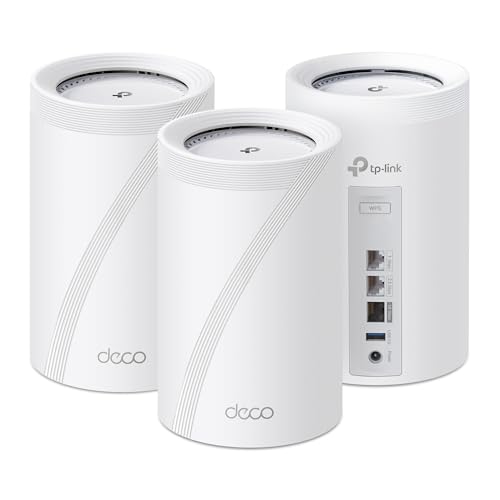
If you hard wire the mesh nodes to the mesh router, you are basically getting AP's. You didn't mention your network experience level or needs so Unifi may be a bit much for you. You only need two Ethernet runs from the mesh nodes to the main mesh router, that's it. Each floor can WiFi very well to the mesh node on that floor. As others have mentioned, best bang for the buck right now is the TP Link Dexo BE63 3 pack. Very easy to setup.
People should not be recommending Unifi to everyone, it's not for everyone. (Not to mention their latest software update bricking a lot of systems.). Yes they are the one of the nicest producer products (personally like omada better) but for every day joes nothing beats the simplicity of mesh and if you only hardwire the backhaul on the nodes, you get AP's. BE63 definitely the best for the money. I like the BE67 and BE68 (Amazon & Best buy) bit you can save money by getting the BE63 and still have multi gig backhaul.
You dont have to do wired backhaul at all if you dont want to. Been running a three node mesh wirelessly for a couple years. (Linksys MX8500 6E). Main Node (Router) in my Office on far end of the hose. One node halfway down the basement stairs on a ledge in the Middle of the house, and one node in the far corner of the dining room on the other end. Tons of IOT devices, multiple streaming TV's, Console, and I work from Home on VPN all day. My PC gets 950Mbps download, all the IOT works great, all TV's work great streaming. Get a good three node mesh and you will be fine. It works better if the two satellite nodes are about the same distance away from the main node and not in a line (think star connection instead of linear hops). Wireless mesh was designed for wireless backhaul. YES there are advantages to wired backhaul, but you dont need it. Anyone on here that had horrible experiences either didnt know what they were doing, had walls made out of concrete and steel, or had a POS mesh. Go with a Wi-Fi 7 Mesh...BE63 is cheap and works great after F/W updates. If you can swing it, get the better tier BE67/68 or even step up to the BE77.
If you hard wire the mesh nodes to the mesh router, you are basically getting AP's. You didn't mention your network experience level or needs so Unifi may be a bit much for you. You only need two Ethernet runs from the mesh nodes to the main mesh router, that's it. Each floor can WiFi very well to the mesh node on that floor. As others have mentioned, best bang for the buck right now is the TP Link Dexo BE63 3 pack. Very easy to setup.
People should not be recommending Unifi to everyone, it's not for everyone. (Not to mention their latest software update bricking a lot of systems.). Yes they are the one of the nicest producer products (personally like omada better) but for every day joes nothing beats the simplicity of mesh and if you only hardwire the backhaul on the nodes, you get AP's. BE63 definitely the best for the money. I like the BE67 and BE68 (Amazon & Best buy) bit you can save money by getting the BE63 and still have multi gig backhaul.
Imma go against the crowd here. I have a similar issue to you in that I have a house where a single access point does not cut it.
I deployed the cheapest Wifi 7 mesh system on the market at the time. - (TP-Link Deco BE68)
It does the job pretty damn well. Can stream 1440p Youtubes anywhere with no problem. Handling nearly 100 Wifi clients no issues.
Yes. The control interface sucks. I hate that the web interface is very bare-bones.
In another place I spent many thousands of $ running Cat5e all over. What a waste of money that was. I have points where I have never used them, and there are places where I could use one that have no point. Terminations also go bad over time. And now the Cat5e is outdated and probably won't handle 2.5Gbps let alone 10.
In this place where I am now I have put in one hardwired connection to behind the entertainment system where I knew I would have a data use hotspot, but nowhere else. It keeps the airwaves clean I guess but I often wonder if it's really necessary. It would have been cheaper to put in a mesh extension and replace it every 4-5 years as the tech speeds up. Right now I have more bandwidth to the bedrooms with wireless backhaul over 6GHz.
Easy solution is a out of the box mesh system. Im running the wifi 7 deco system with no issues in my 1900 built house. If we plan on staying long term, I will 100% run Ethernet across the house, but that will require a ton of chopping stuff up.


 Ozwulf67