ive installed an older powerline tp-link deco p9 setup at my folks place. it does backhaul over PL and works great. but they have relatively newer electrical. MoCA is great and often recommended, but ive never used.
I used to use Deco (mix of P9 and M4). It's pretty cheap and very easy to set up, but doesn't give you much control over what it's doing.
Wen a couple of my ageing P9's failed I switched to Unifi, which is probably a bit overpriced for what it is, but works well and was was pretty easy to set up. It can do way more than I need but is able to do things like specify the channel, which I couldn't do with Deco, meaning I can set it not to overlap with my Zigbee network.
No experience of Eero.
I went with the Unifi UDR7, which is a combined router (they call it gateway) and wifi access point. In hindsight I might have been better off with a separate gateway as the best place for it isn't always the best place for the access point, but an all in one device is a a good starting point. I then have one of their POE switches (Lite-8) so my other access points don't need their own power supplies which simplifies the installation nicely. I have it set up with 3 wifi networks, my main 5GHz network, a 2GHz only network for a few specific devices that don't like 5GHz (Ring doorbell, a couple of old wifi smart switches and a printer), and a separate guest network.
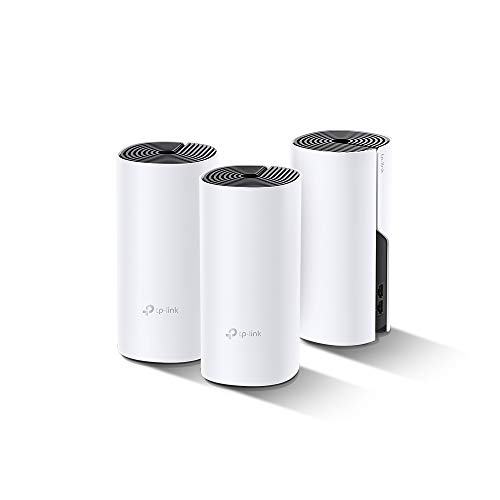
I would get a mesh wifi network with poweline connection. Some like this.
https://www.tp-link.com/us/deco-mesh-wifi/product-family/deco-p9/v1%20(3-pack)/
You can put 1-2 devices on the larger floor and 1 on the other and buy more as needed.
Not sure how much you know but a mesh network. It allows seamless roaming between devices so you don't need separate wireless networks. The power line feature sends your data from the access pooint over the power lines in your house back to the main hub connected to the home router. You can now shut off WiFi on your ISP router. It's just one seamless wifi network across your house. No need to run cables since the access point used your electric lines to transmit data between each other.
I did this at my mother in laws, she has three floors. It works perfectly.
I installed a Deco 9 mesh through a big but single story house. Excellent kit. As others said you turn off the wifi of the supplied router, plug in 1 mesh device and then add others as needed.
Gives one seamless SSID and another for guests if you want. Few parental controls.
I have a tp link deco mesh network, initially it was 3 nodes. I’m up to think 6 nodes now across probably 10k square feet over 2 levels. For the most part, it’s been perfect.
I used to have a TP-Link AC1200 router. I’m not sure if it was because I was torrenting for a longer period or more torrents, but the router would throttle to 1 Mbps. I’m not sure why this happened, but when I rebooted the router, it would work fine again. This happened a lot, but it happened less often with the ASUS router.
Top WiFi Routers on Reddit
1
GL.iNet
GL-MT6000 (Flint 2)
91% positive of 197 users
OpenWrt enthusiast's choice; good value, but lacks 6GHz.


 HandbagHawker





