
Deco X68 AX3600 Whole Home Mesh WiFi 6 System
Running these analyses costs money. Buy through my links to help keep lights on! I may get a small commission.
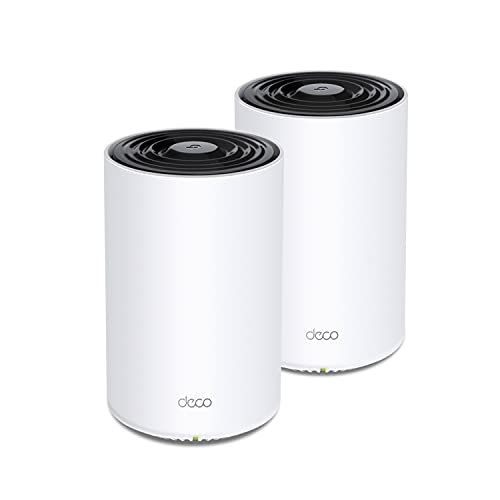
Top Pros
Top Cons
Reddit Reviews
 guichanism92 1.0
Installed Deco x68s at my place, x55s at in laws, x55 pros at friends, and Linksys Velops at other friends, all hardwired, rock solid and roaming works flawlessly. All of them having 20-30+ clients.
Illustrious-Car-3797 1.0Most Deco's will support 100-200 no matter how old but keep in mind the older you go.........the less features and security will be possibly lacking [https://www.tp-link.com/au/home-networking/deco/deco-x68/](https://www.tp-link.com/au/home-networking/deco/deco-x68/) The XE75/Pro are good options too but a little more expensive Plan your network though 1. What speed ports do you need 2. How big is your home? You C4000 was not a mesh, Deco will be much better 3. What is your ISP Plan?
Merlin_au 1.0I've got A TP Link x68 mesh with WiFi backhaul, getting close to 500 down & 47 up
2loki4u 0.1I've been seriously considering that switch myself. I jumped into this sub b/c I a asked to look at some networks using older eero setups. Found it so dumbed down that it was very hard to troubleshoot but coverage was total a$$. Once I got it running correctly, I was actually pretty impressed with the performance. especially the mesh backhall. I currently run a upper midrange 6+ deco system because until I see how well eero worked, it was by far the best I'd used. But the small business class Omada systems I've built have become my preferred standard. Just, I haven't played with mesh function on Omada and have no idea how capable it is it isn't. The other part of the equation is the cost of ownership. At the pricing I've been looking at for eero units supporting 6ghz - it's almost a toss going with it or eero when I upgrade my own home setup. Curious, anyone have any suggestions for a 6ghz eero setup with 4 APs ( meaning a master and 3 extensions via mesh backhall)? The house setup is a pain, 2 floors and backyard, and the ftth is on one side of the house dead center (where I put my main AP due to difficulty accessing above it below for extending Ethernet) but having the 2nd AP just past halfway across the width of the home, yields mediocre performance and trying to run the 3rd downstairs below the 2nd leaves 2.4ghz devices struggling no matter how many optimizations I run. Thinking maybe a 4 AP system may be required to improve things at 2.4 so my TAPO cameras don't struggle so much.
Accomplished-Stand15 0.1Tplink Deco WiFi 6 mega is amazing you will not be disappointed
NoodlesSpicyHot 0.1Deco WiFi6 from TP Link. Three wired to base over 1gb. Three WiFi satellites over mesh. Running great now a couple years. Connected to VZ Fios 1gb service. 35 ish devices in all the rooms. Finally, nothing drops, everything is fast and solid, the devices themselves are now the bottleneck.
Best I've owned. No hesitation. I use their DECA mesh with success. TP-Link is a big company. If they do get banned, there will be a pivot towards something the MAGATs will find less offensive. For folks asking what the ban is about. Netgear and other US networking gear manufacturers have been lobbying hard with the GOP, sowing Chinese fears about TP-Link. Not because TP Link gear originated in China (Netgear, Cisco, Juniper, Aruba, and others also have gear made in China), but because TP Link gear is good and much lower in cost, which is eating into their profits. Sales of Netgear have been cratering, so they are asking their GOP buddies in Congress to help shut down TP-Link's US business. Capitalism is good, until you need the game rigged in your favor. Question: Has anyone used TP-Link for small or medium enterprises? How did the installation go (models, qty, client density, etc.), and how is it going?
LegendCZ 0.1But id i have it in same room? I have Deco from TP-Link with Wifi6. Will be definetly playing in same room as router which is hooked to the PC trough CAT6e
Yeah now i am catching on. Yeah i just did read WiFi 6 and expected i have high end enough router to support this. Bummer. I know about networks and stuff. It is sometimes just too vague or hidden behind parameters. I know Index has dedicated Wifi for adapter. Thanks a lot for clarification. One would say that year old brand new kit of Deco with pricetag of 250$ would be enough of future proof. Worst case scenario i can buy a dumb switch and simple Wifi6e or 7 Antena.
nismos14us 0.1I use deco mesh wifi 6
jumosc 0.1I replaced an older Netgear Orbi system a few years ago with a TP-Link Deco to get WiFi 6 and outdoor APs. It worked great for a few years and then because extremely unreliable. We switched about 6 months ago to a Firewalla AP7 WiFi system powered by a Firewalla Gold SE. I absolutely love the performance and reliability but it was the robust security is what drove the decision. Ubiquity was the other option we considered. They’re very compelling but we already had the Firewalla Gold SE router.
louthecat 0.1I switched from eero to TP deco and I like it more. Assigning 2.4 for IoT stuff is a great improvement. At one stage I was literally walking 100 feet outside to make my phone get to 2.4 because the eero cannot manually switch between bands. Deco WiFi 6 is great so far as long as you’re willing to fiddle with a few settings.
Lots of IOT stuff only connects at 2.4, and it can be pain to try and run the connection app on, for example, your new vacuum cleaner, if your phone cannot switch to that 2.4 band. Unlike the eero, with TP deco, you can make a 2.4 band network called “wieezzzy’s Internet of things”. It’s also pretty easy to force something to connect at a particular band or to connect to a particular hub like if you want your TV to always connect to the living room hub or something.