
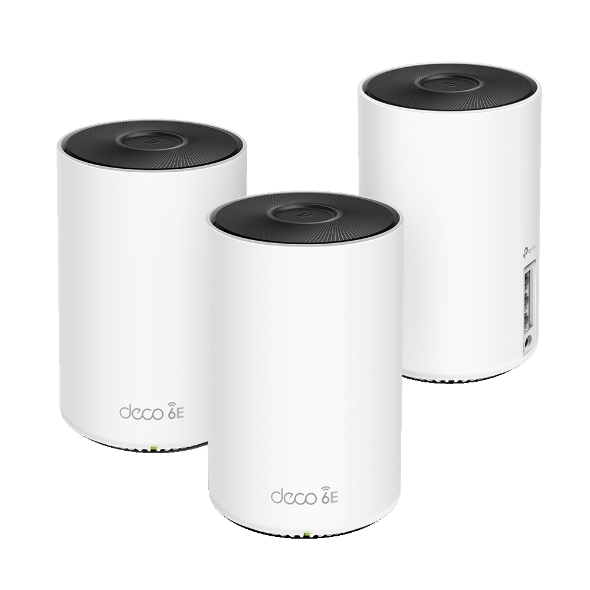
Deco XE5300 (AXE5300) Wi-Fi 6E Tri-Band Mesh Wi-Fi System
Running these analyses costs money. Buy through my links to help keep lights on! I may get a small commission.
Top Pros
Top Cons
Reddit Reviews
 On-The-Rails 1.0
In two houses now I have used TP-Link — they have been very very reliable for me. Am currently using 3x XE5300 (AXE5300 set from Costco) I got from Costco on sale last year’s Black Friday or the year before. Have been great. I’ve got them configured in Access Point mode, and connected to my Spectrum Router with the router’s WiFi turned off. Current I’m using the 6GHz channel for backhaul. In a previous house I used TP-Link Deco M5s throughout my large country home (3700 sq ft) plus additional Deco M5s in one small outbuilding (guesthouse) and one large outbuilding (office, storage and workshop) plus a outdoor pool and large deck area. I had the large outbuilding connected to the main house via a Ubiquiti high speed point-to-point wireless. And had all the M5’s connected to Gigabit switches for wired backhaul and PoE. Again M5’s were in AP mode. And the house was served by a 1GB bi-dir fiber feed from the Internet provider. Overall a great set up. If I were installing today in a new to me house, I’d get the TP-Link Deco BE11000 3 pack on sale at Costco right now. In both houses I had 70+ clients including apple PCs, Windows PCs, smarthome (Google, Apple & Amazon), music (Apple Homepod Minis), plus iPhones and Androidn phones & tablets. No issues at all, and support roaming across the mesh.
reddotster 1.0As a counterpoint, I have a Deco XE5300 system that is rock solid. I recently decided to invest in moca adapters to let me move my server & hubs, as our cable comes into the house in a really weird place. I’ve found the Deco system really easy to use and configure and quite reliable. OP I don’t know if it’s your specific units, or if you have suboptimal placement, or not enough units, but I don’t think there’s some fundamental flaw with this product like which makes it useless.
Yes. I have my TP Link Deco units connected via Ethernet.
mrpink57 0.2If you are a Costco member or know one the AEX5300 is the same as the XE75 but even cheaper, they are the exact same. Your assumptions are going to be wrong, price !== quality. If you want to spend more money look at a Unifi Express 7/Dream Router 7 with a U7 Lite.
Any_Process_3713 0.2Get a tri band mesh router set. Like deco wifi 6e or 7. I had 6e were decent and then got a pair of d link be9300's used for $200.
linearnerd 0.2Unpopular opinion: I did the ubqiuiti rabbit hole and it’s not worth it. They don’t update their hardware fast enough. When things failed it was a pain in the ass to get back up. I’d have to reboot the whole system more. I put in a deco system at my sisters and was amazed how much faster it was than my network. I ripped out every one of the ubiquiti boxes, put in 2.5 gig managed switches, got deco 6e, pfsense router and have far less issues and money & time spent. Running them as just ap’s is great and I only need two now versus 3 ap’s with ubquity. I was able to upgrade my internet past the 1 gig to 3 gig plan now that I could actually hit those speeds. I have close to 70 devices on the network between iot, hosts and a nas. I can easily get over a gig on my phone now to the net and transfer files internally far faster. Save your money and time. Don’t go ubuiqiti. 20 year network admin here.
zaedaux 0.2They are incredible and simple. I’ve had a setup with the WiFi 6e ones, and now have one with WiFi 7 ones. Literally stellar performance. Do you have first hand experience?
CaptCurmudgeon 0.1I've had the deco 6e system with several 5 nodes because of the how spread out I need the signal to reach. I'm disappointed in how the legacy nodes perform. The speeds drop off significantly (in my experience). I'm waiting till black Friday sales to either switch ecosystems or get more of the newer nodes. I'm just disappointed in how the older nodes should be able to handle 500 down easily and yet underperform consistently. I'm over 1gb on the 6e though so no real complaints there. I have the old nodes because I've been a tp link mesh customer for over 5 years now.
TheJoshuaJacksonFive 0.1I have eero 7 / no major issues but all three satellites are wired to the modem. Without that WiFi 7 is horrid in my brick/plaster house despite it being small. The only gripe I have with it is not being able to specify which satellite devices should connect to if I want something to not roam nodes. Some devices just don’t work well on mesh - especially devices on very secure VPNs (eg my work devices). I was having a lot of issues with calls dropping on WiFi calling to if I walked around - satellite hopping can cause dropped calls but I was able to fix that with some setting changes. I switched to this from a tplink 6e mesh system that was exceptionally bad. Def do your research on if WiFi 7 is worth it. I don’t think it is right now.
dinkygoat 0.1TP Link Deco 6E - had it for about 2 years and it's been good and super reliable. There were some concerns recently about TP Link routers phoning home to China, so something worth looking into I guess if you're worried. The management app (so take it for what it is, requires a phone app to manage) is decent, although a little annoying with the upsell of the safety suite. The feature set is great - guest network, IoT network, QoS, VPN server and client, 3 ports (only gigabit though) on each device, and 6Ghz wireless backhaul (or wired is also supported). At the time the Wifi 7 model just came out and was much more expensive so I didn't really see the point. If I were buying a new router today I'd probably go for a Wifi 7 model. Another upgrade in that is it looks like the Wifi 7 model has 1x10Gbps port and 2x2.5Gbps so that's some good future-proofing right there. Came from having Google Wifi, which I think was overall a little bit better, but I'm not upset about it. Obviously Ubiquiti is the gold standard if you wanna go that deep into it, but for a more casual (and much more affordable) solution I am not upset with my Deco. It's about $300 for 1 - have a 3-pack (~$700). If you don't need mesh, I've had good luck with Asus routers in the past and last I heard reviews for them are pretty good. Around $300 the TUF BE3600 looks like it might have all modern features you'd want.
Gypsydave23 0.1I’m very happy with Tp link deco 6E