The things that stink are consumer level hardware and using wifi as a network infrastructure. Most of what you describe is due to those two things - cheap design and construction and iffy firmware for the hardware, and the general inadequacy of wifi to provice a reliable pathway, since it's subject to distance, going through something other than air, interference of several kinds. You don't care about speed - fine - but speed (on a node) is a consequence of weak signal, or interference. So, those two things - speed and reliability of connection are tied together.
There are other solutions aside from mesh to reach an outbuilding. Ethernet cable, fiber optic cable, point-to-point radio - all are better than trying to stretch a mesh somewhere far away. In general, when placing mesh points you do not place the mesh where you need the wifi, you place it in a spot that gets a *great* signal from the base router and the clients get a *good* signal. The link is more important than the client. That makes it impractical to use for jumping a bunch of space between two buildings.
Eero seems to get the most positivity for pure mesh systems. The plethora of offerings by the major consumer mesh manufacturers (Asus, TP-Link, Netgear, D-Link) shows how they would rather keep pumping out new devices than actually make something you would love to own. In fairness to them, wifi is no way to run a network infrastructure but consumers demand it. Wifi itself was designed as a convenience for portable devices, and convoluting it into network infrastructure was not a good idea, but one driven by the need for sales and consumer demand (plus consumer belief that wifi is somehow better.)
u/Scotty1928 makes a good point - I also run UniFi. If I was confronted with your issue (of the outbuilding), I would probably first try an outside AP on the house (outside - and you'd need to wire it to your network.) The AC-M is a particularly good UniFi model for this) and see if you get an acceptable signal at your outbuilding.
It's really not a lot worse that something like Asus, who has a decently robust interface (lots of consumer stuff hides everything behind "simplicity"). The payoff is reliability and a long service life (my oldest UniFi AP is 7 years old, still supported, and still working great.)
In consumer world - Asus and TP-Link are the better choices. Eero is great hardware has a subscription model for some needed (IMO) features. I would avoid Netgear, D-Link and Linksys - they are not what they once were and have subscription models, sometimes poor support, and varying reliability and quality. You could also consider gl.Inet Flint devices if you're looking for an all-in-one router, they have gained a very good reputation.
I agree that a better choice than any of the above would be Ubiquiti UniFi and TP-Link Omada is also decent - it's different than the consumer gear. Reliability is one of the major points of these prosumer setups. I've been running UniFi for 7 years, it's great.
If you can place a router near the center of your house, then I think just about any single router (non-mesh) should be enough to cover 1200 SF (unless you need strong outdoor coverage, have block walls, etc.). You said you have a couple of HomePods. Those support Thread already, so you don't necessarily need Thread from your router (especially if your router and one of the HomePods are in the same room).
For simplicity (and possibility of future expansion), Eero makes sense, but I'm not convinced you need a mesh system. If you aren't running mesh nodes or if you don't need maximum throughput or range, then a dual band Eero is fine (what is your ISP speed?). TP-Link Deco (mesh) systems are more affordable than Eero and are pretty easy to set up and manage. Asus routers also have the ability to mesh and so are also expandable as a product line, which is nice. They have more features and control and can therefore be more difficult to set up as a layman. Looks wise, some of their routers are very large with a lot of antennas, which may not appeal to some. Unifi is for tech enthusiasts and network tinkerers. They work well if you know what you're doing, but I'd avoid them. I recall some people having problems with Unifi and Apple devices. Unifi doesn't perform that well when wirelessly meshed (i.e., it's better to wire each access point with ethernet). Also, most (not all) of their access points are ceiling mounted.
I have had all versions of all of these (and Google/Nest too). I generally recommend Eero to my friends and family because they are not knowledgeable about networking and aren't interested in managing or tweaking their networks. They want set-it and forget it / "it just works".
I don't think you mentioned how many devices you have on your network, if you have a a lot of IoT smart home devices, your ISP speed or if you home is wired with ethernet, which factors in a lot. If you have a lot of devices now or plan to later, then you may benefit from WiFi7, which supposedly improves performance on congested networks. Wifi7 is a bit confusing because the short range, high bandwidth 6ghz radios are not mandatory. They were ironically mandatory for WiFi 6E, which is why I think some people are confused. The 6ghz band requires compatible devices and has a short range (often limited one room). If you have compatible devices and a really fast ISP plan, then 6ghz might be useful to you. If you want whole house 6ghz coverage, then you are back to looking into tri-band mesh systems (like Eero 6E, Eero 7 Pro and Eero 7 Max), two Asus routers, an Asus ZenWifi kit, or a TP-Link Deco kit (all rated for WiFi 6E or Wifi 7 tri-band).
I'm going to make the same recommendation for you as I do my family and friends: Get a basic Eero 7 (dual band) single router. If you want maximum coverage/speeds, then get a two pack. It's easy to live with, works well, can support high ISP speeds, etc. You can easily expand your network with any other Eero product later, like another Eero 7 or even and Eero 7 Outdoor if you want better coverage outside. I wouldn't bother with 6ghz personally or tri-band systems at this time, unless you have specific needs (like a congested network, WiFi pollution from neighbors, a super fast ISP connection that you are trying to maximize, etc.).
Ubiquity is the best way to go. I installed Ubiquity in my home and in 3 family members homes. Has been rock solid for over 7 years now. The range and coverage is very good. I used 2 or APs for a 3,500 sq ft home and 3 for a 5,000 sq ft.
Don’t mess with range extenders, total crap.
Top Mesh Wifi Systems on Reddit
1
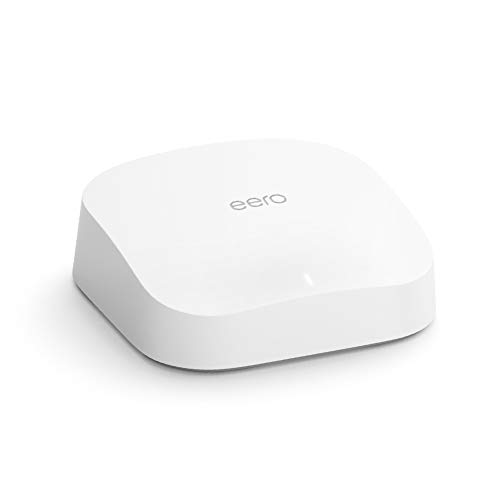
eero
Pro 6 Series
82% positive of 175 users
Easy, reliable, smart home ready; but paid features.


 Downtown-Reindeer-53





